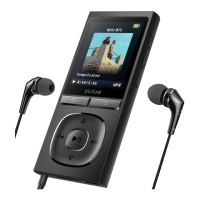
“yes” to confirm deletion.
8. E-BOOK
Choose E-BOOK in this MP3 player, press the 「play/pause」button to enter into
E-BOOK operation interface
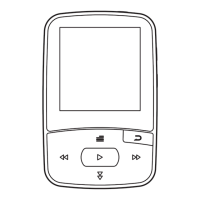
Upward/downward: Short press 「last one」 to move to previous page; short press
「next one」 to move to next page
Auto play: When you are reading E-book, short press 「menu」to enter into setting
→ press 「menu」 or 「downward」 to choose “auto play” → press「last one 」or
「next one」to adjust time → press「back」to return to E-book reading interface →
press「play/pause」to start auto play
9. Tools
Choose Tools in this MP3 player, press the 「play/pause」 button to enter into tools
operation interface which including: Calendar, Stopwatch
Operation: press 「menu」 or 「downward」 to choose option, press 「play/pause」
to confirm
10. Setting
Choose Setting in this MP3 player, press the 「play/pause」button to enter into
setting
operation interface which includes: auto shutdown,display, language, date and time,
information, format, default settings
Date and time adjustment: Press 「last one 」or 「next one」 to choose value, press
「play/pause」to confirm
12


 To Next Page