Need help?
Do you have a question about the Vidao TV and is the answer not in the manual?
Connects the TV to a coaxial or RF cable for antenna input.
Instructions for connecting the TV's power cord to an AC outlet.
Overview of steps to connect your TV to various A/V devices.
Warning against using 'Channel Auto Scan' when connected to a set-top box.
Lists common A/V devices that can be connected to the TV.
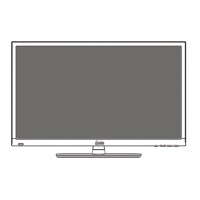
Guides on assembling the TV stand and installing remote control batteries.
Instructions for programming the TV remote for Cable/Satellite providers.
Details the recommended HDMI connection for optimal signal quality.
Explains how to connect the TV using Component cables.
Provides instructions for connecting the TV via Composite cables.
 General
| Display Technology | LED |
|---|---|
| Smart TV | Yes |
| HDMI Ports | 3 |
| USB Ports | 2 |
| Screen Size | 55 inches |
| Resolution | 4K Ultra HD (3840 x 2160) |
| HDR Support | HDR10, HLG |
| Wi-Fi | Yes (802.11ac) |
| Bluetooth | Yes (5.0) |

 To Next Page