3
under or around the driver’s side.
2.Plug the diagnostic cable into the vehicle DLC socket.
3.The scan tool automatically boots up.
1.5 System Setup
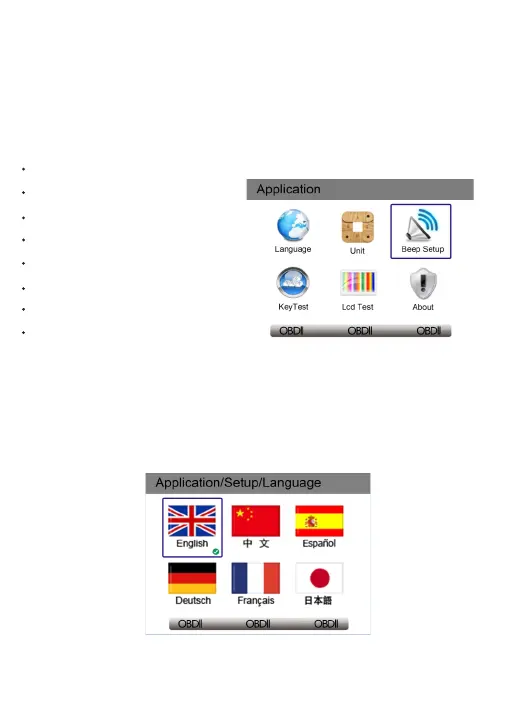
The System Setup functions allow you to adjust default settings and view
information about the scan tool. Options are :
Language
Unit
Beep Set
Key Test
LCD Test
About
Shortcuts
Data Record
1.5.1 Select Language
English is the default language.
1.Select Language from Setup menu and press the OK key.
2.Press the LEFT/RIGHT arrow key select a language and press the
OK key to confirm.



 To Next Page