12
DISASSEMBLY
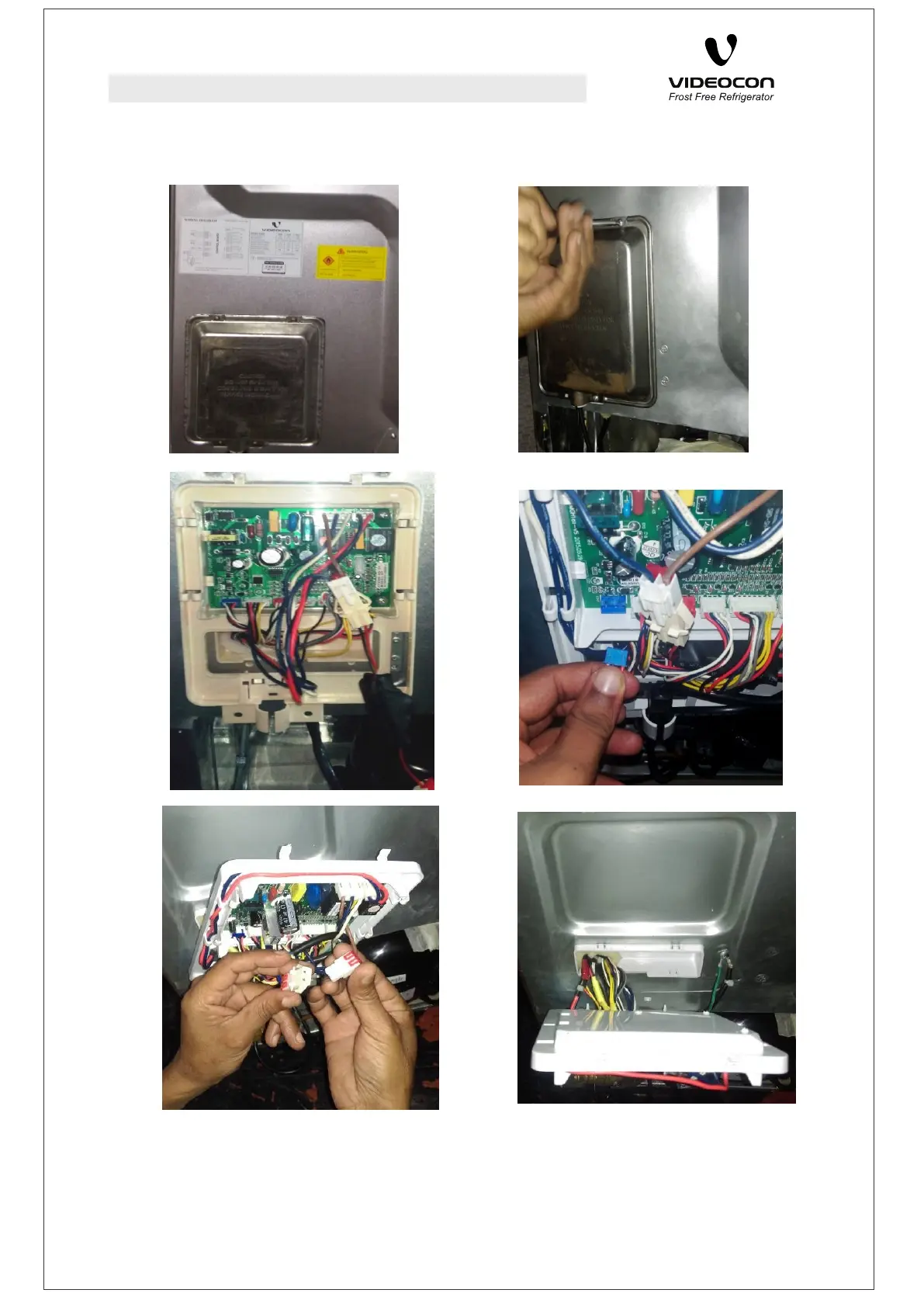
• Main PCB cover is located on back side of refrigerator in lower left corner.
• Open all the mounting screws with help of a suitable ‘+’ type screw driver to open the PCB cover.
• Take out the back plate carefully from the snaps given in back panel.
• Disconnect all the connectors.
• Remove the main power line and EMC filter
• Take the PCB out with the Back plate for required servicing.
DISASSEMBLY
MAIN PCB



 To Next Page