17
MICOM FEATURE CONTROLES
(19) Press “TIME” key, the freezing temperature is “44” and the buzzer will ring in normal
condition. No display will be given when there is fault.
(20) Press FAST ICE key, the freezing temperature is “55” and the buzzer will ring in normal
condition. No display will be given when there is fault.
(21) Press VACATION key, the freezing temperature is “66” and the buzzer will ring in
normal condition. No display will be given when there is fault.
(22) Press ENERGY SAVING key, the freezing temperature is “77” and the buzzer will ring in
normal condition. No display will be given when there is fault.
(23) Press SUPER CHILL key, the freezing temperature is “88” and the buzzer will ring in
normal condition. No display will be given when there is fault.
13) FAULT ITEMS
NOTE: After being powered on, there will be “E7” fault, which is normal phenomenon and
restart will be able to eliminate this fault.
14) DISSEMBLING THE PCB
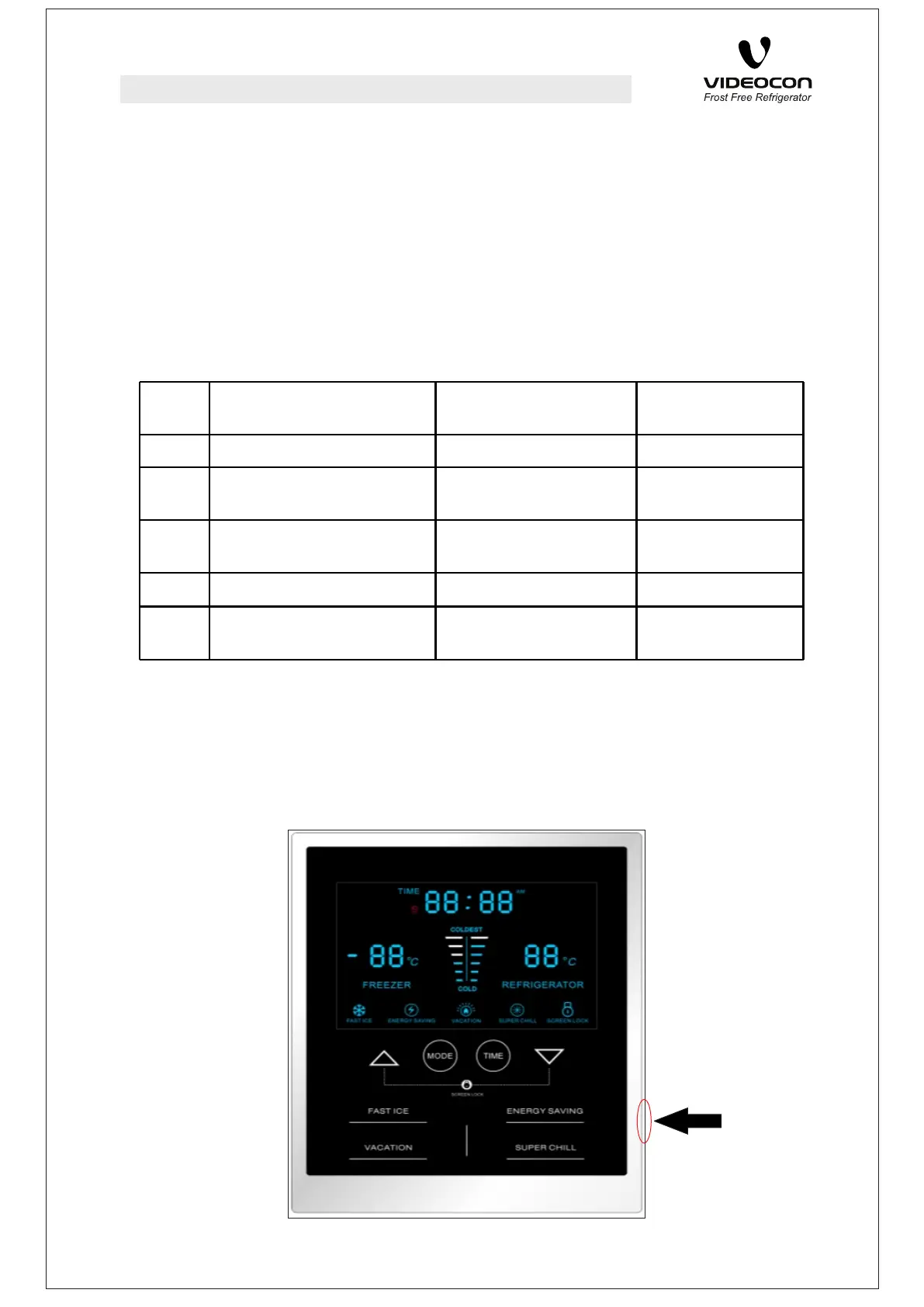
(1) Place a point sharp pin in the right of Energy Saving key as shown in the picture.
(2) Gently insert it behind the PCB cover.
(3) Pull the PCB cover with the help of inserted pin outward to open the Front PCB cover.
S.N Fault Type Display Information General
information
1 Fault of Ref-Sensor Error Code “E1” Alarm
2 Fault of Freezer-Sensor Error Code “E2” Alarm
3 Fault of Defrost -Sensor Error Code “E3” Alarm
4 Communication Fault Error Code “E9” Alarm
5 Software (Read/Write)
Problem
Error Code “E7” Alarm
S.N Fault Type Display Information General
information
1 Fault of Ref-Sensor Error Code “E1” Alarm
2 Fault of Freezer-Sensor Error Code “E2” Alarm
3 Fault of Defrost -Sensor Error Code “E3” Alarm
4 Communication Fault Error Code “E9” Alarm
5 Software (Read/Write)
Problem
Error Code “E7” Alarm



 To Next Page