4
INSTALL SHEET
OMV OUTDOOR MOTION VIEWER
Tilt Tamper
The OMV MotionViewer can detect manipulation thanks to its built-in electronic accelerometer.
This device can detect shocks, movements, wall or cover tamper but also changes in its orientation.
When a movement of the OMV is detected, the LED lights up for 3 seconds.
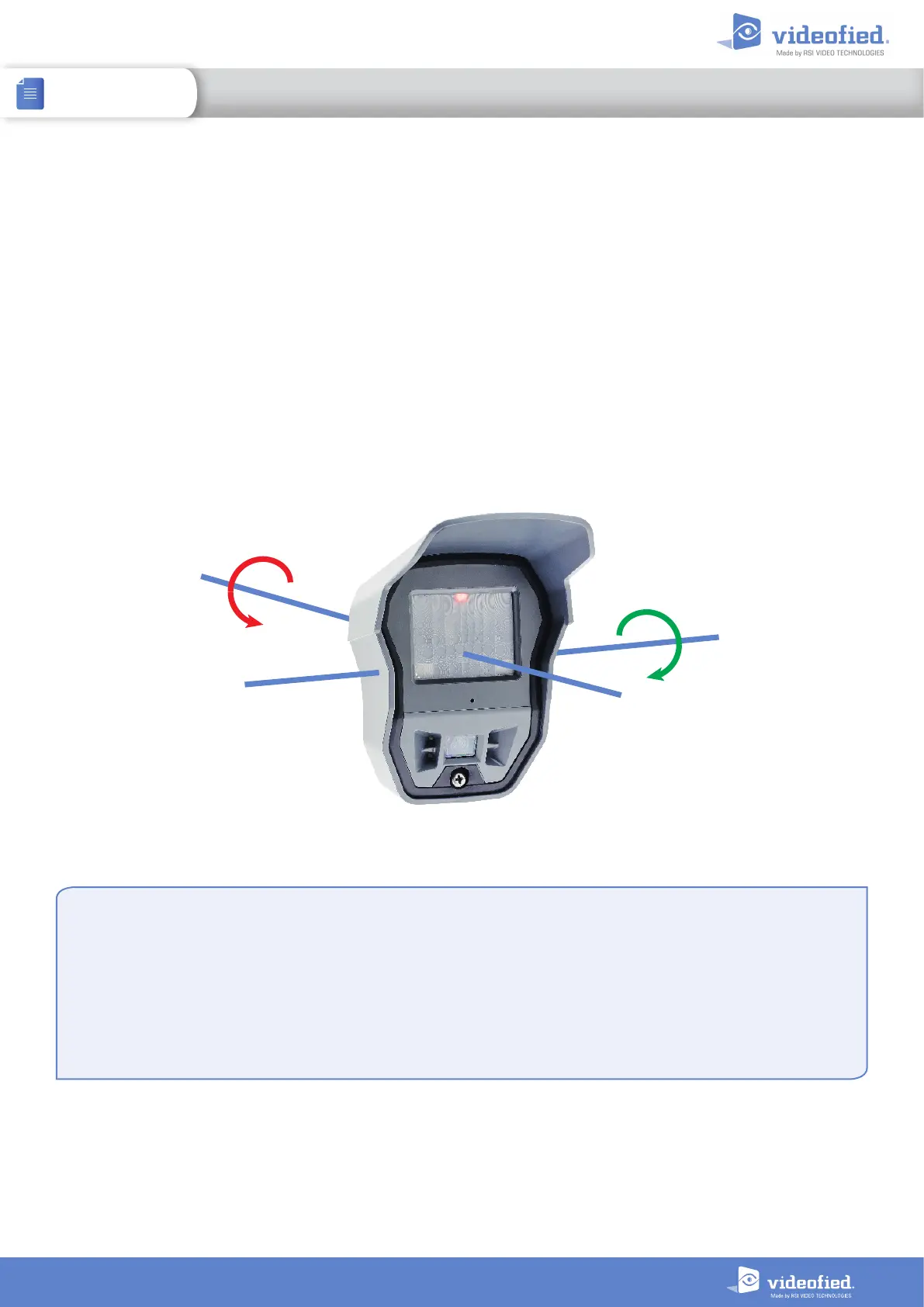
When it is armed for the first time, the OMV registers its position in space. If its orientation is significantly
changed on its transverse or longitudinal axis, a tamper alarm is sent to the panel. As for every Videofied device,
the tamper is active 24/7.
If the detector is moved, the TAMPER notification will be displayed on the keypad the next time the system
is armed. Press OK/YES to acknowledge that notification and confirm the detector new position. If the
TAMPER event is set as ALARM/END, a tamper restoral event is sent to the panel.
Longitudinal axis rotation
Transverse axis rotation
Tilt tamper disabling (only for OMV version 07.06.04.XX and later)
Tamper disabling
The OMV Motionviewer must be deleted from the panel memory to
disable tamper.
1. Delete the OMV from the device configuration menu.
2. Press and hold the OMV initialization button for 5 seconds. The
red LED will turn on for 2 seconds to confirm the setting.
3. Pair the OMV back with your panel.
Tamper re-enabling
The tamper re-enabling procedure is the same
1. Delete the OMV from the device configuration menu.
2. Press and hold the OMV initialization button for 5 seconds. The
red LED will turn on for 2 seconds to confirm the setting.
3. Press and hold the init button for 5 seconds. The red LED will turn
on for 2 seconds, off for half a second and back on for 2 seconds.
4. Pair the OMV back with your panel.


 To Next Page