14
2. W PANEL PROGRAMMING
INSTALLATION MANUAL
W & WIP Alarm panel
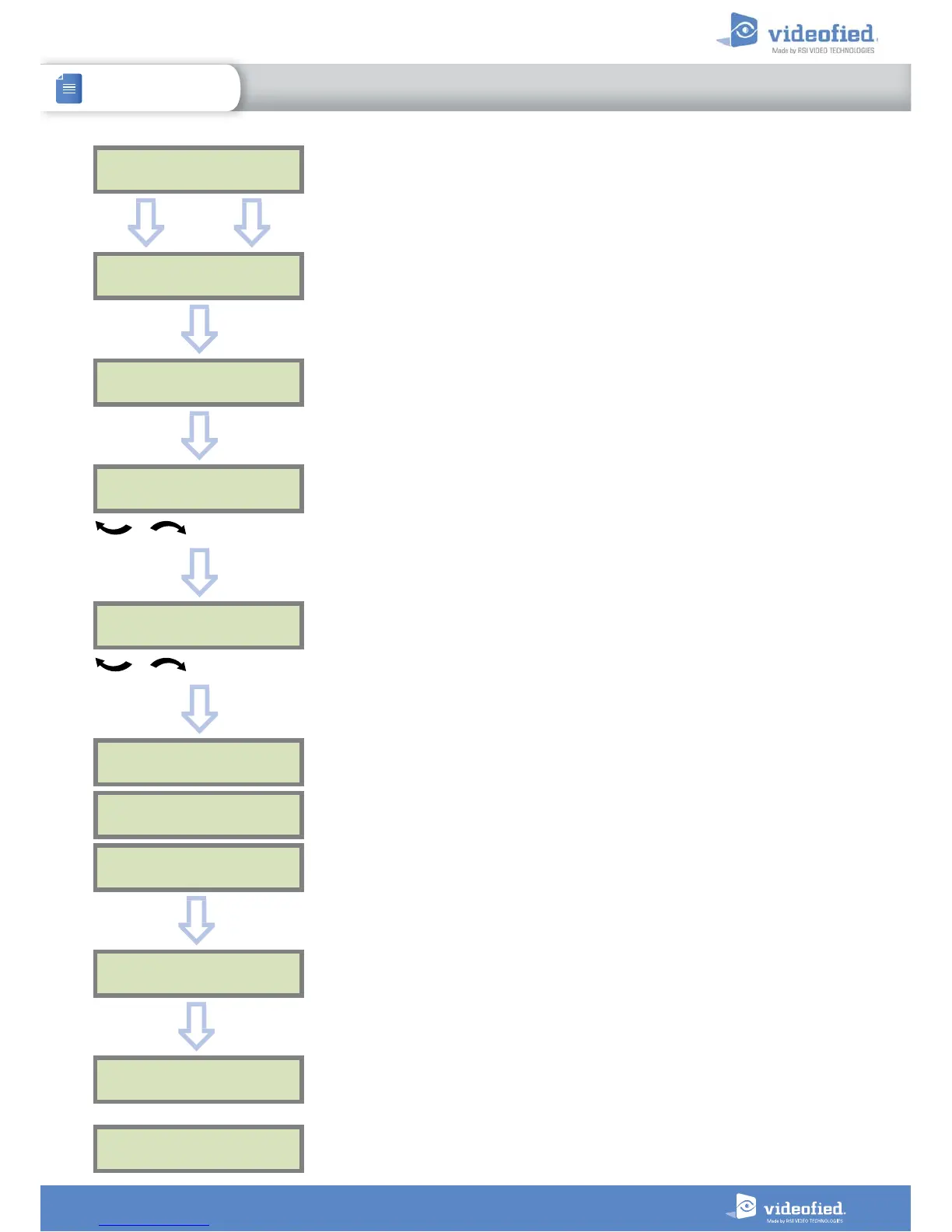
For full compatibility with EN50131 norms, press
OK
or
YES
.
Otherwise, press
ESC NO.
COMPATIBILITY
EN 50131 NORMS ?
AREAS CONFIGURATION
AREA 1 NAME :
Press
ESC NO
to default the area names.
Enter the name of Area 1 and confirm with
OK
or
YES
.
Repeat the procedure for areas 2,3 and 4.
For further details, please refer to chapter 3.3.
ESC
NO
OK or YES
OK or YES
OK or YES
EXIT DELAY :
45 sec
For the selection
OK or YES
Available delays are : 2 min, 1 min, 45 sec.
ENTRY DELAY :
15 sec
Available delays are : 15 seconds, 30 seconds, 45 seconds,
1 minute et 2 minutes.
For the selection
OK or YES
PRESS PROGRAM
BUTTON OF DEVICE
RECORDING
DEVICES
Each device has a unique programming button or a specific
manipulation. Please refer to the Installation Sheet for the
device you would like to program.
DEVICE
RECORDED
OK or YES
RADIO RANGE TEST?
RF TEST
x/9
RF TEST
9/9
OK or YES
Attendre
Please check the radio level of each device on its final
location.
The result must be 8 out of 9 as a minimum.
Please refer to the RF test section on page 6 for further
details.


 To Next Page
 Loading...