16
2. W PANEL PROGRAMMING
INSTALLATION MANUAL
W & WIP Alarm panel
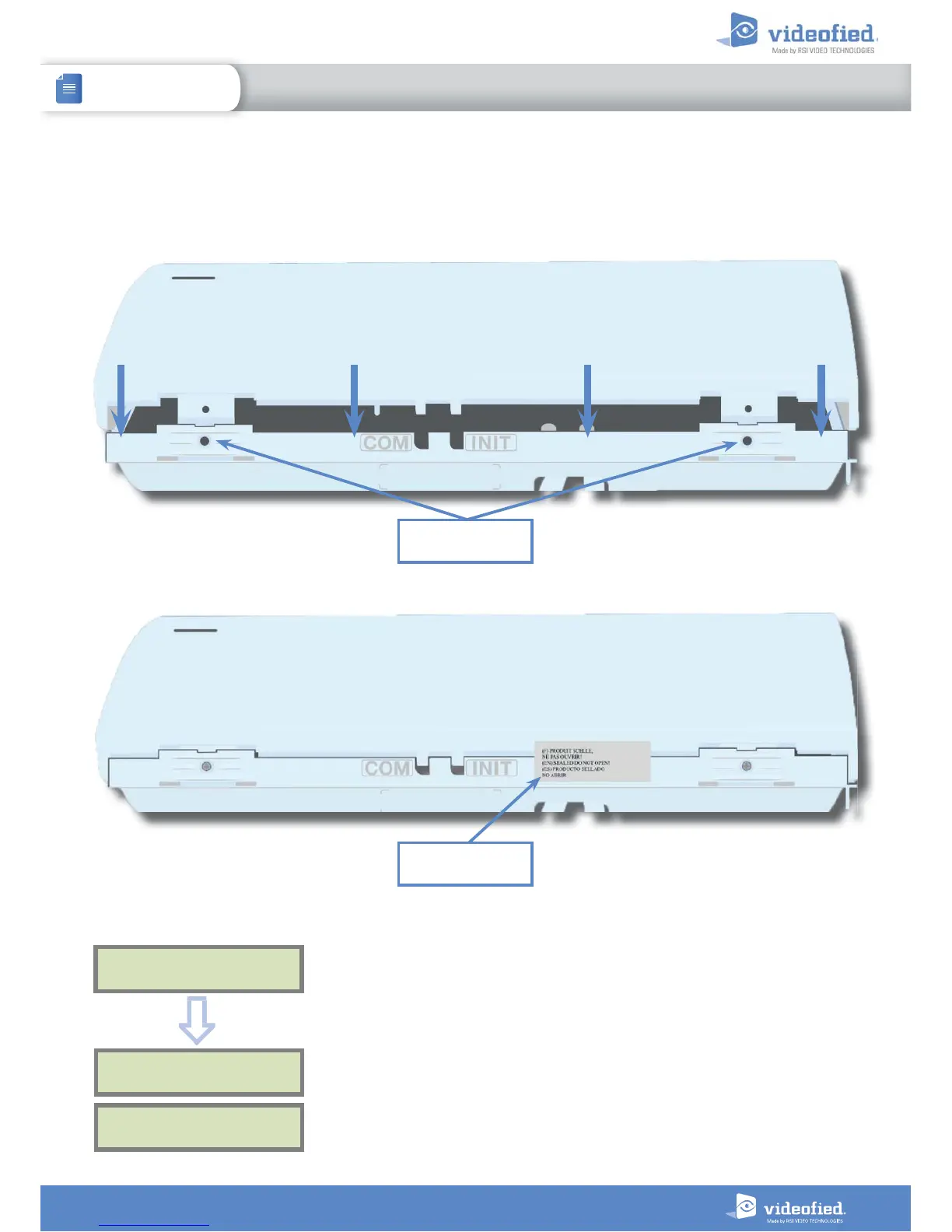
When the configuration is over, close the panel box as shown below and lock the panel. You can find screws to lock the
panel inside the box (see chapter 1.1 on page 4). Then stick the provided tag to seal the panel.
OPERATION
COMPLETED?
SYSTEM CHECK
IN PROGRESS
INSTALLATION SUCCESSFUL !
Before completing programming make sure that no device is
tampered. Each device must be closed and its LED indicator
shall be turned off.
Aer initial programming has been completed, make use of the
menu overview document (available on our technical support
portal), to see full programming options.
OK or YES
The keypad displays :
Locking screws
location
Sealing tag


 To Next Page