3-8 Ink Compartment Rev AA
Videojet 1710 Operator Manual
Smart Cartridge
Note: Refer to “Replace Smart Cartridges” on page 6-3 to replace the cartridges.
The smart cartridges use the smart chip technology to ensure the proper and in
shelf-life ink and make-up fluids are used.
Note: The normal ink cartridge contains 600 ml of pigmented ink. Make up
cartridge contains 750 ml of make up fluid. Two part ink cartridges contain 600
ml of pigmented ink in total.
Add Ink Cartridge to the Printer
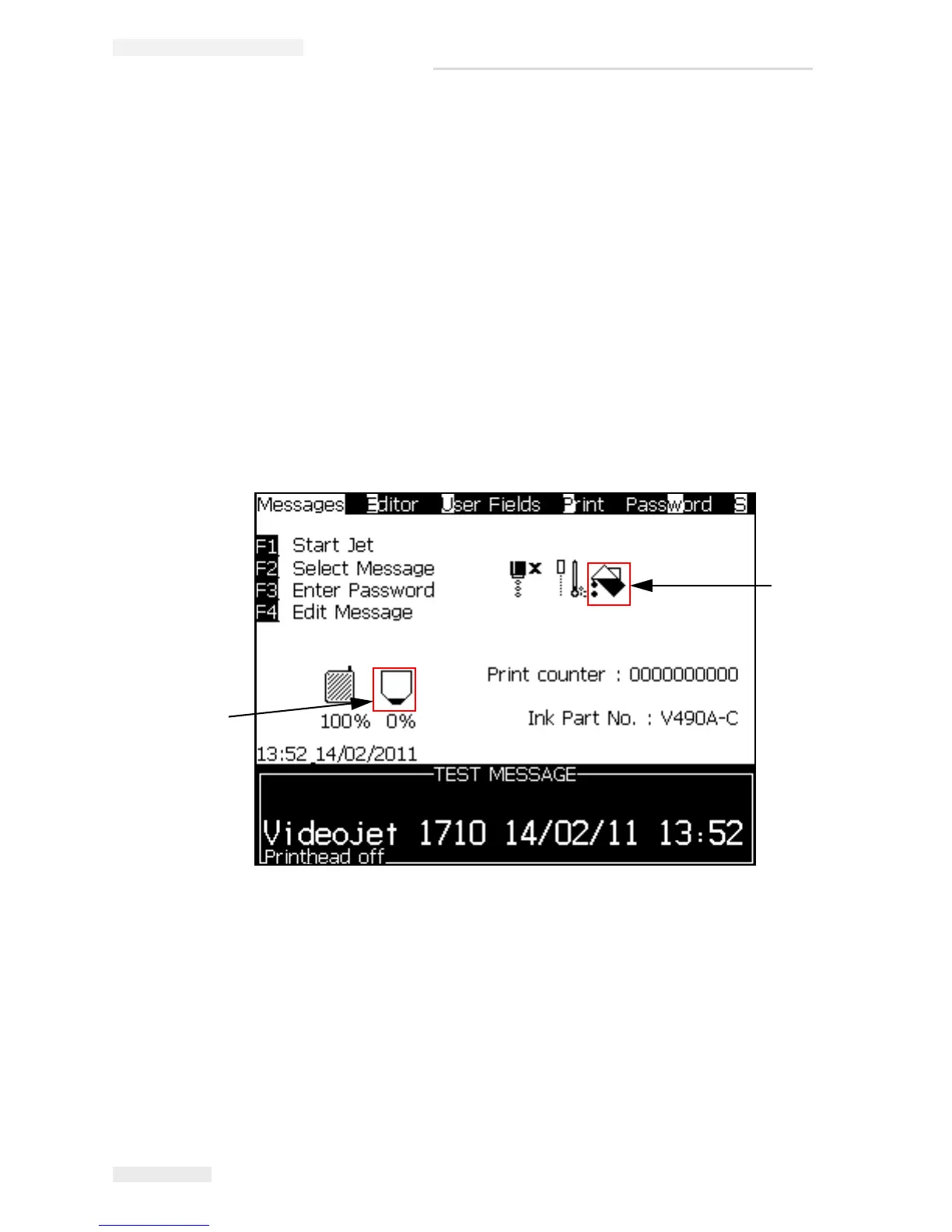
Note: The main menu screen in the UI displays the ink core level unlike the other
1000 series which displays ink cartridge level along with the make up cartridge
level.
When the ink core level displays <20%, it displays ‘Add’ ink icon. The printer
prompts the user to add a new cartridge. For more information on how to fill ink,
refer
“Ink Fill Procedure” on page 4-22.
When a new ink cartridge is added, the printer verifies the ink type, the nozzle size
and other parameters before supplying the ink to the ink core. This verification
process is automatic and does not require the user to enter any data. This step
ensures that an incompatible ink cannot be added to the ink core.
1
2
1. Add Ink Icon
2. Ink Core Level Icon
Figure 3-8: Menu Screen



 To Next Page