Rev AA Calibrate Menu 4-11
Videojet 1710 Operator Manual
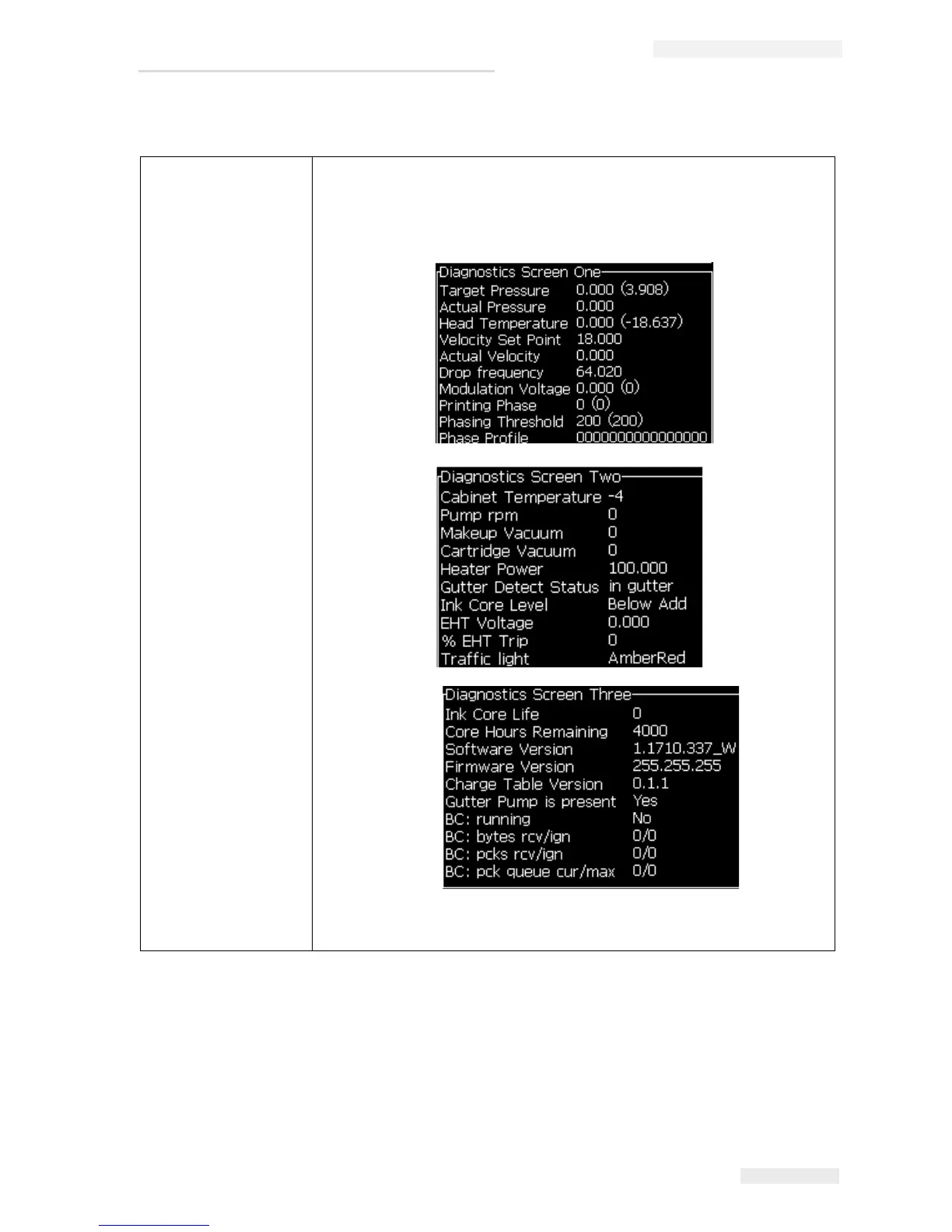
Diagnostics Screens
One, Two and Three
Opens the Diagnostic screen. This screen shows the current value of
different parameters to help you find the faults.
These diagnostics screens are available (default) from this menu at
password level 0 and above.
Press Esc key to return to the Menu screen.
Note: Diagnostics screens can be accessed and scrolled through, by
pressing i key on the keypad.
Table 4-3: Calibration Menu


 To Next Page