4-10 System Menu Rev AA
Videojet 1710 Operator Manual
System Menu
The user can perform the start and stop sequences through System menu
(press Alt+S) (see Table 4-2).
Calibrate Menu
The Calibrate menu (press Alt + L) (see Table 4-3 on page 4-11) includes the
controls to setup and calibrate the printer. Refer to the service manual for more
information. The Diagnostics screens are available from this menu at password
Level 0 and above.
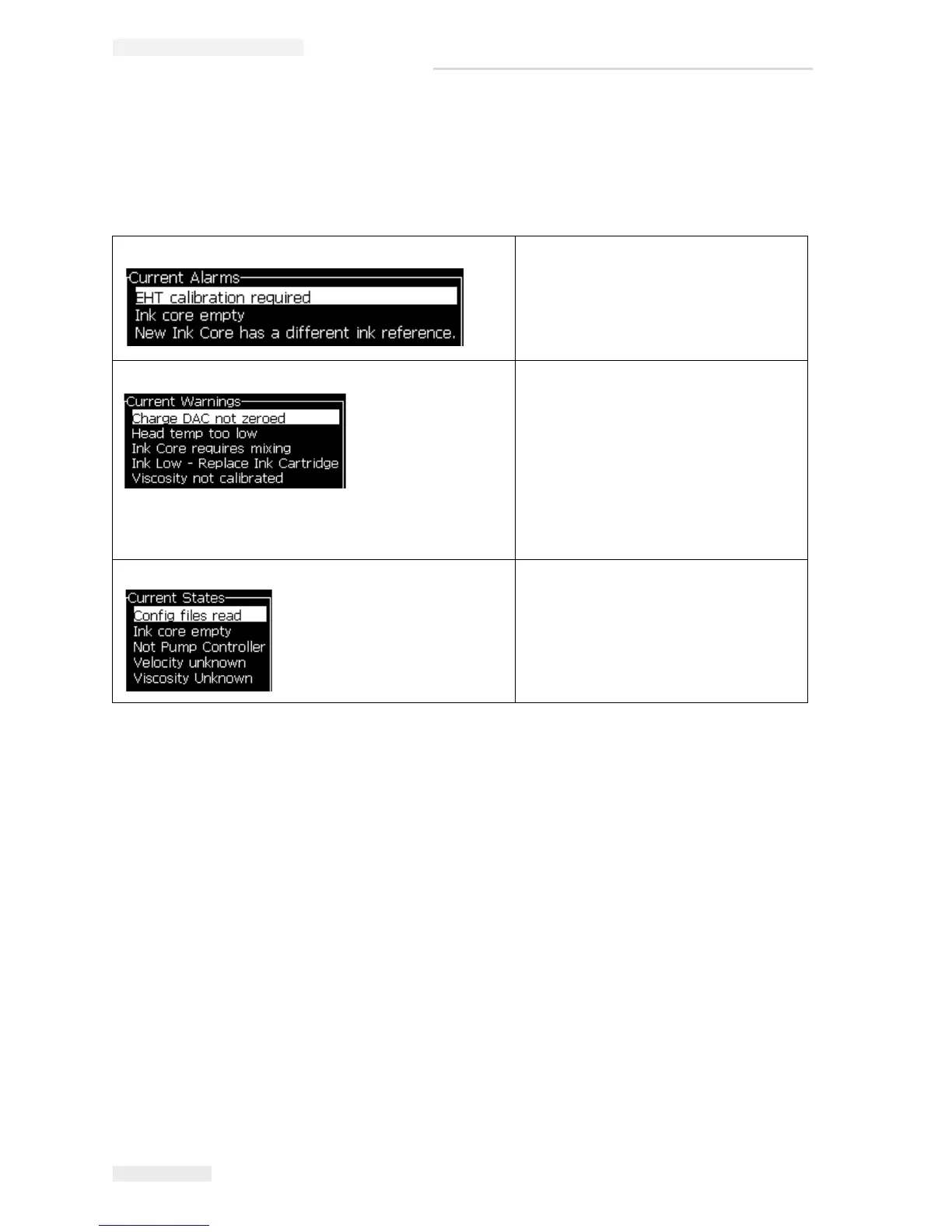
Alarms Screen When the alarm messages appear on
the screen, the printer stops the
printing.
Note: Diagnostics screens can be
accessed and scrolled through, by
pressing i key on the keypad.
Warnings Screen The printer continues the printing after
the warning messages appear on the
screen.
Note: Certain warnings will stop printing
but maintain the jet running.
For example: Selecting non-existent
raster.
Note: Diagnostics screens can be
accessed and scrolled through, by
pressing i key on the keypad.
States Screen It displays the current states of the
printer.
Table 4-2: System Menu


 To Next Page