Rev AA Product Counter 4-13
Videojet 1710 Operator Manual
Product Counter
The product counter shows the total number of products that the printer has
detected. All detected products are counted here including the products on which
the printer has not printed a message.
How to Reset the Product Counter
Do the following to reset the product counter:
Note: If you reset the product counter then you cannot undo the operation.
1 Open the Data Logging menu (press Alt + D).
2 Select the Product Counter option from the Data Logging menu with the
arrow key.
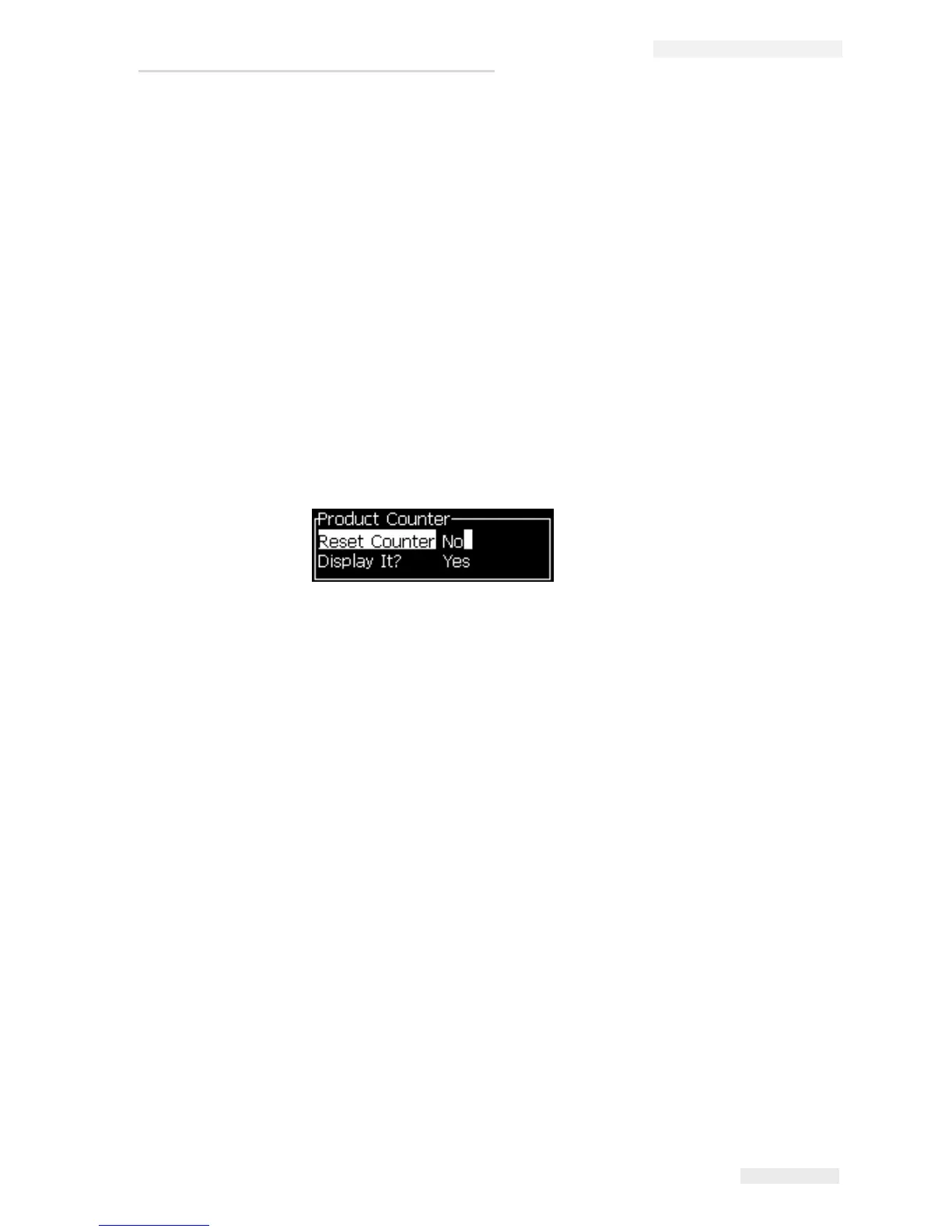
3 Press the Enter key to open the product counter dialog box (see Figure 4-17).
4 Set the Reset Counter field to “Yes” with the Left and Right arrow keys.
5 Press the Enter key to reset the product counter and exit the Product Counter
dialog box.
How to Hide the Product Counter
Do the following to hide the product counter:
1 Set the Display it? field to “No” with the Left and Right arrow keys.
2 Press the Enter key to hide the product counter and exit the Product Counter
dialog box.
Figure 4-17: Product Counter Dialog Box


 To Next Page