Rev AA How to Configure the Serial Port 4-15
Videojet 1710 Operator Manual
How to Configure the Serial Port
The RS-232 and RS-485 serial communication ports are standard for Videojet
1710 printer. For more information, contact the Videojet distributor or subsidiary.
You can prepare the printer communication ports for the transmission of data
logging information between the port and a remote device.
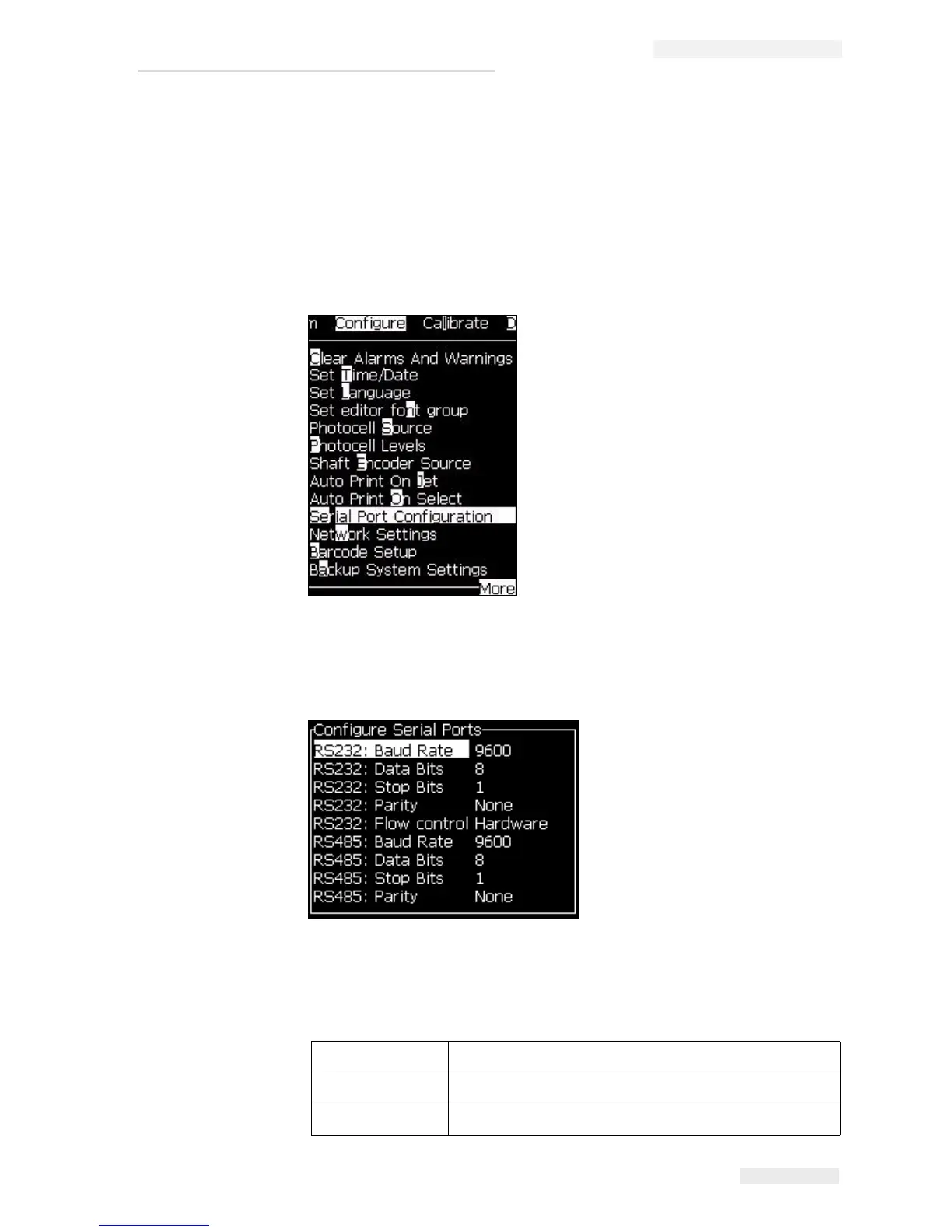
1 Open the Configure menu (press Alt + C).
2 Select Serial Port Configuration option, and press the Enter key. The
Configure Serial Ports dialog box appears (see
Figure 4-21).
3 You can configure the following settings:
Baud Rate Sets the baud rate for transmission to remote devices
Data Bits Sets the number of bits used in a data word
Stop bits Sets the number of stop bits used in a data word
Figure 4-20: Configure Menu
Figure 4-21: Configure Serial Ports Dialog Box


 To Next Page