Rev AA How to Enter Service Information 4-17
Videojet 1710 Operator Manual
How to Enter Service Information
You can record the service information on the printer.
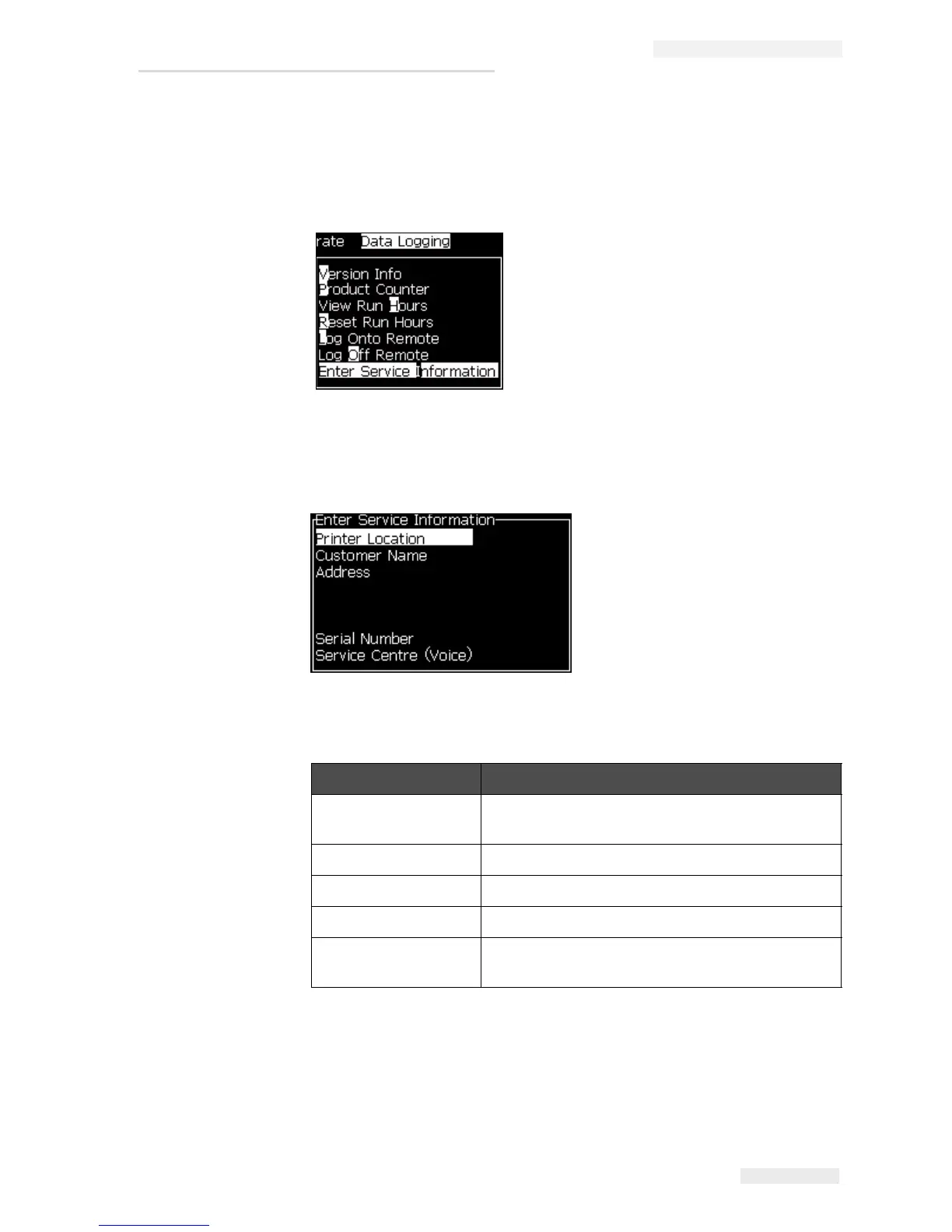
1 Open Data Logging menu (press Alt+D).
2 Select the Enter Service Information option and press the Enter key. The
Enter Service Information dialog box appears (see
Figure 4-23).
3 Enter the following information in the fields:
4 Press the Enter key after you enter the required information.
Field Entry
Printer Location A correct name of location (For example, factory
name and machine number).
Customer Name The name of your company.
Address Complete postal address of the printer location.
Serial Number Enter the serial number of the printer.
Service Centre
(Voice)
The full telephone number of your local Videojet
service centre.
Figure 4-22: Enter Service Information
Figure 4-23: Enter Service Information Dialog Box



 To Next Page