4-24 Ink Addition Rev AA
Videojet 1710 Operator Manual
Note: Press Esc to abort the procedure.
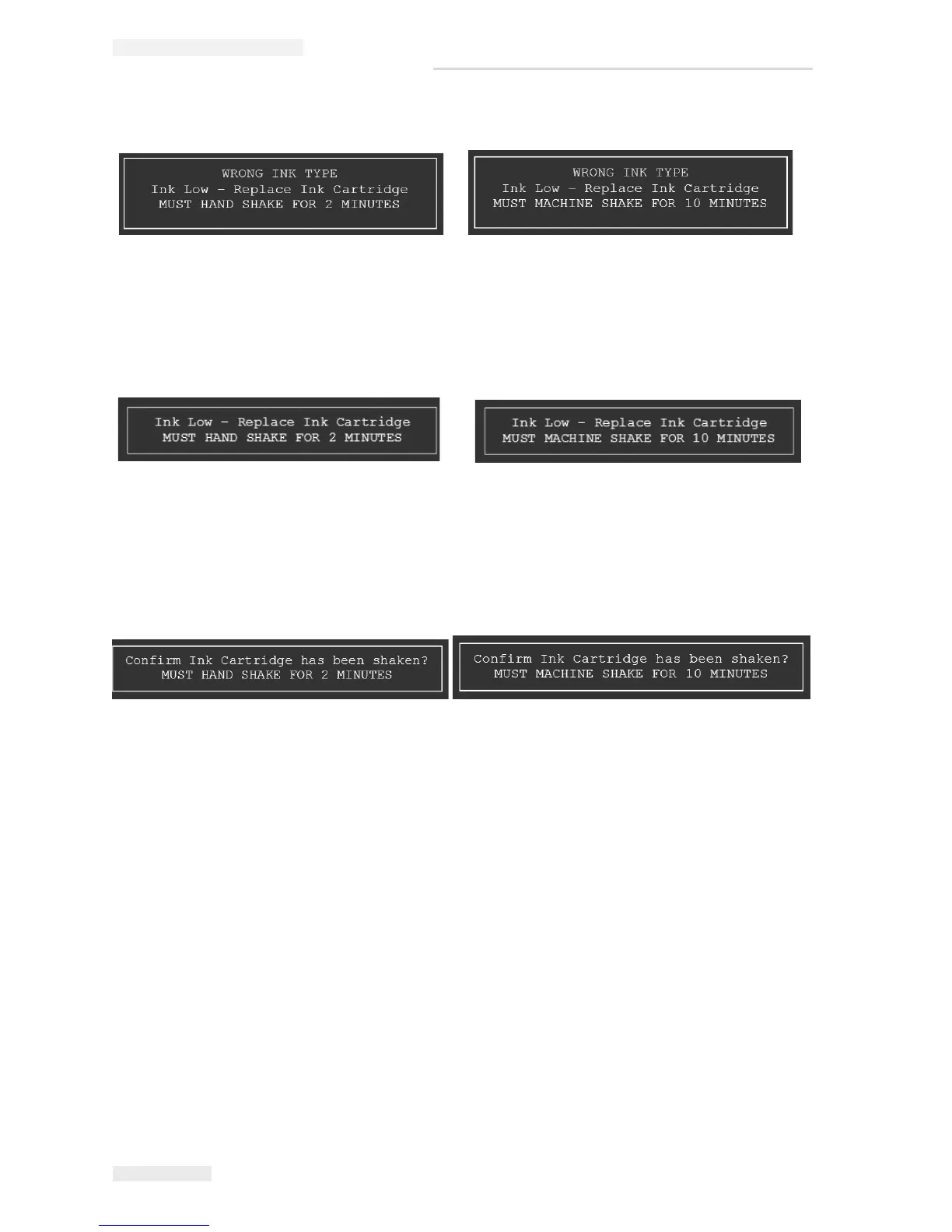
4 The printer prompts the following message. Remove the cartridge and
replace it with correct ink type.
Note: Press ESC to abort the procedure.
5 When the correct ink cartridge is inserted, a message appears prompting the
user to confirm if the ink cartridge has been shaken.
6 If the ink cartridge has been shaken as prompted, press Enter to proceed with
ink fill.
7 The ink level increases and the ink core level will be at 100%.
Two Cartridge Ink Fill
Some inks come in two catridges and required to be combined together in the ink
core and are known as two catridge ink fill. Input both catridges A and B to
complete the ink fill. The ink type shown on the main display of the printer ends
with AB to match the label on the package. If the ink cartridge is V483A-C or
V483B-C the ink type will display as V483AB.
If the ink is a two cartridge ink, do the following tasks while filling ink during
normal usage:
1 During normal production, if the ink level falls below 20%, a message
appears prompting the user to insert cartridge A (see
Figure 4-35).
Figure 4-32: Wrong Ink Type
Figure 4-33: Ink Low Warning
Figure 4-34: Confirm Cartridge Shaken



 To Next Page