5-6 Menu Description Rev AA
Videojet 1710 Operator Manual
Menu Description
Messages
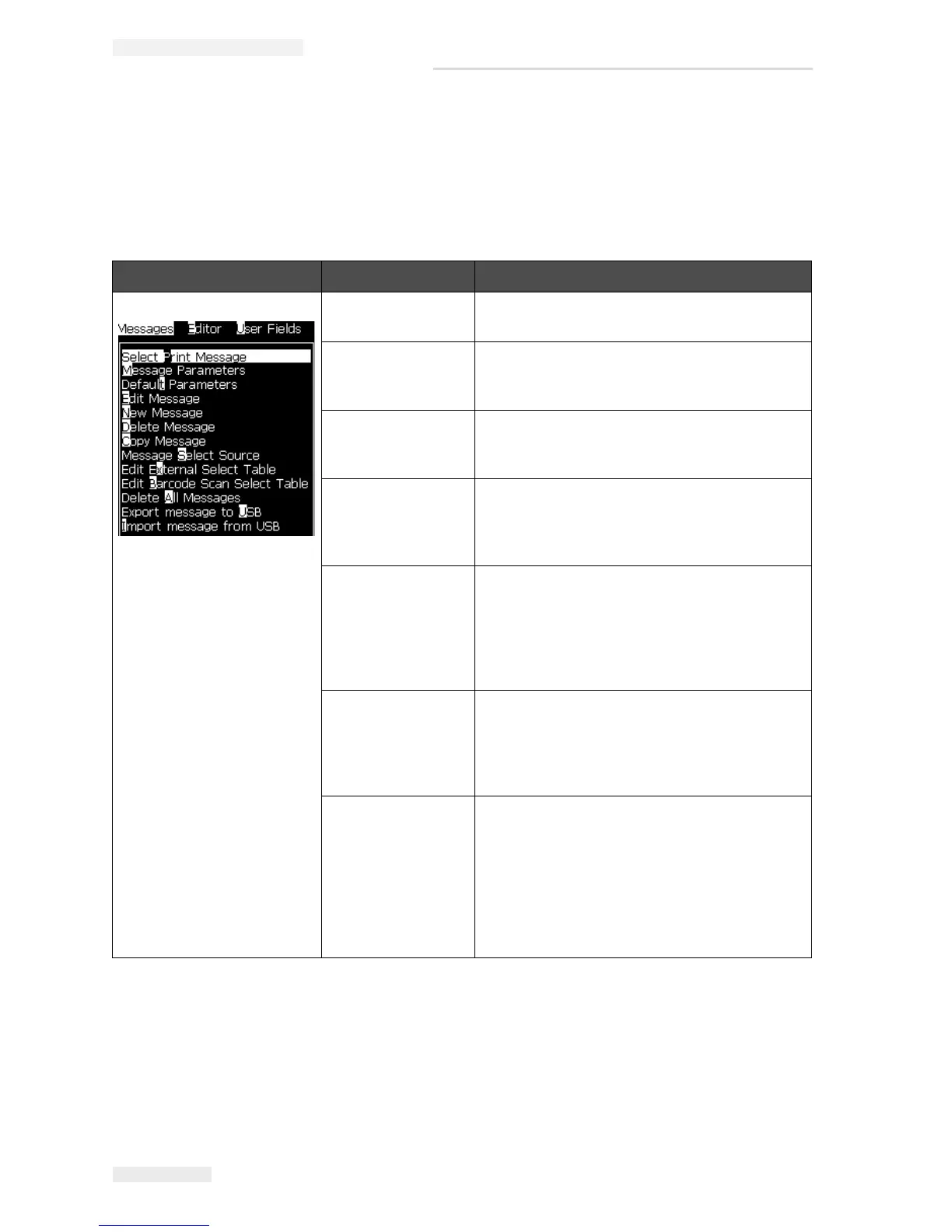
Messages Menu Commands Function
Select Print
Message
Opens the Select Message To Print dialog
box. Select a message to print or edit.
Message
Parameters
Opens the message parameters for the
selected message. All parameters can be
changed.
Default parameters Opens the Default Parameters menu. All the
default parameters for new messages can be
changed.
Edit Message Opens the Select Message to Edit dialog box.
The selected message is opened in an edit
screen. To save the edited message, go to the
Editor menu
New Message Opens the New Message dialog box. The
system prompts to enter the new message
name. The user can enter the new message in
the edit screen. To save the new message, go
to the Editor menu. The parameters for a new
message are set to the default values.
Delete Message Opens the Select Message to Delete dialog
box. The selected message is deleted.
Note: You cannot delete the Test Message
and the message selected for printing (shown
in the WYSIWYG).
Copy Message Opens the Copy Message dialog box.
Enter message names in the From and To
fields.
If a message exists, and you try to copy the
content into that message, the following
message appears on the display:
“Already exists. Overwrite it?”
(answer with Y or N).
Table 5-3: Messages Menu and Commands



 To Next Page