Rev AA Menu Description 5-9
Videojet 1710 Operator Manual
Note: Press F4, to select Message Parameters.
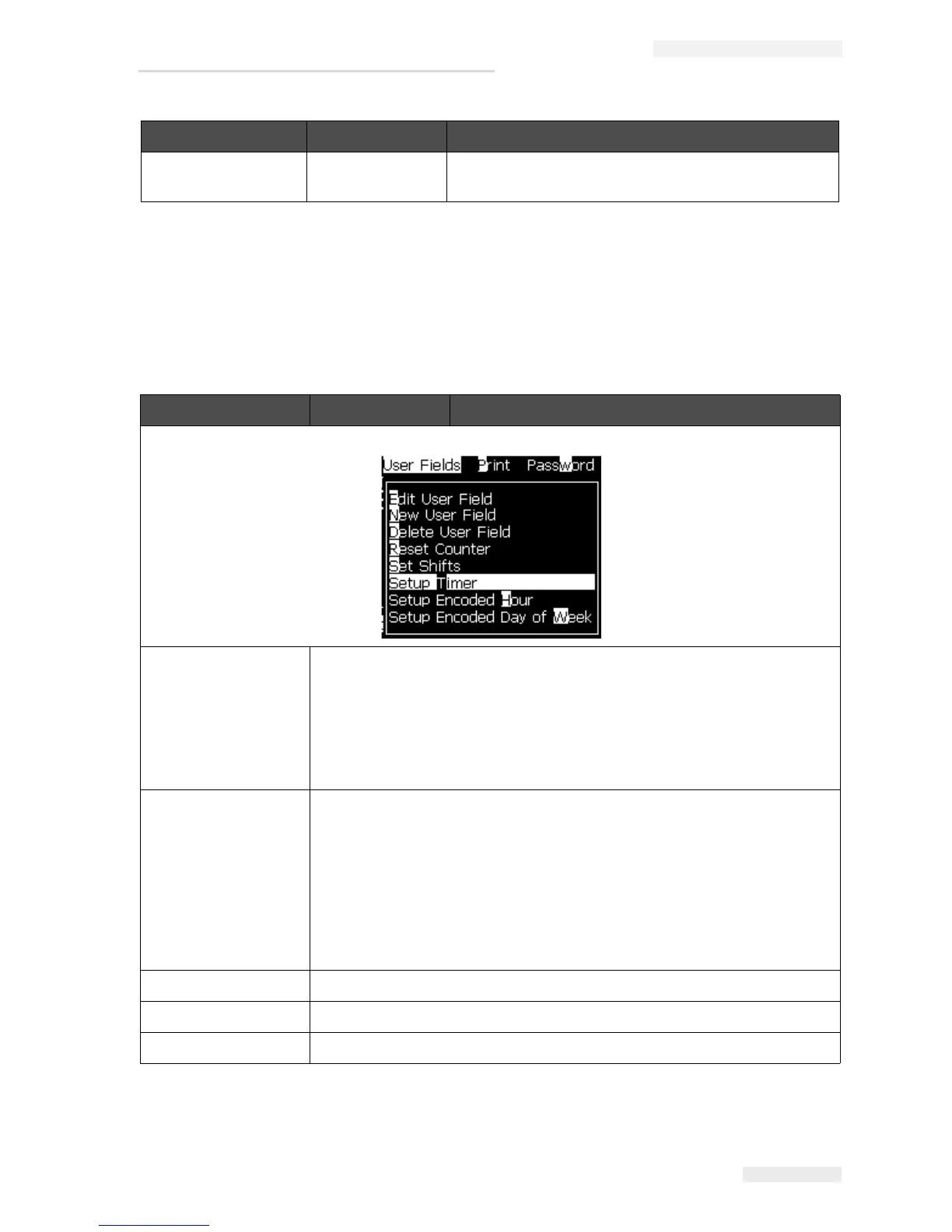
User Fields
Note: All User Field commands are available from level 1 and above.
Abandon Exits the editor screen without saving any changes to
the message.
User Fields Menu Commands Function
Edit user field Opens the Select user field to edit menu. Options are all the existing user
fields.
• When you select a text field, an individual dialog box for the new user
field with the Text and Attribute options opens.
• When you select a counter field, a menu with options for the counter
parameters opens.
• When you select a logo field, the Edit logo screen opens.
New user field Adds a new user field to the selected message. Opens the New User Field
dialog box with Name and Description fields.
• When you select a Text description, the New Field dialog box with Text
and Attribute fields opens.
• When you select a Counter description, the New counter dialog box
with fields for the counter parameters opens.
• When you select a Logo description, the Edit logo screen opens.
• When you select a Remote description, the New Field dialog box with
Field ID and Default Value fields opens.
Delete user field Opens Delete User Field menu.
Reset Counter Opens the Select Counter to Reset menu.
Set Shifts Opens the shift menu where the duration of each shift can be defined.
Table 5-5: User fields Menu and Commands
Editor Menu Commands Function
Table 5-4: Editor Menu and Commands



 To Next Page