5-8 Menu Description Rev AA
Videojet 1710 Operator Manual
Editor
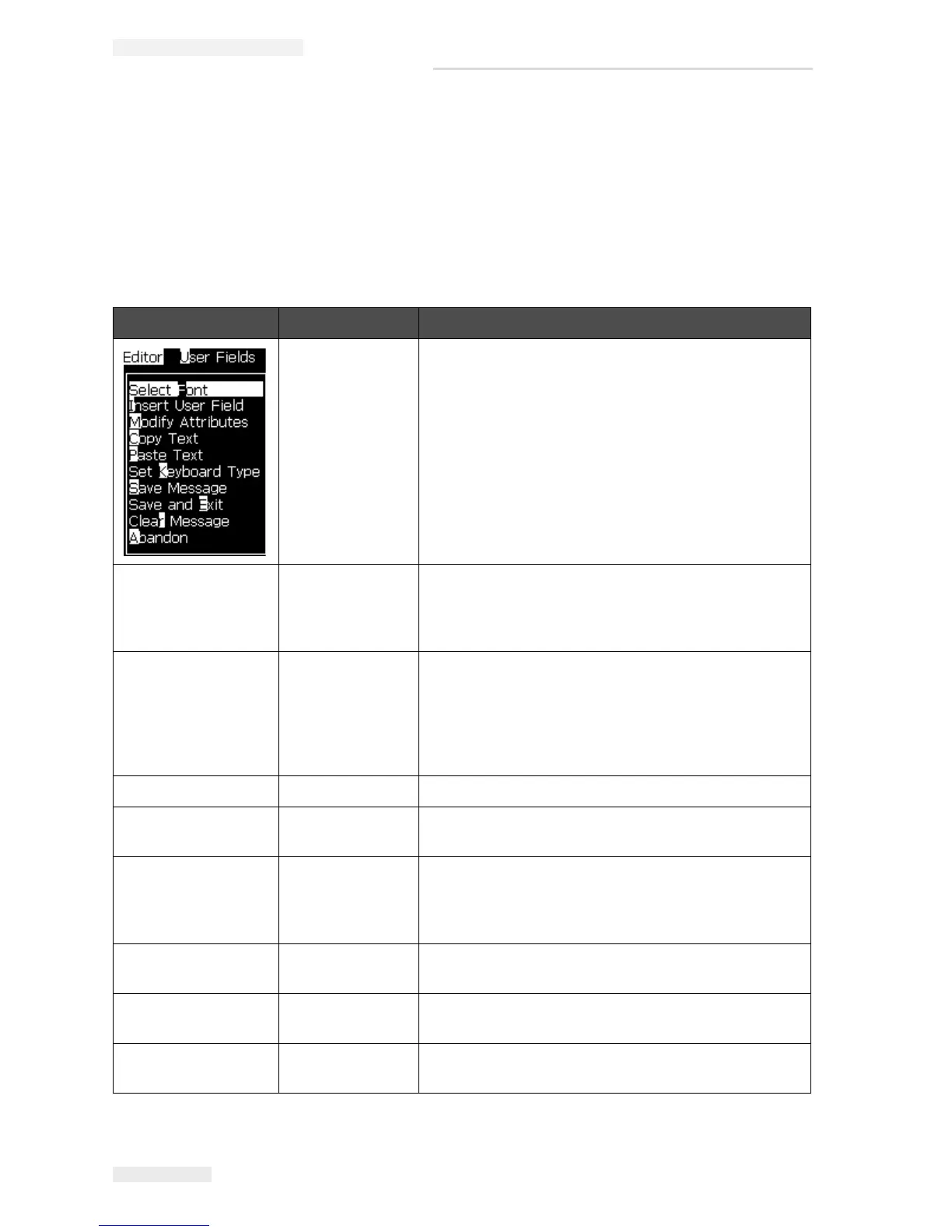
The commands in the Editor menu are shown only if the Message Editor is open.
If the Message Editor is closed, the only option shown in the Editor menu is "Only
used when in Editor".
Note: All Editor commands are available from level 1 and above.
Editor Menu Commands Function
Select Font Opens the Select Font menu. The selected font is
applied to the selected text in the message.
Note: Press F1 to change font height.
Insert User Field Opens the Select user field menu. The contents of the
user field are copied into the message at print time.
Example: expiry date, shift code.
Note: Press F2 to select user field.
Modify Attributes Opens the Editor Attributes menu. One or more
attributes can be set. The set attributes are applied to
the selected text in the message. (Attributes are
properties that can be applied to individual
characters).
Note: Press F3 to modify attributes.
Copy Text Copies the selected text to the clipboard.
Paste Text Pastes the text from the clipboard at the cursor
position.
Set Keyboard
Type
Opens the Select keyboard Type menu. Select the
keyboard type to be used for the edit session.
Characters from more than one language alphabet
can be included in a message.
Save Message Saves the message being edited and keeps the editor
screen open.
Save and Exit Saves the message being edited and exits the editor
screen.
Clear Message Deletes the content in the message and keeps the
editor screen open.
Table 5-4: Editor Menu and Commands



 To Next Page