Printer Start-up and Shutdown
4-12
Turning the Printer Off –
EXCEL 2000 Opaque Printer
The EXCEL 2000 Opaque has a circulator pump which should
remain on at all times. (Refer to Page 4-13 for more information
on the Circulator Pump). In this case, the printer should not be
turned off. Instead, only the printhead should be shut-down.
Perform the following steps to turn the printer Off by shuting-
down the printhead.
1.
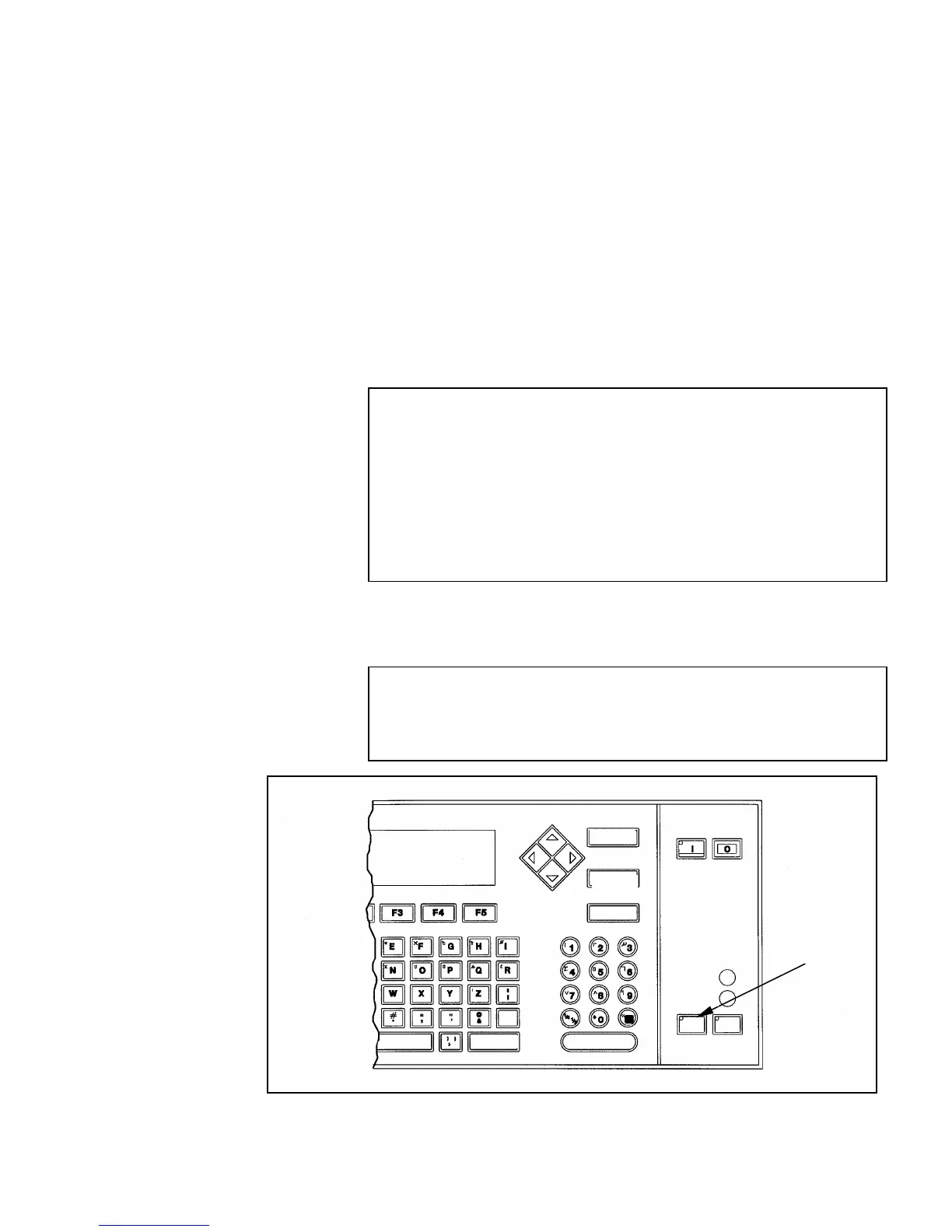
Press the HEAD key on the keyboard. This will begin the 4
minute shut-down procedure. When the shut-down procedure
is complete, the printer’s electronics will remain on.
NOTE: Do not use the OFF(O) key on the keyboard to turn
the printer Off. The OFF key will start the printhead
shut-down procedure and then it will turn the printer
Off. This will disable the circulator pump, causing you
to not have good print quality when the printer is
turned back on again. The OFF key should only be
used when it is necessary to completely shut down
the printer, such as during an extended shut-down.
2.
When the HEAD key on the keyboard stops flashing, the
printhead shutdown is complete. The backlit display will
remain lit indicating that the printer’s electronics are still On.
NOTE: Press the HEAD key at any time to stop the
printhead shut-down procedure and begin the
printhead start-up procedure again if necessary.
Figure 4-6. HEAD Key
HEAD Key
SPACE SHIFT ENTER
CANCEL
DELETE
HELP
READY
ERVICE
ALT
SHIFT
EAD PRINT


 To Next Page