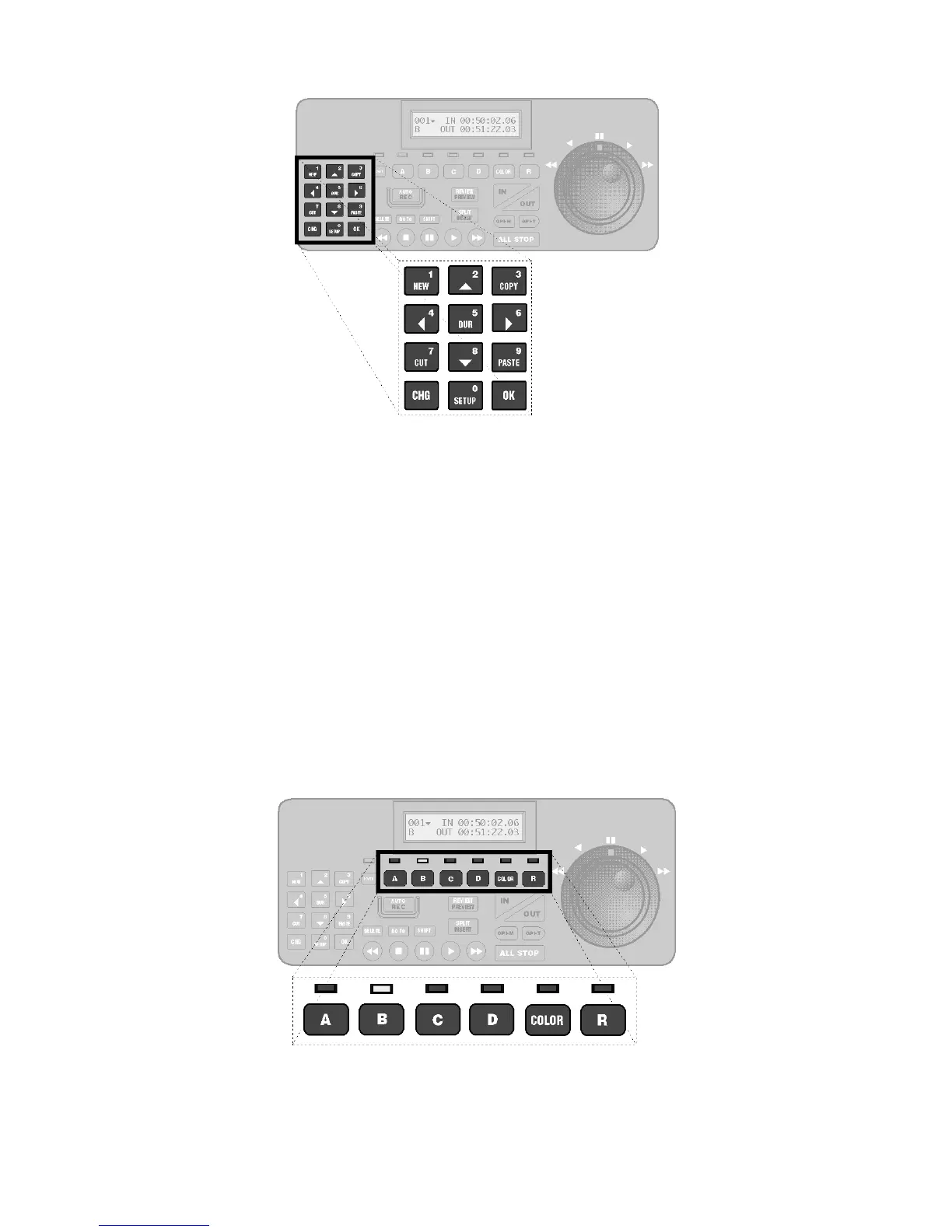
Located at the left side of the top panel are the twelve Function/Numeric keys.
The function keys are used to add new events to a production, to cut, copy, and paste events that were
created previously, and to display or change the duration of scenes. The arrow keys (keys 2, 4, 6 and 8)
are used to move up, down, left, and right between fields and screens of information.
The change key [CHG] key temporarily switches the keypad to numeric-entry mode, the OK key
confirms entries and clears messages, and the SETUP key accesses the Setup and Configuration menus.
Always press [CHG] prior to entering data.
VCR/Source Selector Keys and LEDs
Located just below the LCD are six VCR/Source Selector keys and their associated LEDs (light emitting
diodes).
• Five of the six keys–A, B, C, D and R–are used to select the VCR to control. When a VCR is



 To Next Page