Importing and Exporting
If you have access to a personal computer (PC) and a communications software program, you can use
Edit Suite's IMPORT, EXPORT, and CMX functions to—
• export the EDL and Configuration Parameters to a PC
• import a previously exported EDL and parameters to Edit Suite
• export the EDL, in CMX format, to a PC.
The EXPORT and IMPORT functions are for storage purposes only. You cannot view the file in a
readable format or edit the EDL data.
The CMX export displays in a readable format, but the format is different from the EDL format.
Although this output was designed to make the EDL available to an on-line suite (PC-based editing),
it is used most often to view the EDL information.
Cable
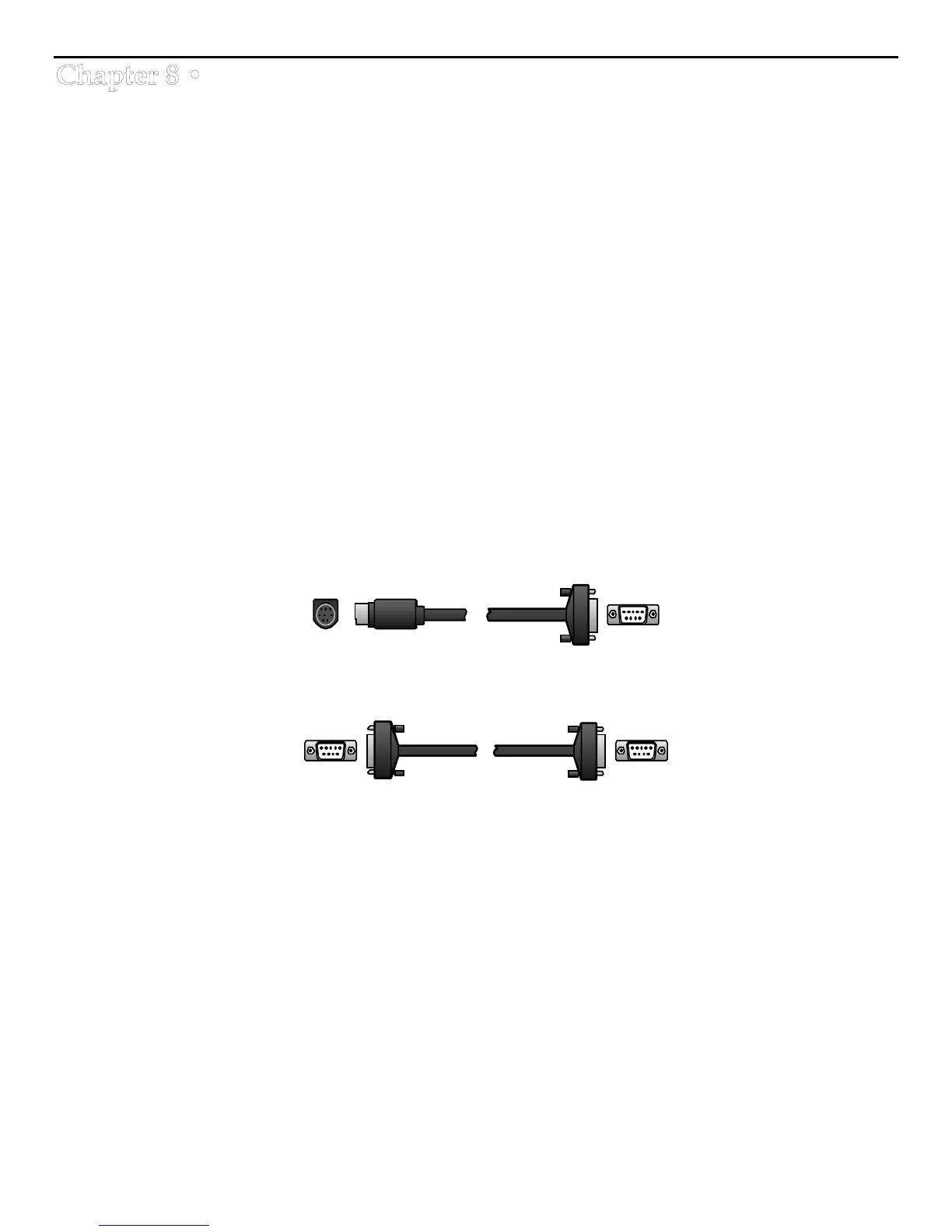
To connect Edit Suite to a PC, you need a serial communications cable. These cables are available at
most computer supply stores. For a Macintosh, the cable is an 8-pin DIN to DB-9. A Videonics
232/422 cable (CBLA-0042-01) may be used.
For most other computers, the cable is a DB-9 to DB-9 or DB-25 to DB-9 serial communications cable.
Before connecting the cable, remove power from the computer and Edit Suite.
Macintosh Modem Port (8-pin DIN) to Edit Suite's Computer (RS-232C) DB-9 Port
PC Serial Comm Port (DB-9 or DB-25) to Edit Suite's Computer (RS-232C) DB-9 Port



 To Next Page