VP220D & VP220-3 Installation Guide | 9
430880-101
(Rev. 10/21) Copyright 2021 VideoProtects Incorporated. All rights reserved.
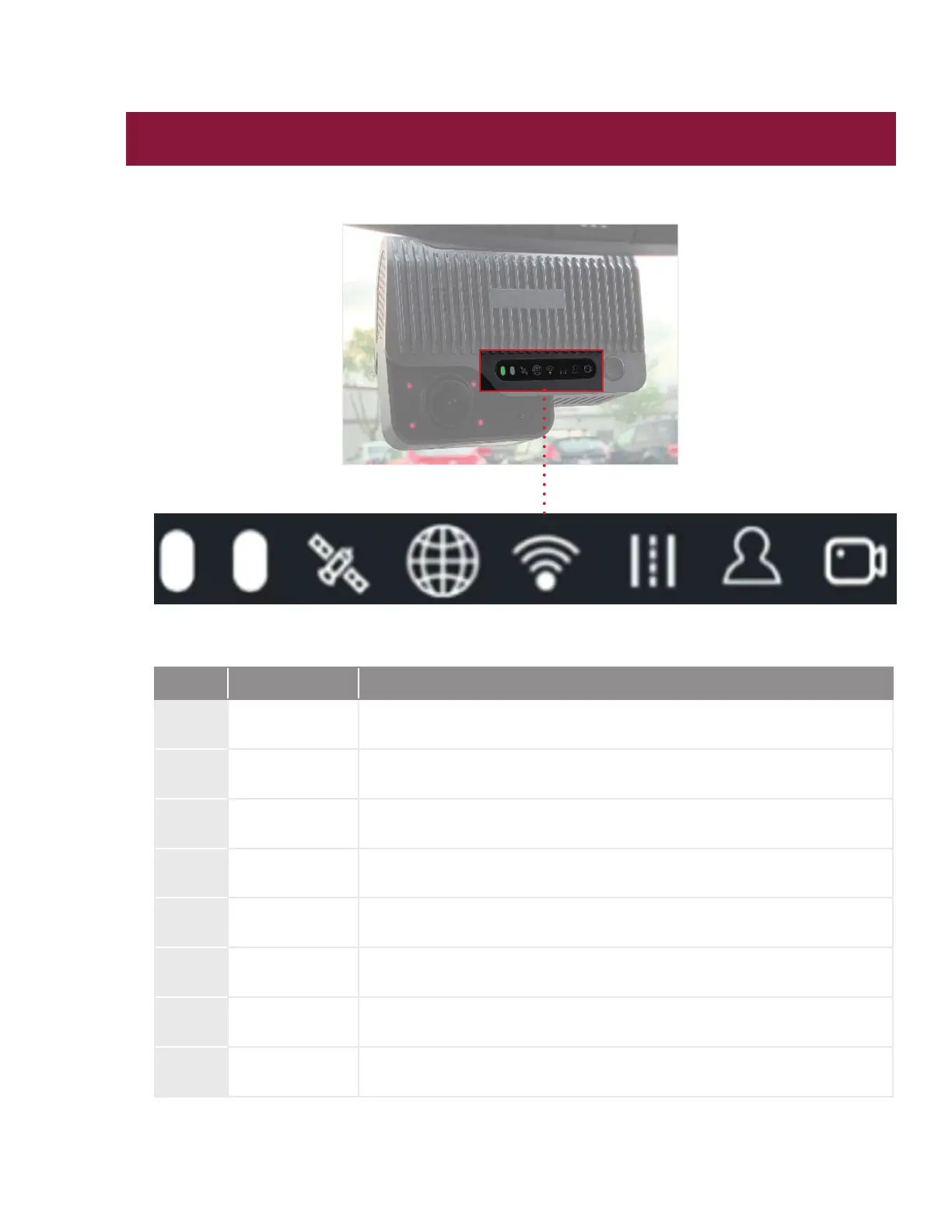
VP220D Status Bar Key
Icon Denition Status Description
1 Power
Power connection is good: solid green light
2 Alarm
Default: light off
When an event alarm is triggered the red light will blink three times
3 GPS
Location connection normal: light off
Location connection abnormal: solid red light
4 NET
Cellular Network connection normal: light off
Cellular Network connection abnormal: solid red light
5 WIFI
Client mode: light off
Access Point (AP) mode: solid red light
6
Road facing
camera
Video recording working: light off
Video recording abnormal: solid red light
7
Safety cabin
camera
Video recording working: light off
8 REC
No extra connect camera or extra camera working: light off
Extra camera connection abnormal: solid red light
1 2 3 4 5 6 7 8



 To Next Page