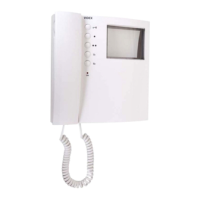
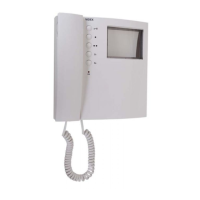
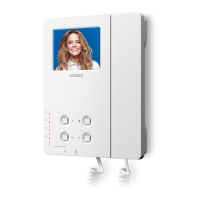
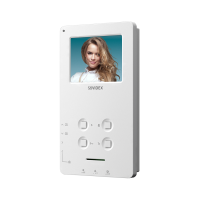
VIDEX ELECTRONICS S.p.A. VX2200 “2 WIRE” Bus Digital System
62
Per attivare l’esclusione di chiamata (solo Art.3376):
Premere il pulsante contrassegnato dal simbolo
: il led rosso “privacy on” si
accenderà. Per disattivare il servizio prima dello scadere dell’intervallo di
tempo impostato, premere nuovamente lo stesso pulsante.
Per selezionare la suoneria desiderata:
1. Tenere premuto il tasto “chiave” fino a che (dopo circa 10 secondi) il
citofono non riproduce la suoneria attiva; al termine della riproduzione
il citofono emette un bip (fine riproduzione);
2. Ascoltare le suonerie disponibili premendo e rilasciando il tasto “chia-
ve” dopo ogni bip di fine riproduzione;
3. Trascorsi circa 3 secondi dopo il bip di fine riproduzione senza premere
il tasto “chiave”, viene selezionata l’ultima suoneria riprodotta.
La suoneria selezionata sarà riprodotta tante volte quant’è il valore impostato
per il numero di squilli (vedi programmazione squilli).
Programmazione
La programmazione di questi videocitofoni consiste nelle seguenti imposta-
zioni:
- Configurazione dell’indirizzo fisico del videocitofono che viene effettuata
agendo sul dip-switch ad 8 vie. Fare riferimento alla tabella di conversione
decimale/binario di pagina 68.
- Configurazione del sistema video: coassiale o bilanciato (non coassiale).
Fare riferimento alle possibili impostazioni del dip-switch a 5 nella tabella
che segue questo testo.
- Configurazione del numero di squilli; l’impostazione di default è 3 per
passare a 6 procedere nel seguente modo:
a. togliere l’alimentazione al videocitofono staccandone il flat dalla
scheda di connessione;
b. mettere in corto i morsetti 14 e 15 (segnali “-” ed LB) della scheda di
connessione;
c. ricollegare il flat del videocitofono alla scheda di connessione ed at-
tendere un doppio bip prima di rimuovere il corto dai morsetti 14 e
15;
d. per tornare a 3 squilli procedere alla stessa maniera ripartendo dal
punto (a), ma al punto (c) attendere un solo bip prima di rimuovere il
corto tra i due morsetti.
- Configurazione del pulsante “n”; la funzione impostata di default per que-
sto pulsante è quella di autoaccensione, per configurarlo come tasto di al-
larme procedere nel seguente modo:
a. togliere l’alimentazione al videocitofono staccandone il flat dalla
scheda di connessione;
b. ricollegare il flat tenendo premuto il pulsante “n” e rilasciarlo dopo
aver udito 2 bip;
c. per ritornare alla funzione di “auto-accensione”, ripartire dal punto
(a), ma al punto (b) attendere un solo bip prima di rilasciare il pulsan-
te “n”.
Per utilizzare l’Art.402 con il 3371 o il 3376, portare lo switch 4 del dip-
switch a 5 vie (normalmente su ON) in posizione OFF.
L’Art.402 è fornito con 2 fili di collegamento verso la scheda di connessione:
il nero va al morsetto 17 (segnale R-) ed il rosso al morsetto 18 (segnale R+).
Per l’Art.3376 occorre programmare la durata dell’esclusione di chiamata,
agendo sul Dip-Switch a 3 vie (accessibile nella parte posteriore del videoci-
tofono) come indicato dalla tabella seguente.
To activate the privacy mode (only Art.3376)
Press the push button marked as
: the red LED “privacy on” will be
switched on. To disable the privacy mode before the configured time expires,
press the same push button again.
To select the desired melody:
1. Keep pressed the “key” button until (after about 10 seconds) the inter-
com play the active melody; at the end of melody play, the intercom
emit a beep (end of play);
2. Listen the available melodies operating (press and release) the “key”
button after the beep at the end of play;
3. After the end of play beep if you don’t press the “key” button within 3
seconds, the last melody heard is selected.
The selected melody will play how many times how is the number of rings
value (3 or 6) programmed.
Programming
The programming of this videophone consists of different phases:
- Setting of the PHONE ID made by setting internal 8 way dip-switch shown
on decimal/binary conversion table on page 68 of this manual;
- Setting of the video system: coax or balanced (non coax). Refer to the 5 way
dip-switch settings shown on the table that follows.
- Setting of the number of rings; the default setting is 3 to set 6 rings operate
as follows:
a. switch off the videophone by unplugging the flat cable from the PCB
connection;
b. make a short between terminals 14 and 15 (signals “-” and “LB”) of
the PCB connection;
c. plug the flat cable onto the PCB connection and wait for a double
beep before removing the short between terminals 14 and 15;
d. to go back to 3 rings, do the same but wait for only one beep before
removing the short between terminals 14 and 15.
- Setting of the “n” push button function; the default function setting for
this push button is the recall one, to set the push button as an alarm one
operate as follows:
a. switch off the videophone by unplugging the flat cable from the PCB
connection;
b. while pressing the “n” push button, plug the flat cable onto the PCB
connection and wait for a double beep before release the push button;
c. to go back to recall function, do the same but wait for only one beep
before release the push button.
When you use the Art.402 for both Art.3371 and 3376, the fourth switch on
the 5 way dip-switch should be moved to OFF.
The wires of the Art.402 must be connected as black to terminal 17 (R- sig-
nal) and the red to terminal 18 (R+ signal) of the PCB connection.
For the Art.3376 it is necessary to set the duration of the privacy mode by
setting the 3 way dip-switch (accessible from the rear side of the video-
phone) as shown on the table below.
Dip-Switch
1 2 3
Time/Tempo
off off off unlimited / illimitato
on off off 15min
off on off 30min
on on off 1 hour / ora
off off on 2 hours / ore
on off on 4 hours / ore
off on on 8 hours / ore
on on on 16 hours / ore
Video Mode Setup 5 way dip-switch / Modo Video dip-switch a 5 vie
video mode / modo video
Dip-switch
Coax video mode / Modo video coassiale
Balanced (non coax) / Modo video bilanciato
Note
Dovendo collegare in parallelo il segnale video di più videocitofoni (max 3,
3371 o 3376), configurati per il sistema coassiale o bilanciato, impostare gli
switch 3 e 5 in posizione OFF per tutti i videocitofoni ad eccezione
dell’ultimo in ordine di collegamento.
Notes
When you have more videophones set for coax or balanced video system with
the video cables in a parallel connection (max 3 3371 or 3376), for each one
except the last (normally the furthest connected) set the switches 3 and 5 =
OFF.


 To Next Page
 Loading...