19
!
Please note
An operating error at "Parameter level 1" may
result in damage to the appliance and the venti-
lation system.
Observe the installation and service instructions
for the ventilation unit in question. Failure to do
so will void your warranty rights.
Activating the service menu (set parameters marked !)
All the available parameters are explained below. To
set the parameters marked
!
, the service menu must
first be activated. Unmarked parameters can also be
set in the extended menu.
Setting parameters in the extended menu
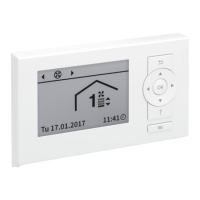
Operating instructions "Ventilation programming
unit, type LB1"
All parameters are displayed as plain text. A parameter
code is also assigned to each parameter.
1. Service menu:
Press OK +
å
simultaneously and hold for
approx. 4 s.
2. "Parameter level 1"
3. Select parameter, e.g. "Enable Vitovent 7D00".
4. Set a value, e.g. "3".
If the service menu has already been activated:
1. Extended menu:
å
2. "Service"
3. "Parameter level 1"
4. Select parameter, e.g. "Enable Vitovent 7D00".
5. Set a value, e.g. "3".
Note
The parameters that are displayed in "Parameter
level 1" depend on the type of ventilation unit.
Deactivating the service menu
■
Select "Yes" to confirm "Exit service".
or
■
Automatic if there has been no operator action for
30 min.
Parameter settings
Parameter level 1 in the service menu
5816558
Parameter











 To Next Page