14
Standby display
If you do not make any adjustments to the thermostatic
head for 5 seconds, the standby display is activated.
The display goes dark.
Pairing the ViCare thermostatic radiator valve
Only in conjunction with a gateway
1. Open the ViCare app and tap "Settings", "Indi-
vidual room control".
2. Follow the instructions in the app.
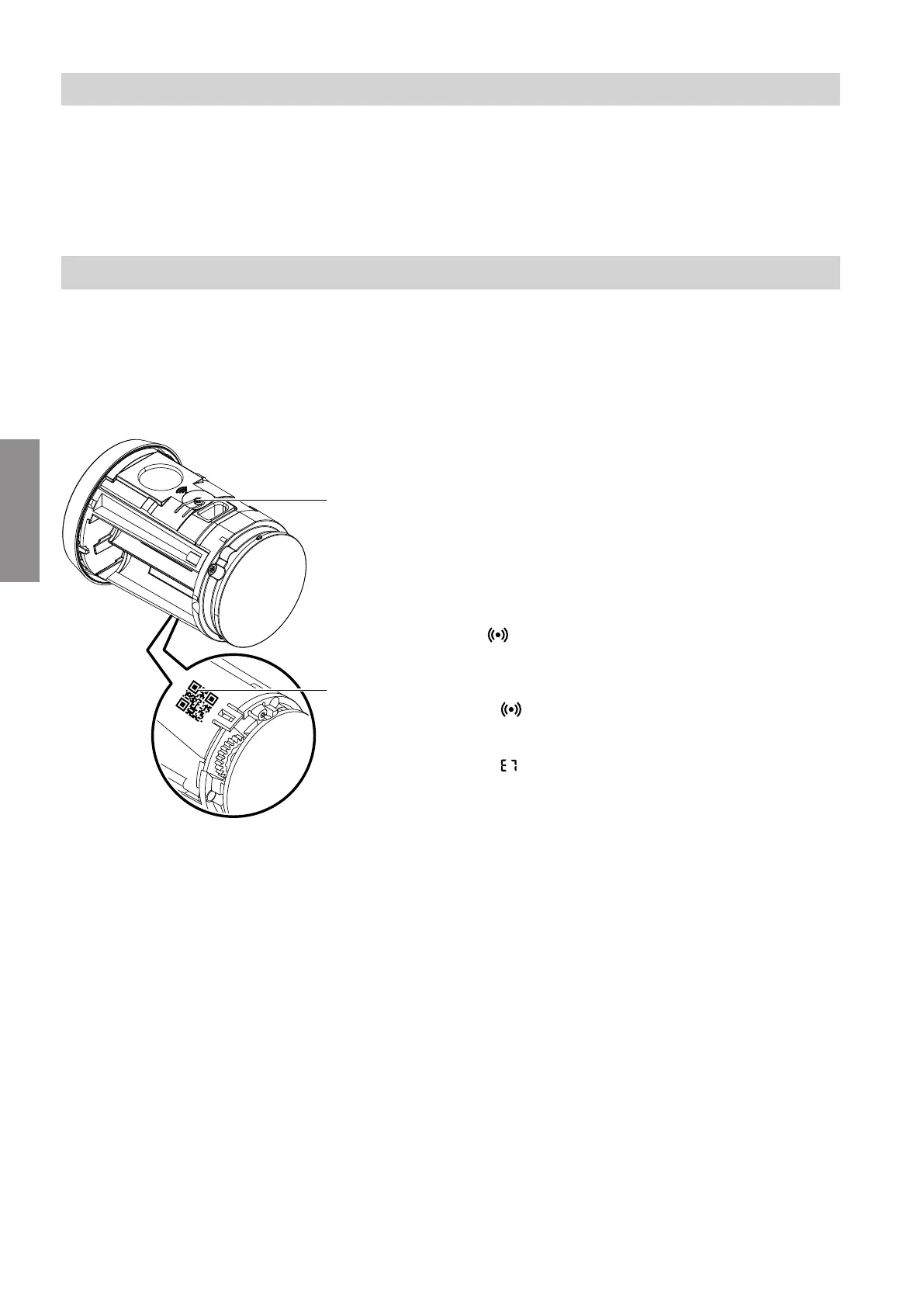
Fig. 10
3.
Scan QR code
A
on the thermostat.
4. Pairing process
Note
The pairing process is only possible in installation
mode. If the thermostat is not in installation mode,
press operating button
B
for approx. 3 seconds
until "– –" is displayed.
Briefly press operating button
B
.
flashes.
Shown on display
■
Successful:
is illuminated continuously and "– –" flashes.
Installation mode is active.
■
Failed:
appears.
Repeat the pairing process.
5. Fit the thermostat on the connection adaptor: See
chapter "Fitting and setting up the thermostat".
Commissioning
Display and controls (cont.)
6155182
Commissioning


 To Next Page