13
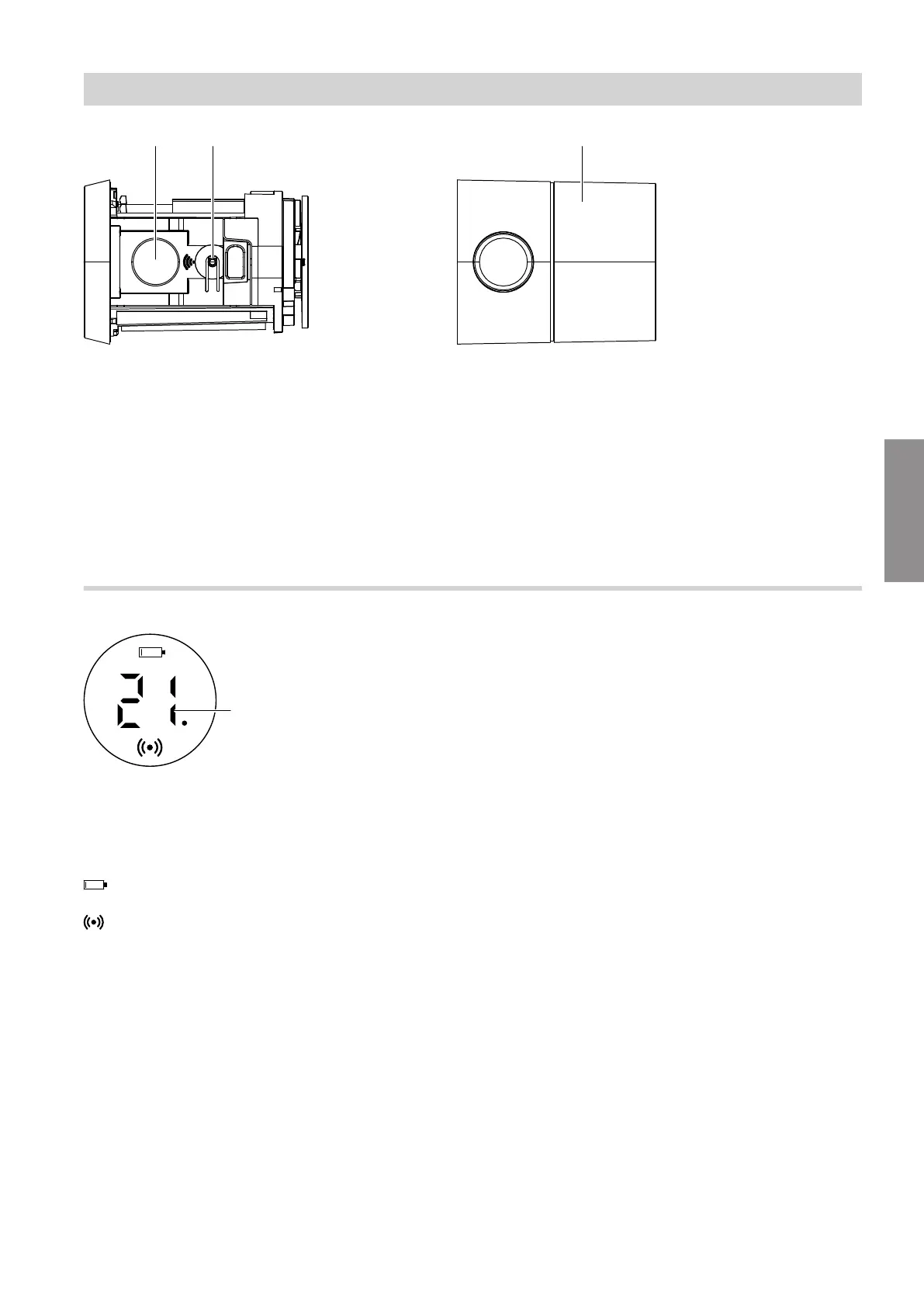
Fig. 8
A
Display
B
Operating button
C
Thermostatic head
■
Turn clockwise:
Increases the set room temperature in incre-
ments of 0.5 °C (audible clicking).
■
Turn anti-clockwise:
Reduces the set room temperature in increments
of 0.5 °C (audible clicking).
Shown on display
Fig. 9
A
Current set room temperature
A dot after the temperature display means 0.5 °C
– – Installation mode
Battery charge level
For further information: See page 16.
Status of the wireless connection:
■
Illuminated continuously:
The wireless connection is active.
■
Flashing:
The wireless connection has been interrupted.
■
Flashing quickly:
The wireless connection is being established.
Note
Flashing: The LED comes on once per
second.
Flashing rapidly: The LED comes on twice per
second.
Note
If the wireless connection between the ViCare thermo-
static radiator valve and the gateway is interrupted, it is
automatically re-established.
Commissioning
Display and controls
6155182
Commissioning


 To Next Page