15
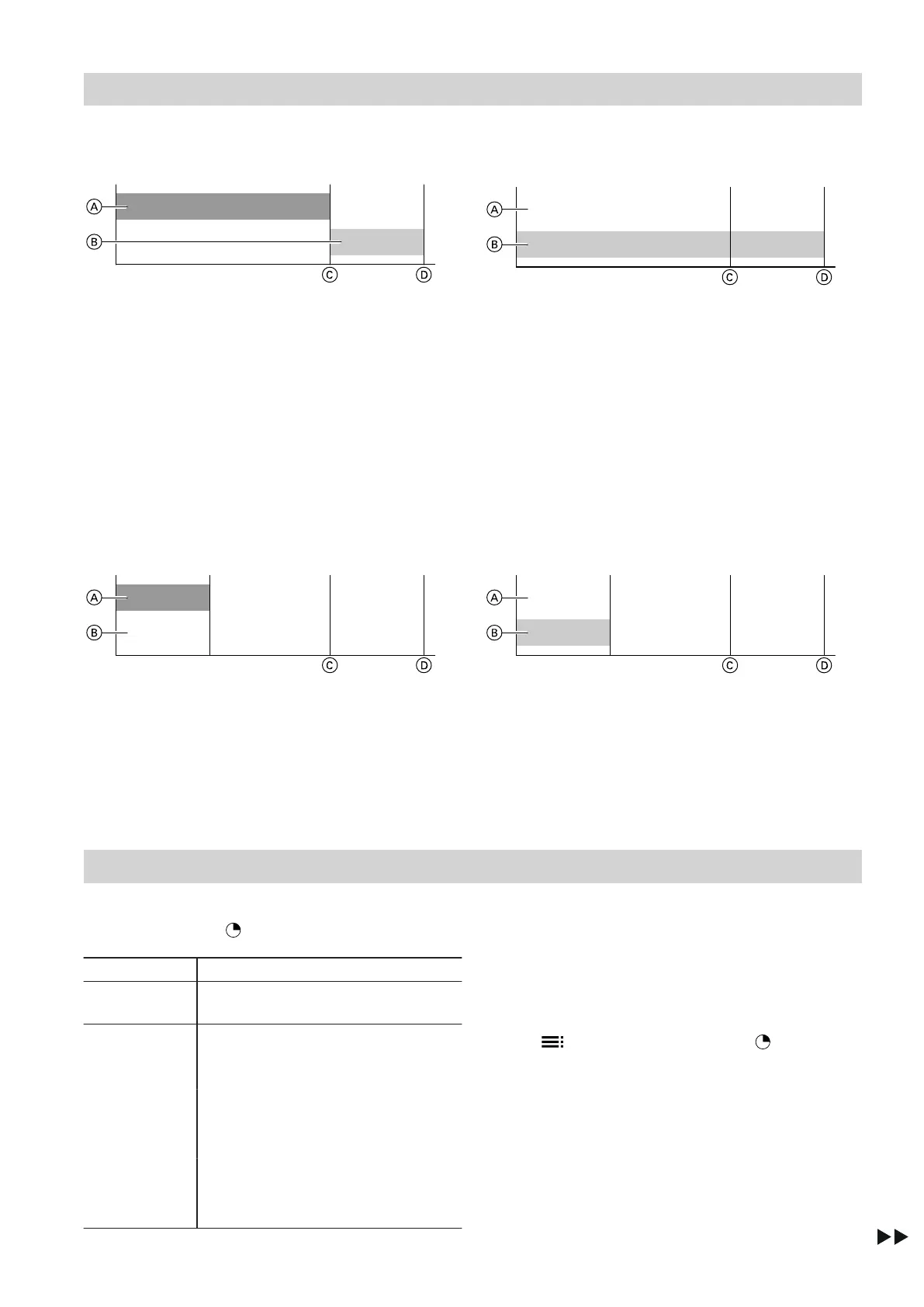
DHW heating enabled
Outside temperature from –5 °C to +35 °C
Fig. 18
A
Heat pump
B
Immersion heater
C
DHW temperature achievable with the heat pump
D
Standard DHW temperature ("AUTO")
Outside temperature below –5 °C or above +35 °C
Fig. 19
A
Heat pump
B
Immersion heater
C
DHW temperature achievable with the heat pump
D
Standard DHW temperature ("AUTO")
DHW heating not enabled
Note
The immersion heater is only switched on for frost pro-
tection.
Outside temperature from –5 °C to +35 °C
Fig. 20
A
Heat pump
B
Immersion heater
C
DHW temperature achievable with the heat pump
D
Standard DHW temperature ("PROG")
Outside temperature below –5 °C or above +35 °C
Fig. 21
A
Heat pump
B
Immersion heater
C
DHW temperature achievable with the heat pump
D
Standard DHW temperature ("PROG")
Setting a time program
In the time program, you define when DHW is heated
in the "PROGRAM" operating program.
Settings Explanation
"WEEK" You can set a time program that is
the same every day of the week.
You can set separate time programs
for each day:
"MON" Monday
"TUE" Tuesday
"WED" Wednesday
"THU" Thursday
"FRI" Friday
"SAT" Saturday
"SUN" Sunday
Note
Please note that your DHW heat pump requires some
time to heat the water to the required temperature. Set
DHW heating to start earlier accordingly.
Changing the time program
1. Use to select the "PROGRAM" operating
program.
2. Press and hold OK for 3 seconds.
"WEEK" or "MON" is displayed.
3. Use +/− to select a day.
or
Press + for 3 seconds if you want to keep
"WEEK".
DHW heating
Operating programs (cont.)
5593131




 To Next Page