EasyManua.ls Logo

Viessmann VITOCAL 300 - User Manual

Viessmann VITOCAL 300
46 pages
Print Icon
To Next Page IconTo Next Page
Loading...
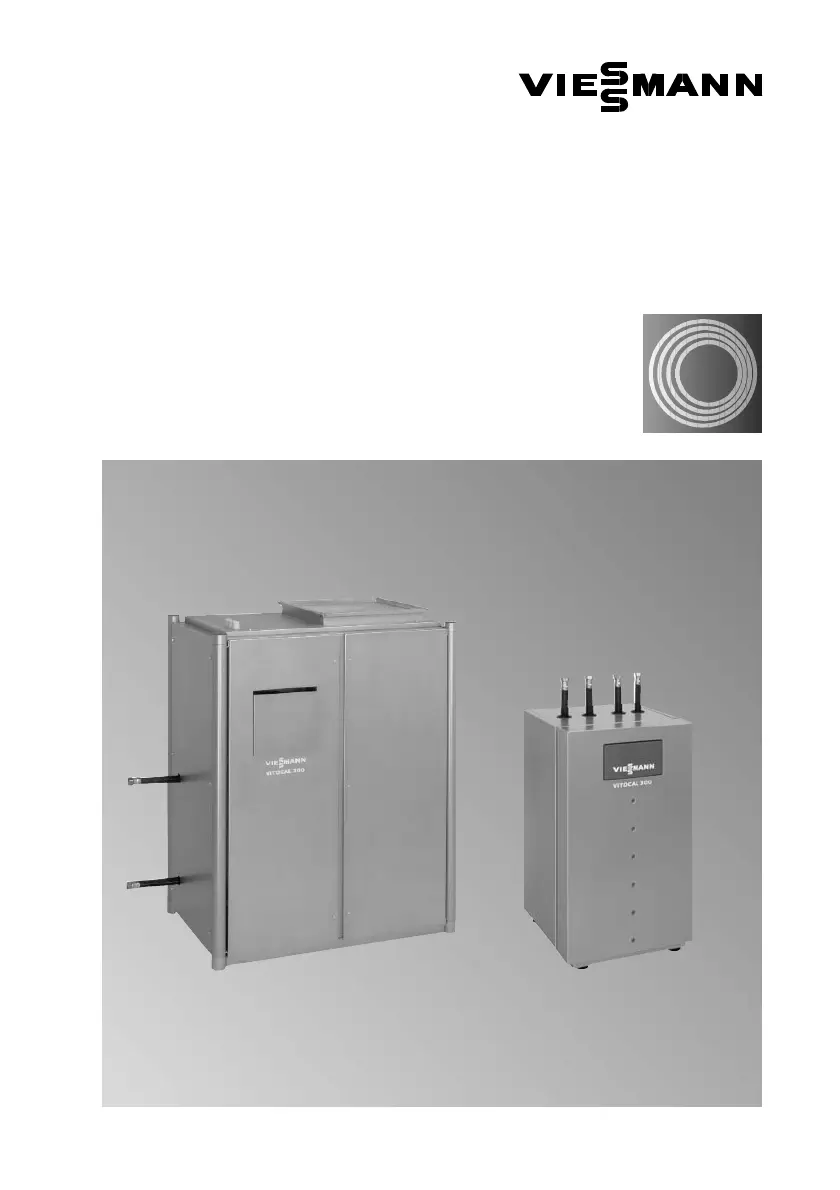
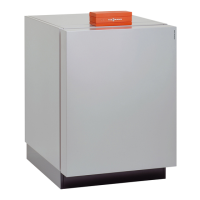
Vitocal 300, type AW Vitocal 300, type BW
VITOCAL 300
Operating instructions
for system users
Vitocal300
typeAW and BW
with CD60 control unit
5592 415GB3/2002
Please keep safe

Other manuals for Viessmann VITOCAL 300

Questions and Answers

  • C
    Christopher MitchellJul 26, 2025
    How to fix A7 error on Viessmann VITOCAL 300 Heat Pump?
    • J
      Jody DeckerJul 26, 2025
      If A7 is displayed on your Viessmann Heat Pump, for type AW, the ventilation duct may be clogged; check and clean the ventilation duct. For type BW, the primary circuit may have leaks or the primary pump may be faulty. For type WW, the intermediate circuit may have leaks or the intermediate circuit pump may be faulty. In these cases, check the pressure gauge and primary pump, and notify your local specialist.
  • R
    Raymond BrooksJul 31, 2025
    What to do if Viessmann VITOCAL 300 Heat Pump shows A3?
    • Q
      qwebsterAug 1, 2025
      If A3 is displayed on your Viessmann Heat Pump, it could be due to the brine pressure being too low (Type BW) or the flow switch being activated (Type WW). In either case, notify your local specialist.
  • C
    Cathy MooreAug 5, 2025
    What does A5 or A6 mean on Viessmann VITOCAL 300?
    • J
      Joseph FinleyAug 5, 2025
      If A5 or A6 is displayed on your Viessmann Heat Pump, it indicates that the safety switch has been activated. Notify your local specialist.
  • R
    Raymond BonillaAug 10, 2025
    Why does my Viessmann VITOCAL 300 Heat Pump display A4?
    • B
      Billy PorterAug 10, 2025
      If A4 is displayed on your Viessmann Heat Pump, it indicates an off-period imposed by your local electricity supplier.
  • T
    Timothy HensleyAug 14, 2025
    What does A0 or A1 mean on Viessmann VITOCAL 300 Heat Pump?
    • D
      Daniel GarnerAug 15, 2025
      If A0 or A1 is displayed, it indicates no fault or external control.
  • M
    morganwalshAug 20, 2025
    What to do if the Viessmann VITOCAL 300 display appears dark?
    • M
      Michelle RodriguezAug 21, 2025
      If the display appears dark, it could be due to a power failure, a failed mains supply, or an incorrect phase sequence. In this case, the heat pump will start up automatically as soon as the power is restored or the fault is remedied. Another possible cause is a dropped out or blown fuse, for which you should notify your local specialist.

Summary

For Your Safety

In Emergencies

Immediate actions for power failure or fire to prevent accidents and material losses.

Work on the Equipment

Installation, maintenance, and repairs must only be carried out by a competent person.

Installation of Additional Components

Warning against installing untested components; warranty does not cover resulting damage.

Boiler Room Conditions

Specifies required environmental conditions for the boiler room, including air quality and temperature.

Quick Start

Summary of Controls and Indicators

Overview of the heat pump's control panel displays, selectors, buttons, and programming unit flap.

Your Heating System is Pre-set at the Factory

Details on default factory settings for day/time, heating program, and switching times.

Selecting the Operating Mode

Guide to selecting operational modes such as Off, DHW cylinder, Reduced, and Standard operation.

Changing the Room Temperature

Instructions on how to adjust normal and reduced room temperatures using rotary selectors.

Selecting the Party Program

Procedure to activate a temporary heating program for specific periods or guests.

Scanning Temperatures

How to view various sensor temperatures like outdoor, flow pipe, and heat storage on the system.

Switching On and Off

Starting the Heating System

Steps for safely initiating the heating system after installation or a period of shutdown.

System Shutdown

Instructions for safely turning off the heat pump for extended periods to prevent damage.

Heat Pump;Heating Circuit Settings

General

Explains control circuit display symbols and the system structure for heat pumps with DHW and mixers.

Setting the Current Operating Mode

How to temporarily change the operating mode until the next scheduled timer change.

Setting Temperatures

Procedure to set the desired normal and reduced room temperatures for heating circuits.

Changing Switching Times

Guide to adjusting the heating schedule and operating modes based on time settings.

Too Warm;Too Cold

Adjusting the heating curve to fine-tune room temperature based on actual conditions and system inertia.

DHW Cylinder Settings

Setting the Current Operating Mode

How to set the operating mode for the DHW cylinder: On, Off, E use, or High loading.

Setting Temperatures

Procedure to set the desired temperature for the domestic hot water (DHW) cylinder.

Changing Switching Times

How to set the daily or weekly schedule for DHW heating operations.

Further Settings

Selecting Energy-Saving Operation for Holiday Periods

Setting the system to minimum energy consumption during holidays using 'Off' or 'Holiday program'.

Changing the Date and Time (if Required)

Instructions for manually adjusting the system's internal date and time settings.

Setting the Limit for Summer and Winter Time

Defining the outside temperature threshold for automatic switching between summer and winter operation modes.

Heating Up the DHW Cylinder Once

How to manually initiate a single heating cycle for the DHW cylinder without altering switching times.

Switching the Second Heat Source

Enabling or disabling an auxiliary heat source, such as an electric instantaneous water heater.

Setting Solar Heating System Parameters

Configuring parameters for a solar heating system, including heating priority and temperature settings.

Emergency Program

Resetting user-adjustable settings back to factory defaults to resolve system issues.

For Information

Off-Periods

Display shown when the heat pump has stopped due to an emergency off condition or power interruption.

Scanning Switching Times

Viewing programmed switching times for heat pump, DHW, and heating circuits without modification.

Scanning General and Fault Statistics

Accessing system data such as hours run, compressor hours, activations, and fault messages.

Scanning System Overview

Displaying the heat pump type and system version information for identification.

Scanning Parameters

Viewing controlled devices, switching states, and set/actual temperatures for system components.

System with Remote Control

Remote Control

Using a remote control unit to manage the allocated heating circuit settings.

Setting the Operating Mode at the Remote Control

Selecting operating modes like Timer, Standard, Reduced, or Off via the remote control unit.

Setting the Room Temperature at the Remote Control

Adjusting the room temperature using the rotary selector on the remote control unit.

What to Do If...

Troubleshooting Guide

Common faults, their causes, and recommended remedies for various system operational issues.

Repair;Energy Saving Tips

Care, Inspection and Maintenance

Importance of regular servicing and inspection for optimal system performance and longevity.

Energy Saving Tips

Practical advice on operating the heating system efficiently to reduce energy consumption.

Indices

Overview of Menu Keys

Explanation of the function and usage of various keys for navigating and interacting with the control unit menus.

Viessmann VITOCAL 300 Specifications

General IconGeneral
ApplicationHeating and Cooling
Heating Capacity16.0 kW
Energy Efficiency Class (Heating)A++
RefrigerantR32
Sound Power Level (Outdoor Unit)65 dB(A)
Operating Temperature Range (Heating)-20°C to +35°C
Operating Temperature Range (Cooling)+10°C
TypeAir Source Heat Pump

Related product manuals