11
Quick start
Selecting the party program (cont.)
End party mode early
Open the programming unit flap and
press the following keys:
1.
B
for "Installation parameters".
2.
C
for "Set party time".
3. Answer the question "End party
mode?" by pressing
YES
.
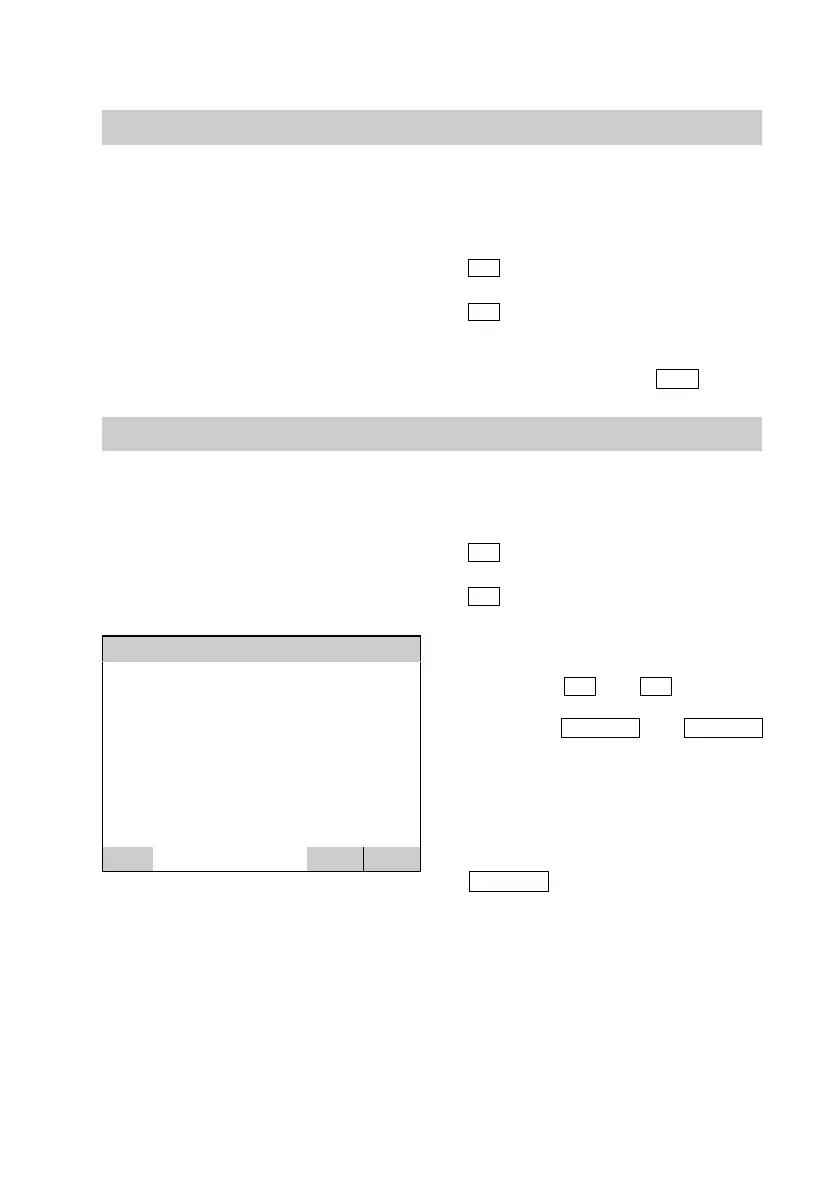
Scanning temperatures
Sensor temperatures [ºC]
F0: Outdoor : −10.2
F2: Primary Off : 1.2
F3: Primary On : 5.9
F8: Flow pipe : 35.3
F9: Return pipe : 28.9
F10: Heat storage to : 45.2
F11: Heat storage bo : 40.9
F12: Discharge 1 : 33.5
±
DEGREE
BACK
Open the programming unit flap and
press the following keys:
1.
A
for "Information".
2.
A
for "Sensor temperatures".
3. You scroll through the list of
sensor temperatures up and down
using keys
±
and
°
.
4. Using the
DEGREE
and
TEMPE
keys, you change the display to
show "ºC" or "ºC/min"
(temperature rise/reduction per
minute) and vice−versa.
5. You exit the menu with the
BACK
key.
Close the programming unit flap.
5592 415GB






 To Next Page