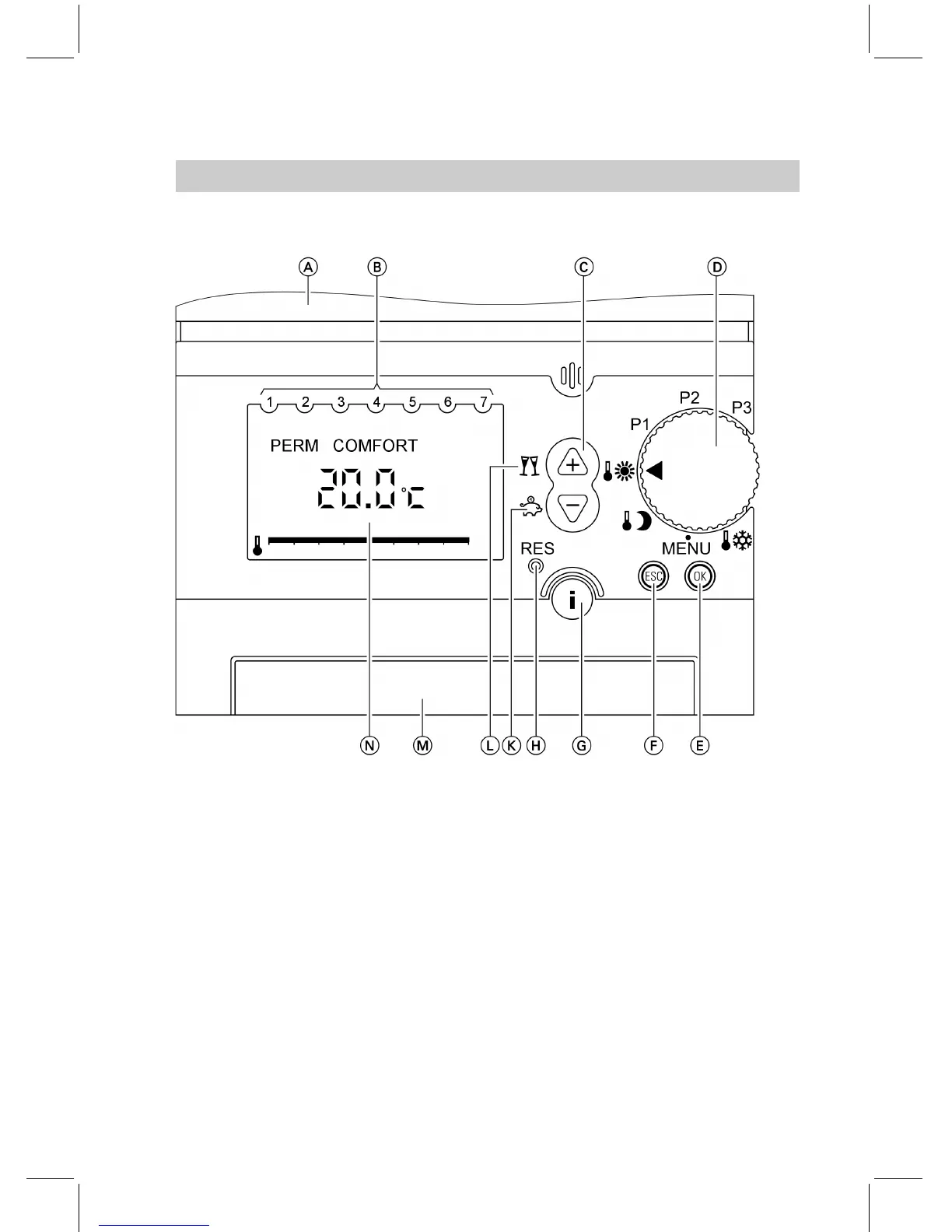
Functions
A Flap open
B Days (1 ≙ Monday, etc.)
C Changing the settings
D Rotary program selector (page 9)
E Confirmation
F Terminating entries
G Information (page 25)
H Reset (only for language, time
and date)
K Economy mode (page 18) or
changing values
L Party mode (page 19) or changing
values
M Battery compartment
N Possible displays (page 22)
Symbols in the display
These symbols are not always dis-
played, but appear subject to the
operating condition.
Flashing displays indicate that modifi-
cations can be made .
Summary of controls and indicators (cont.)
7
Wheretofindthecontrols
5592 466 GB














 To Next Page