17
Programming the Water Softener
SETTING HARDNESS UNITS
Use this feature to select grains or parts per million
(ppm) as hardness units.
1. From any of the rolling status screens, press the OK /
MENU button to display the Main menu.
2. Press the DOWN q button to scroll through the
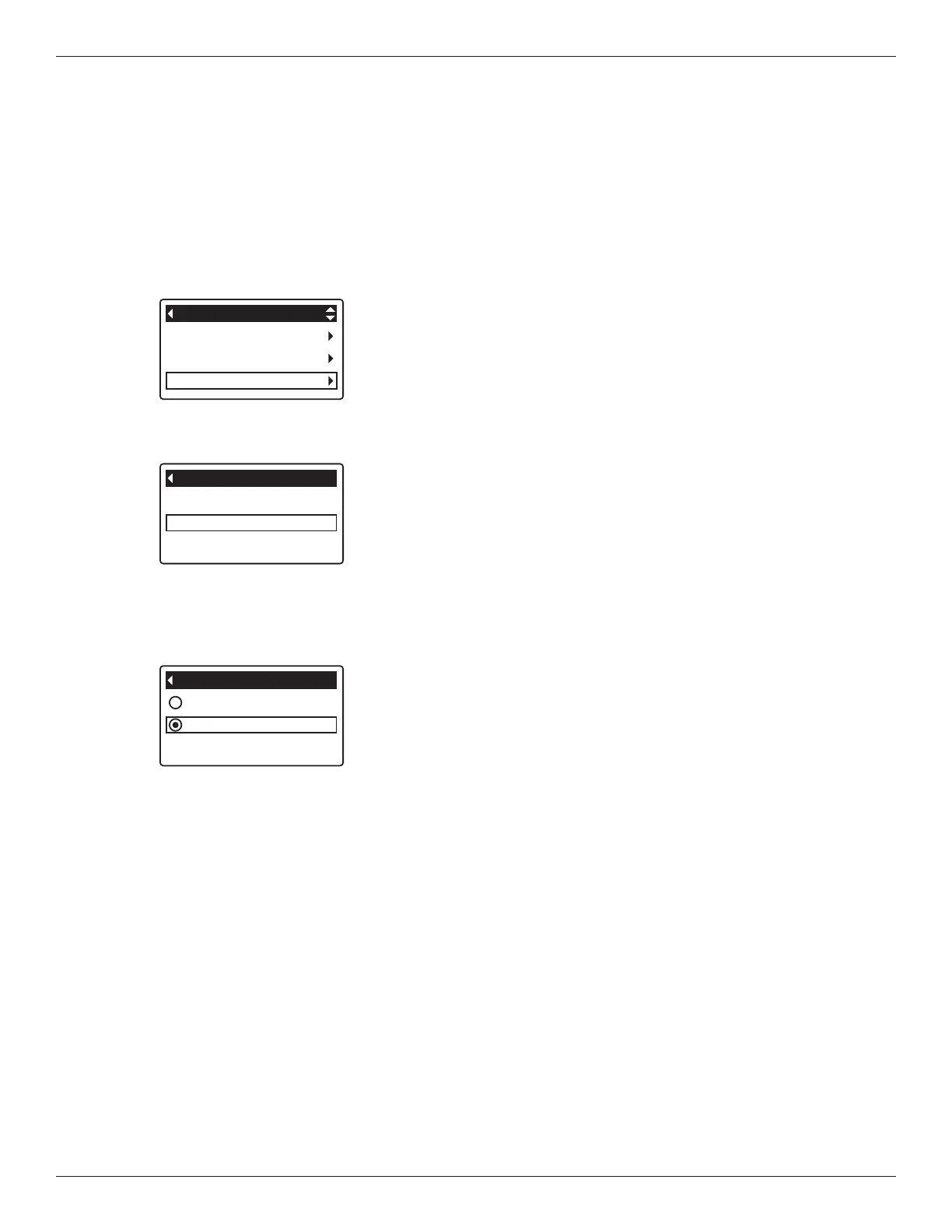
menu options until User preferences is highlighted
(See Figure 50).
FIG. 52
6. If the desired hardness unit already has a black dot
next to it (See Figure 52), go to Step 7. Otherwise,
press the DOWN q or UP p buttons to scroll to the
other hardness unit, then press OK / MENU to choose
it.
7. Press the OK / MENU button. The display will go
back to the User preferences menu.
8. Press the LEFT t button twice to return to the rolling
status screens.
4. Press the DOWN q button to scroll through the
menu options until Hardness units is highlighted.
5. Press the OK / MENU button to display the Hardness
units menu (See Figure 52).
Language
Hardness units
User preferences
FIG. 51
3. Press the OK / MENU button to display the User pref-
erences menu (See Figure 51).
Salt settings
Basic settings
User preferences
Main menu
FIG. 50
1 grain = 1°dH
10 ppm = 1°f


 To Next Page