18
Programming the Water Softener
SYSTEM INFORMATION
Use these features to look up the following information
about the softener and its operations:
=Model information (model number and software
version)
=Water available (softened water ready for use)
=Daily average water used
=Water used today
=Total water used (explained in Step 6, below)
=Current water flow
=Days powered up
=Last recharge
=Total recharges
To display one of these screens:
1. From any of the rolling status screens, press the OK /
MENU button to display the Main menu.
2. Press the DOWN q button to scroll through the
menu options until System information is highlight-
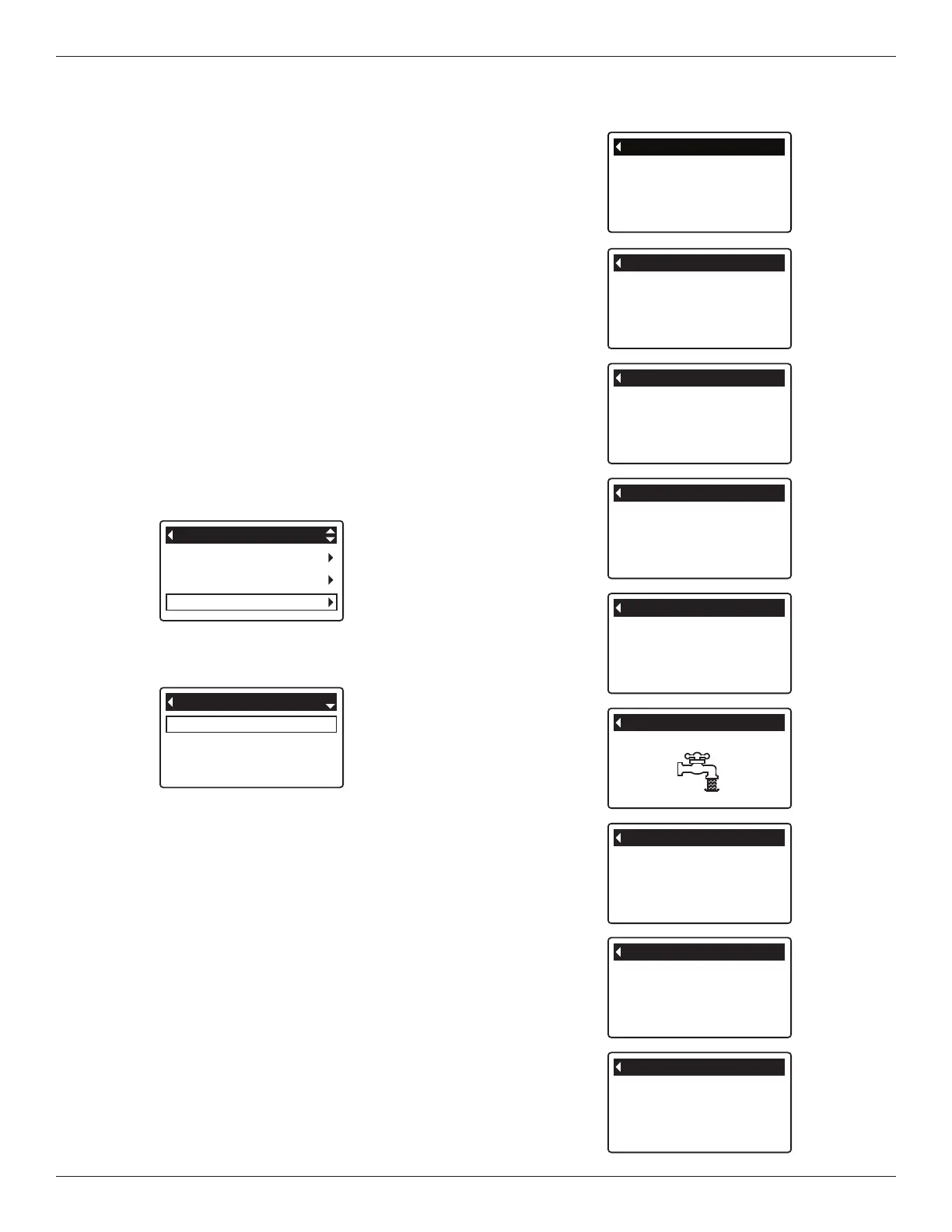
ed (See Figure 53).
Basic settings
User preferences
System information
Main menu
FIG. 53
Model information
Water available
Daily avg. water used
System information
FIG. 54
3. Press the OK / MENU button to display the System
information menu (See Figure 54).
4. Press the DOWN q button to scroll through the
menu options until the desired option is highlighted
(See list at the top of this column).
5. Press the OK / MENU button to display the desired
information screen (See Figures 55-63).
6. The Total water used screen (See Figure 59) shows
the volume of water used since it was last reset (it
works like the trip odometer in a car). To reset the
value to 0, press the RIGHT u button while this
screen is displayed.
7. When finished viewing an information screen, press
the OK / MENU button. The display will go back to
the System information menu (Figure 54). It will also
exit automatically if no buttons are pressed for four
minutes.
8. Press the LEFT t button twice to return to the rolling
status screens.
Model information
Model: VS34
Version: R4.0
FIG. 55
Water available
3330 liters (100%)
FIG. 56
Daily avg. water used
675 liters
FIG. 57
Water used today
456 liters
FIG. 58
Total water used
345 liters
(Right key press resets)
FIG. 59
Current water flow
3.0 LPM
FIG. 60
FIG. 61
FIG. 62
FIG. 63


 To Next Page