11
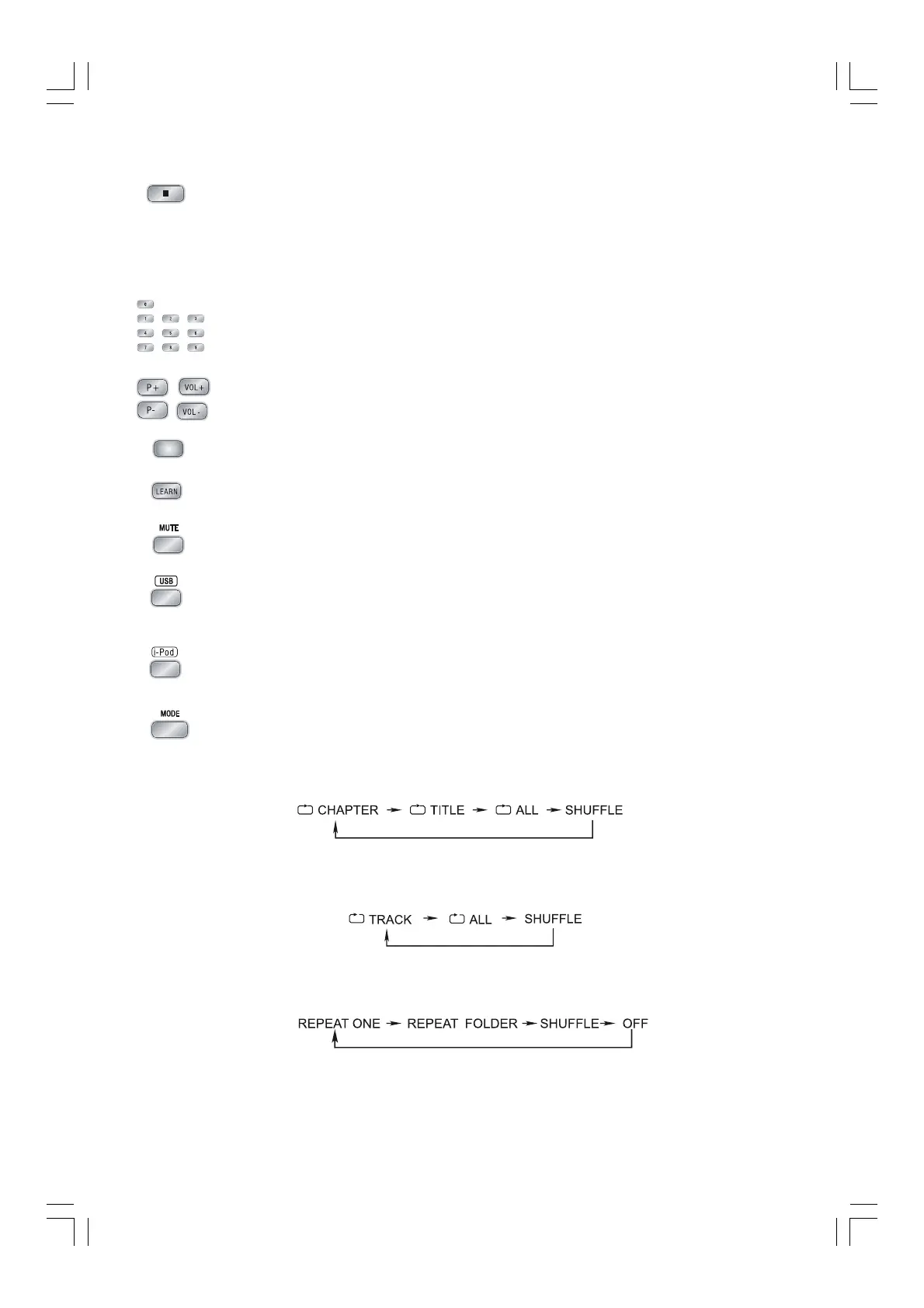
13. Press the stop button (L) to stop playing, the unit will store the last playing time
in the memory automatically, then press the play/pause button (
BF), the unit
will resume to last memory time and continue playback automatically.
If you press the stop button (
L) twice to stop the disc playing.
(You can also operate the key “
L” on the panel of the DVD Player.)
14. Load a Video CD disc in PBC ON mode (the MENU button turns the PBC function
ON/OFF). You can select tracks or chapters with the number buttons (0-9).
15. You can use these buttons to store the learned codes of another remote control.
16. Indicator for remote control learning.
17. Press the learn button (
LEARNLEARN
LEARNLEARN
LEARN
) to learn codes of another remote control.
18. Press the mute button inplay mode, all sound will be muted, press the button
again or increase/decrease the volume to resume sound.
19. In power mode, press the USB function button (
USBUSB
USBUSB
USB
) to select USB function.
(You can also operate the key “
FUNCTIONFUNCTION
FUNCTIONFUNCTION
FUNCTION
” on the panel of the DVD Player.)
20. In power mode, press the i-Pod function button (
i-Podi-Pod
i-Podi-Pod
i-Pod
) to select i-Pod function.
(You can also operate the key “
FUNCTIONFUNCTION
FUNCTIONFUNCTION
FUNCTION
” on the panel of the DVD Player.)
21. One title, one chapter, one track or all the disc repeat play can be set by pressing
the mode button.
When playing a DVD disc, this function can be used to play a title, chapter or disc
repeatedly. Repeatedly press the mode button, the screen shows orderly:
When playing a CD disc, this function can be used to play a track or folder
repeatedly. Repeatedly press the mode button, the screen shows orderly:
When playing MP3 disc, this function can be used to play a track or folder
repeatedly. Repeatedly press the mode button, the screen shows orderly:


 To Next Page