12
22. If your DVD disc has one or more music chapters or titles, you can setup playing
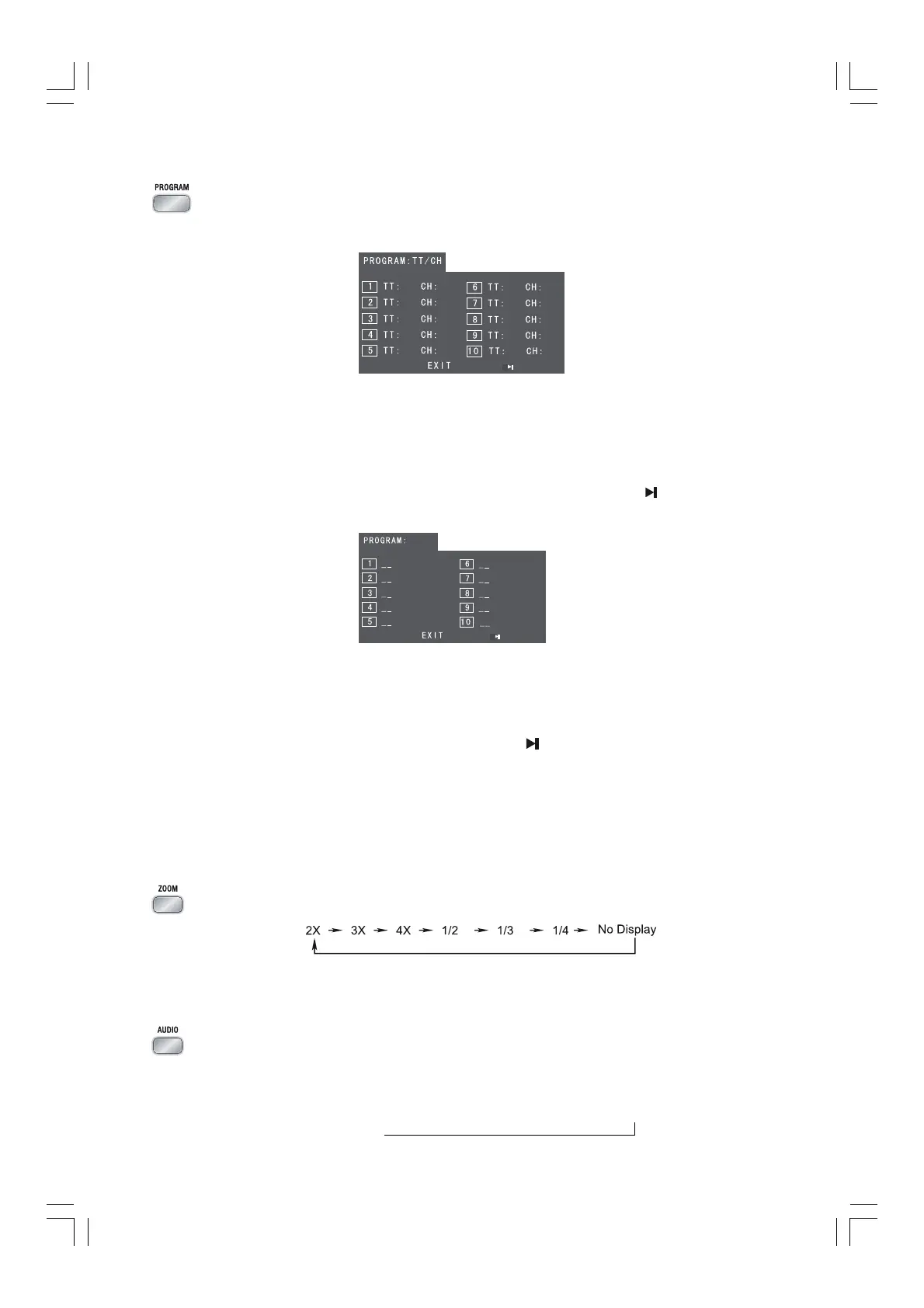
order for the disc using this button. Press the program button
(
PROGRAMPROGRAM
PROGRAMPROGRAM
PROGRAM), TV
display will be as follows:
Note:Note:
Note:Note:
Note: Use the 0-9 buttons to input the sequence number which you want to
program playing (the first selection is title and the second selection is
chapter of the programs menu.). After finishing program, Press the S,T,
D,C buttons to select “START” then press the
ENTER button to
start programmed play or select “STOP” and “EXIT” to exit the program.
(If you setup disc playing order over 10, press the “
” to setup.)
If you are playing the CD disc, the TV display is as follows:
Note:Note:
Note:Note:
Note: Use the 0-9 buttons to input the sequence number you want to program
playing. After the program has been entered, Press the S,T,D,C
buttons
to select “Start” then press the
ENTERENTER
ENTERENTER
ENTER
button to start
programmed play or select “EXIT” to exit the program. (If you setup a disc
playing order over 10, press the
“ ”
to continue to the next program
screen.)
If you are playing the MP3 disc, when Filelist is on the screen, select the files
and press program button
(
PROGRAMPROGRAM
PROGRAMPROGRAM
PROGRAM) to add the files to the program list.
Press menu button
(
MENUMENU
MENUMENU
MENU) to display the program list then press program
button (
PROGRAMPROGRAM
PROGRAMPROGRAM
PROGRAM) to delete unwanted files from the program list.
23. This function can be used while playing a film or a still picture.
Press the zoom button (
ZOOMZOOM
ZOOMZOOM
ZOOM
) repeatedly when playing, the screen shows :
Use the S,T,D,C buttons to move around the enlarged picture.
Note:Note:
Note:Note:
Note: This function is not available for CD ,WMA or MP3 playback.
24. When playing a the Video CD, you can choose MONO (LEFT MONO, RIGHT
Mono), “STEREO” audio output by pressing vocal mode select button (
AUDIOAUDIO
AUDIOAUDIO
AUDIO
).
When playing DVD disc recorded with several languages, you can repeatedly
press the language select button (
AUDIOAUDIO
AUDIOAUDIO
AUDIO)
to select one of languages to play.
Audio 1/4 Audio 2/4 Audio 3/4 Audio 4/4
JJJ
K
Note: TT: Title
CH:Chapter


 To Next Page