-11-
9. Operating Instructions
1. Turn on the power switch of the instrument.
The projection lamp lights and the chart for 0.05 vision shall be viewed in 3
seconds.
2. Changing the chart
Press the appropriate chart button on the remote controller.
The charts have 31 selections.
3. Isolating the visual acuity chart
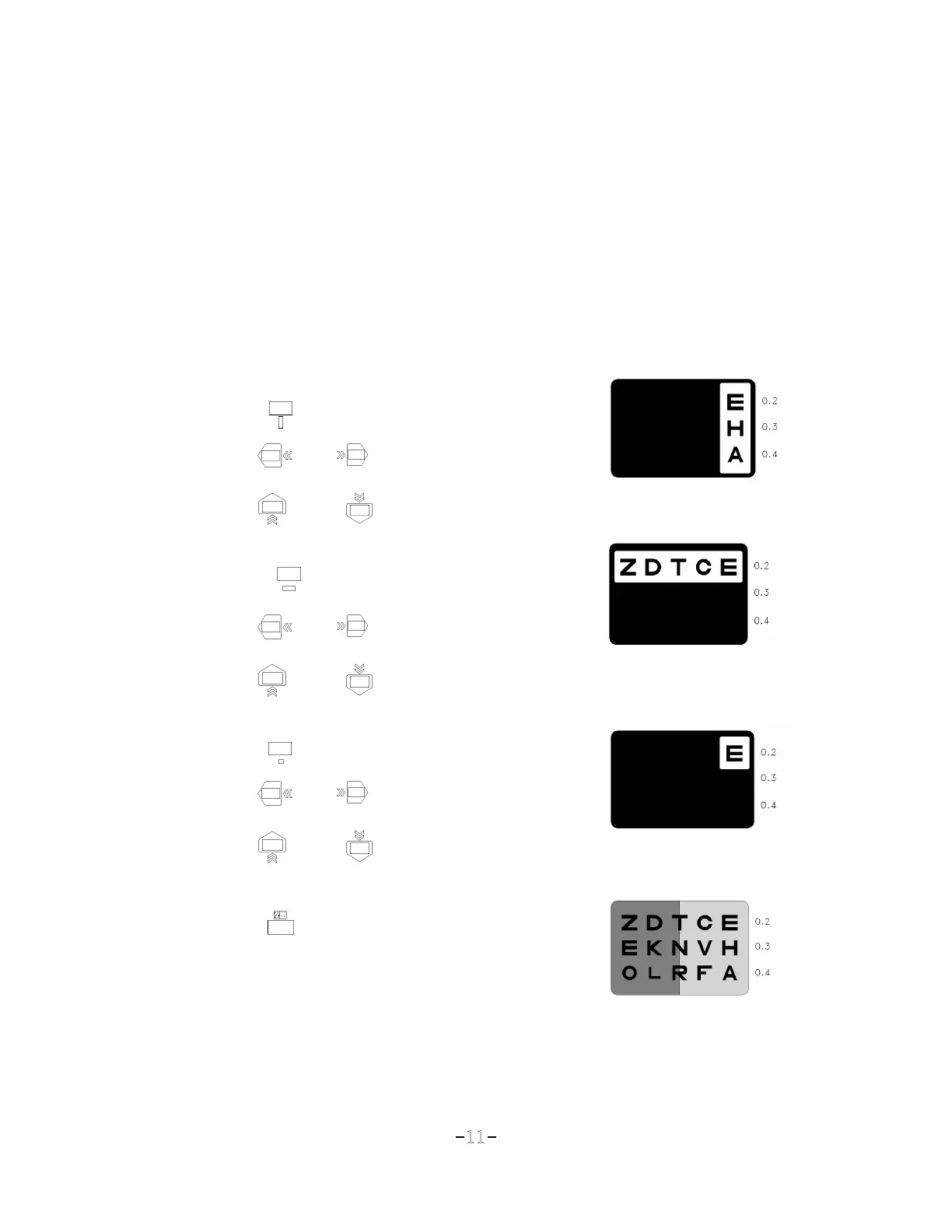
■ To use Vertical line masking:
Press
☞ To move the position right or left
Press or
☞ To move the position up or down
Press or
■ To use Horizontal line masking:
Press
☞ To move the position right or left
Press or
☞ To move the position up or down
Press or
■ To use Single letter masking:
Press
☞ To move the position right or left
Press or
☞ To move the position up or down
Press or
■ To use Red/Green filter:
Press
■ To release masking and filter:
Press any chart button


 To Next Page