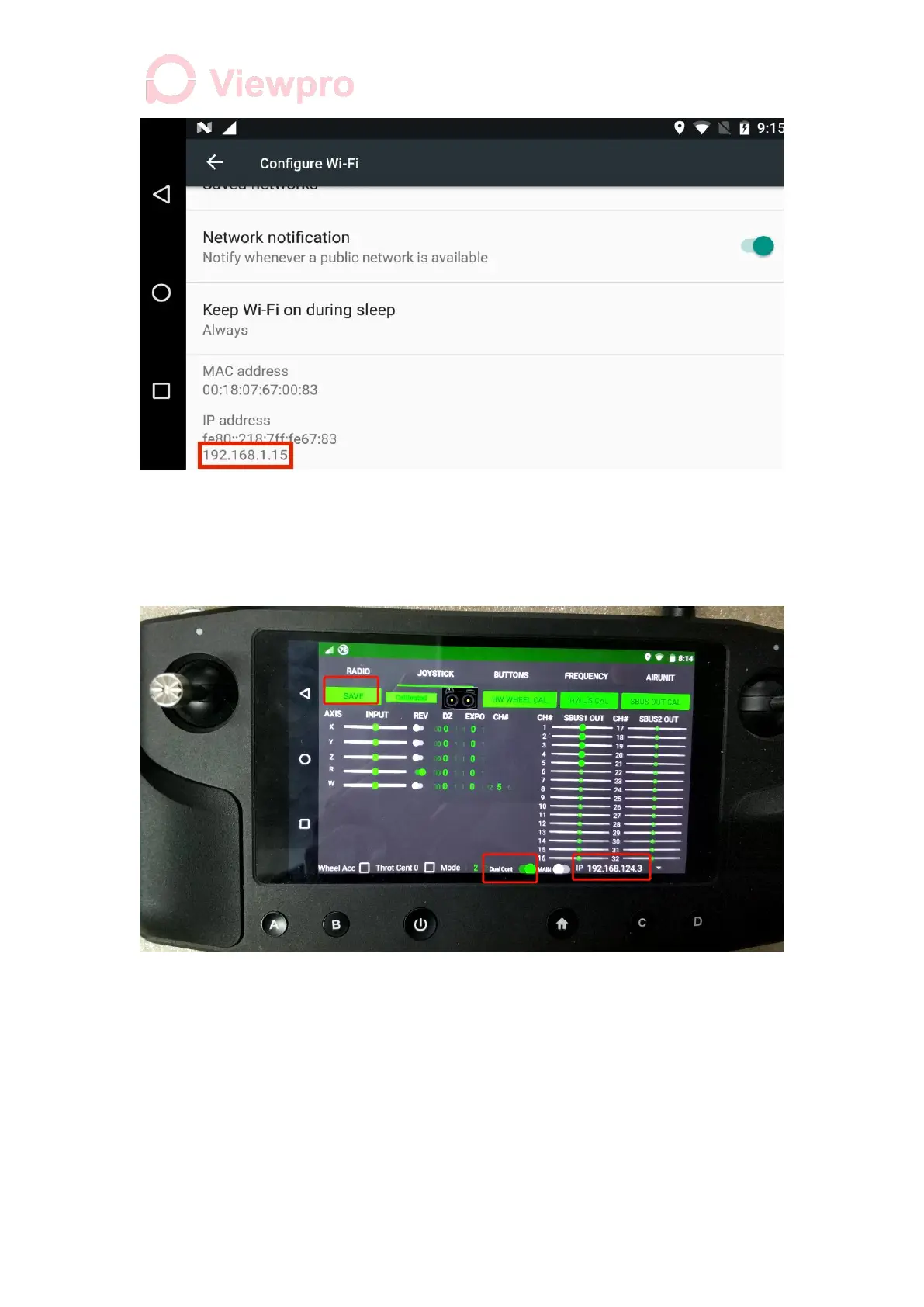
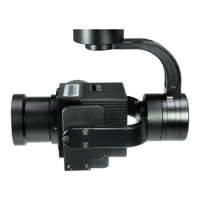
3.5 Open another Herelink remote control, open Herelink Settings - Joystick, and open
the Dual Cont button. The IP address box will pop up on the right side. Select the IP
address that the main control just connected to WIFI, and click Save in the upper left
corner to set the remote control as the secondary controller (control console).
4. Remote control calibration
The primary and secondary controllers need to be calibrated before use. Follow the
following steps
4.1 Herelink Settings - Joystick, select flight Mode directly below the screen, 1 for
Japanese hand, 2 for American hand.



 To Next Page