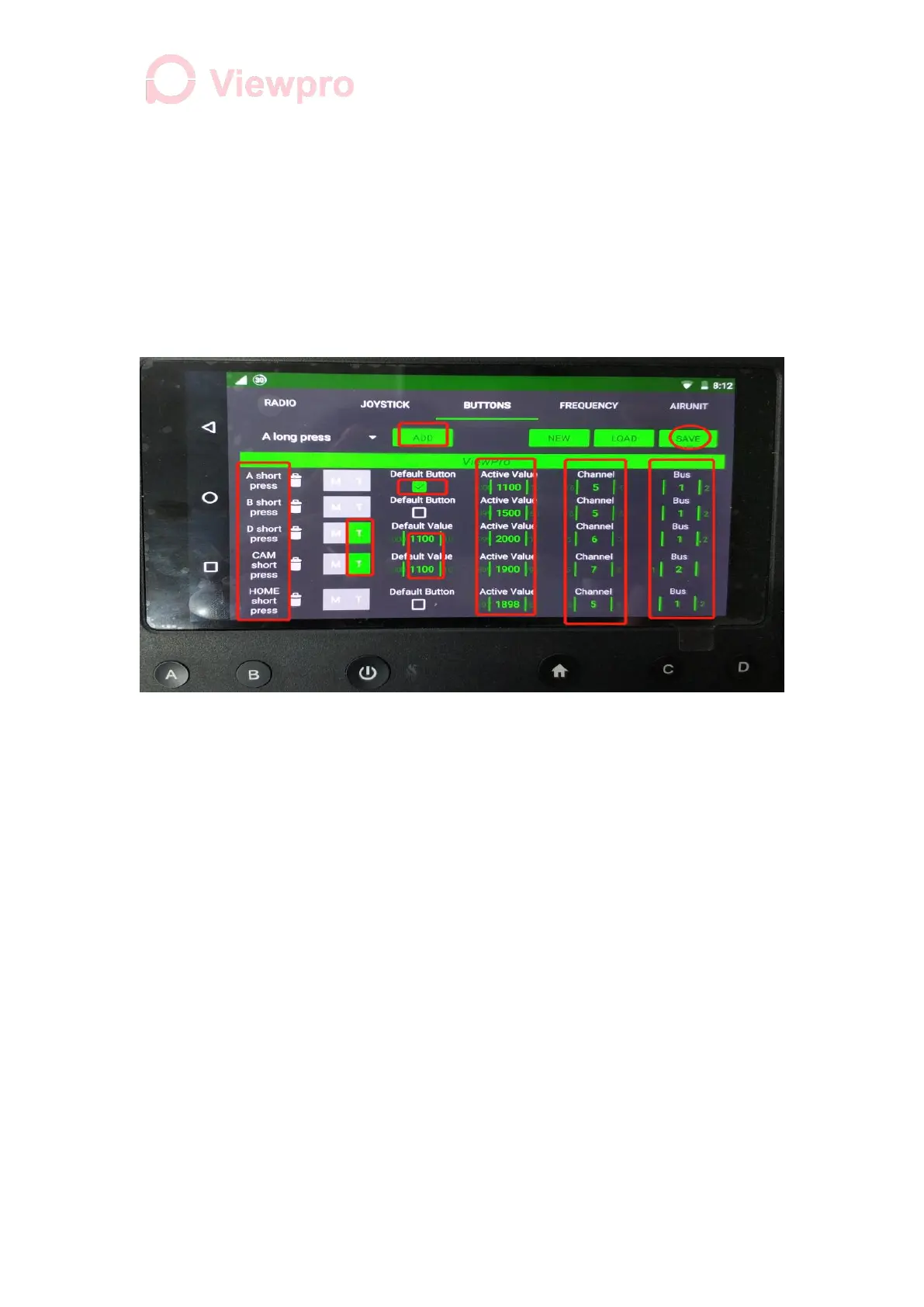
3. Set Active Value of A, B, and Home to 1100, 1500 and 1900 respectively (PWM value).
4. Set Channels of A, B and Home to 5 (because the default flight control parameter
fltmode=5), and set BUS to 1
B. Set Single Channel Button
1. Add (D short press, CAM short press), Select T at the right ( as single channel)
2. Set Default Value and Active Value of D and CAM to 1100 and 1900 respectively
3. Set Channel of D to 6 (custom) and Bus to 1
4. Set Channels of CAM to 7 and Bus to 2. Click SAVE in the upper right corner after
setting.
C. Channel Function Description
1. A, B, Home are flight mode switching buttons. Short press on A (Qstabilize), B
(Qloiter), Home (Rtl), and the flight mode will be mapped on ground stations accordingly.
2. D: short press to turn on the navigation light, press again to turn off the navigation light.
3. CAM: press to take picture, again to record, then cancel
6. Secondary Controller Channel Function Mapping (operate on the main
controller)
1. Connect the SBUS cable (GND and SBUS) of the gimbal camera control box to
SBUS2 of the receiver, and power on the device.
2. Herelink Settings - Joystick
3. Map the CH# of X2, Y2, Z2, R2, W2 to 17, 18, 19, 21, 20
4. Map functions X (yaw), Y (pitch), Z (track and cancel), R (zoom), W wheel (home
position and speed adjustment)
5. Click SAVE in the upper left corner



 To Next Page