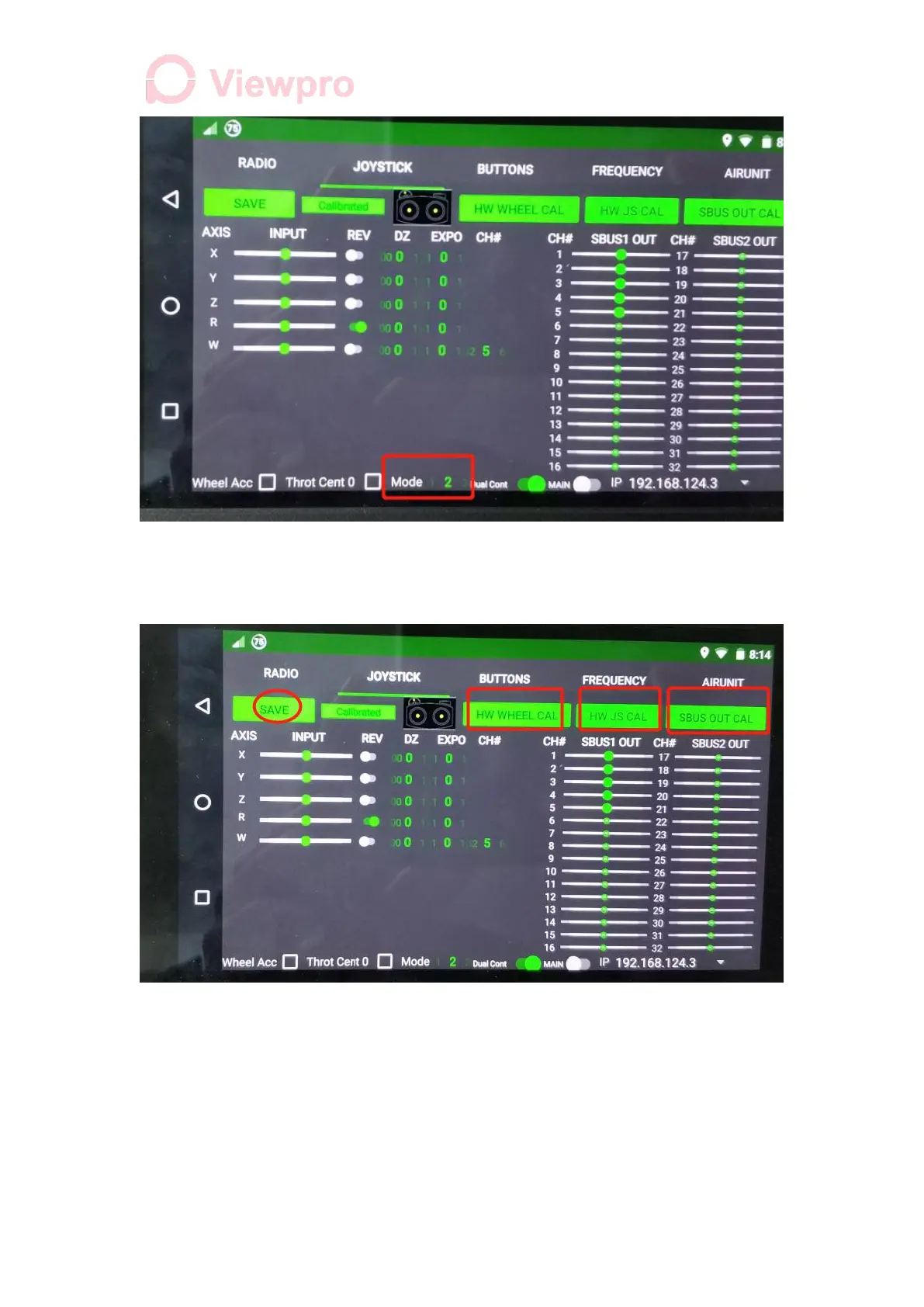
4.2 Calibrate items one by one, click HW WHEEL CAL to trigger calibration steps and
follow the prompts. After calibration, click Save and the bone will turn green. HW JS CAL
(rocker calibration), SBUS OUT CAL (SBUS output calibration) are similar.
5. Master Channel Function Mapping (operate on the main controller)
A. Set Key Combinations
1. Click Herelink Settings - Buttons, Add (A short press, B short press, Home short
press), and leave the right side M and T unchecked (as combination)
2. Check Default Button corresponding to A short press (check at least one item)



 To Next Page