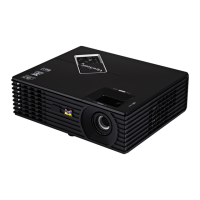
Model No. VS13147
PJD5352
A Small but Capable Office Projector
120Hz 3D-ready professional projector
Packings 2600 ANSI lumens in just 2. 5kg, and with a
high 2600:1 contrast (typical), your presentations
are guaranteed to be vibrant even in the brightest
office environment.
Bright in virtually any setting with
2600 lumens
The short throw lens enables large images to be
projected from short distances in small. A screen
size of 66” is possible from just 1.2m.
Short-throw lens for large,
stunning images in small spaces
BrilliantColor technology
The direct off feature allows the busy presenter to
simply unplug the projector and go without waiting
for the mandatory cool down. This feature protects
lamp life and extends the life of the unit.
Off and go
Extend the life of your lamp up to 6000 hours** and
reduce noise output with ViewSonic ECO-mode.
Easy, cost-effective maintenance
BrilliantColor™ DLP Technology delivers stunning
all-digital clarity with life-like colour, sharp
graphics and outstanding video performance.
The implementation of a sophisticated
6-segment colour wheel enriches the colour,
reproduction and depicts the image as it was
meant to be seen.
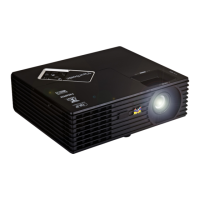
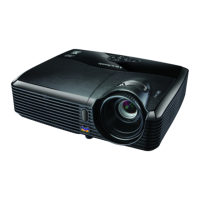
The ViewSonic PJD5352 is a professional projector designed
for corporate and business. At a weight of only 2.5kg, its
exceptional 2600-lumen brightness and full-featured
connectivity are best for bright, relatively small executive
offices or meeting rooms requiring a bigger projected
screen and clear images.
With 120Hz 3D-ready video capability for DVD-quality
contents, the PJD5352 features an amazingly small throw
ratio of 0.9-1.08, allowing the projector to be placed 50%
closer to the screen which can provide more space for
presenters and a 66-inch image requires only 1.2m to
generate!
BrilliantColor™ DLP Technology delivers stunning all-digital
clarity with life-like colour, sharp graphics and outstanding
video performance; and the implementation of a
sophisticated 6-segment colour wheel enriches the colour
reproduction and depicts the image as it really is.
The Auto Off feature allows the projector to shut down
automatically for less power consumption and a longer
lamp life of up to 6,000 hours, while the off and go feature
allows busy presenters to simply unplug the projector and
go without waiting for the lamp to cool down.
Light, bright with a long lamp life, the ViewSonic PJD5352 is
your ideal choice for office communications, especially
when you’d like to impress others up close.
** Running ECO-mode. exclusirely can extend lamp life.
D ynamic Contrast Ratio



 To Next Page
 General