EasyManua.ls Logo

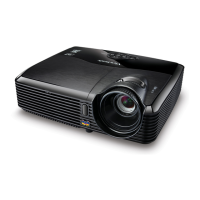
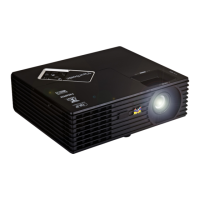
ViewSonic PJD5122 - User Manual

ViewSonic PJD5122
69 pages
Print Icon
To Next Page IconTo Next Page
Loading...
ViewSonic
®
IMPORTANT: Please read this User Guide to obtain important information on install-
ing and using your product in a safe manner, as well as registering your product for
future service. Warranty information contained in this User Guide will describe your
limited coverage from ViewSonic Corporation, which is also found on our web site
at http://www.viewsonic.com in English, or in specic languages using the Regional
selection box in the upper right corner of our website.
“Antes de operar su equipo lea cuidadosamente las instrucciones en este manual”
Model No. : VS13304/VS13305
VS13306/VS13308
PJD5211/PJD5221/
PJD5231/PJD5122
DLP Projector
- User Guide
- Guide de l’utilisateur
- Bedienungsanleitung
- Guía del usuario
- Guida dell’utente
- Guia do usuário
- Användarhandbok
- Käyttöopas
- Руководство пользователя
- 使用手冊 (繁體)
- 使用手冊 (簡體)
- 사용자 안내서
- Podręcznik użytkownika
- Kullanιcι kιlavuzu

Table of Contents

Other manuals for ViewSonic PJD5122

Questions and Answers

  • M
    Marissa WestJul 26, 2025
    How to fix ViewSonic PJD5122 Projector that does not turn on?
    • P
      pvegaJul 26, 2025
      If your ViewSonic Projector is not turning on, first ensure the power cord is securely plugged into both the projector's AC inlet and a functioning power outlet, and that the outlet switch is on, if applicable. Also, if the projector was recently turned off, it may be in a cooling process. Wait for this process to complete before attempting to turn it on again.
  • J
    Jacob HeathAug 2, 2025
    Why is there no picture on my ViewSonic Projector?
    • L
      lozanokristaAug 2, 2025
      If you're not seeing a picture on your ViewSonic Projector, there are several things to check: * Ensure that your video source is turned on and correctly connected. * Verify the projector is properly connected to the input signal device. * Select the correct input signal using the SOURCE key on the projector or remote. * Make sure the lens cover is open.
  • A
    angelawilliamsAug 10, 2025
    What to do if ViewSonic PJD5122 Projector remote control does not work?
    • C
      Cheyenne RobertsonAug 11, 2025
      If the remote control isn't working with your ViewSonic Projector, try these steps: 1. Replace the battery with a new one. 2. Make sure there's nothing blocking the path between the remote and the projector. 3. Ensure you are within 8 meters (26 feet) of the projector.
  • L
    leeashleyAug 17, 2025
    How to fix a blurred image on a ViewSonic Projector?
    • S
      Samuel MedinaAug 17, 2025
      If the image from your ViewSonic Projector is blurred, try the following: * Adjust the focus of the lens using the focus ring. * Adjust the projection angle, direction, and height of the projector to properly align it with the screen. * Ensure the lens cover is open.

Summary

Compliance Information

FCC Statement

Device compliance with FCC rules, including conditions for operation and interference.

For Canada

Compliance of digital apparatus with Canadian ICES-003 standard.

CE Conformity for European Countries

Compliance with EU EMC and Low Voltage Directives for European countries.

Declaration of RoHS Compliance

Copyright Information

Product Registration

Registering your product for future needs and additional product information.

Important safety instructions

Safety Instructions

Critical safety guidelines for operating the projector safely and preventing hazards.

Safety instructions for ceiling mounting of the projector

Guidelines and recommendations for securely mounting the projector on a ceiling.

Introduction

Projector features

Overview of the projector's key features and capabilities.

Shipping contents

Lists standard and optional accessories included with the projector.

Projector exterior view

Identifies and describes the external components and ports of the projector.

Controls and functions

Explains the operation of the projector's control panel and remote control buttons.

Positioning your projector

Choosing a location

Guidance on selecting the optimal room layout and projector placement.

Projection dimensions

Details on image size and projection distance based on screen size and aspect ratio.

Connection

Connecting a computer or monitor

Instructions for connecting the projector to a computer or external monitor.

Connecting Video source devices

Explains how to connect various video sources like Component, S-Video, and Composite.

Operation

Starting up the projector

Step-by-step guide to power on the projector and initial setup.

Using the menus

How to navigate and use the projector's On-Screen Display (OSD) menus for settings.

Switching input signal

Procedures for selecting and changing the active video input source.

Adjusting the projected image

Guidance on adjusting projection angle, image size, and clarity.

Optimizing the image

How to select picture modes and fine-tune image quality settings.

Shutting down the projector

Proper procedure for powering off the projector and its cooling process.

Maintenance

Care of the projector

Routine maintenance tasks, including cleaning the lens and projector case.

Lamp information

Information about lamp usage, replacement timing, and extending lamp life.

Replacing the lamp

Step-by-step instructions and safety precautions for replacing the projector lamp.

Troubleshooting

Specifications

Projector specifications

Detailed technical specifications of the projector, including optical, electrical, and mechanical aspects.

Dimensions

Physical dimensions of the projector and mounting screw specifications.

Timing chart

Supported PC input resolutions and their corresponding frequencies.

Copyright information

Appendix

IR control table

Mapping remote control keys to their corresponding IR command bytes.

RS232 command table

Details of RS232 serial communication protocol, pin assignments, and commands.

ViewSonic PJD5122 Specifications

General IconGeneral
Projection distance1.2 - 11.3 m
Vertical scan range48 - 120 Hz
Horizontal scan range31 - 100 kHz
Projection technologyDLP
Contrast ratio (typical)2000:1
Screen size compatibility30 - 300 \
Projector native resolutionSVGA (800x600)
Keystone correction, vertical± 40 °
Resolution1280 x 1024 pixels
Aspect ratio4:3, 16:9
RS-232 ports1
Weight (imperial)5.1 lbs
Dimensions (WxDxH)264 x 225 x 96.4 mm
Power requirements100 - 240 V, 50/60 Hz
Connectivity technologyWired
Lamp power220 W
Light source typeLamp
Service life of light source4000 h
Service life of light source (economic mode)6000 h
FocusManual
Focal length range- mm
Full HDNo
HD-ReadyYes
Analog signal format systemSECAM
RMS rated power5 W
Audio (L/R) in0
Serial interface typeRS-232
USB 2.0 ports quantityUSB 2.0 ports have a data transmission speed of 480 Mbps, and are backwards compatible with USB 1.1 ports. You can connect all kinds of peripheral devices to them.
VGA (D-Sub) ports quantity3
Component video (YPbPr/YCbCr) in2
Cables includedVGA
Noise level32 dB
CertificationCB, RoHS, WEEE, UL/cUL, FCC-B, ICES-003, IRAM, NOM, PSB, C-tick, EK, CE, TUV/GS, GOST-R, SASO UKrSEPRO, CCC
Noise level (economic mode)26 dB
Power consumption (standby)1 W
Power consumption (typical)280 W
Operating altitude1.8 - 3048 m
Operating temperature (T-T)0 - 40 °C
Operating relative humidity (H-H)10 - 90 %
Product colorBlack
Market positioningPresentation
Weight and Dimensions IconWeight and Dimensions
Weight2300 g

Related product manuals