
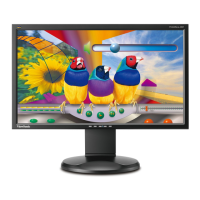

 To Next PageTo Next Page
 Need help?
Do you have a question about the ViewSonic VG2228WM-LED and is the answer not in the manual?
Covers water, ventilation, heat, and general handling precautions.
Addresses plug safety, authorized servicing, and unplugging when unused.
Advises on screen handling, ventilation, placement, and potential hazards.
Step-by-step guide to connecting the display to the computer.
Importance of resolution and refresh rate for image quality.
Explains the main menu and front control panel functions.
Step-by-step guide to adjusting settings like contrast and brightness.
How to adjust the difference between image background and foreground.
Covers H/V Position, Horizontal Size, Fine Tune, and Sharpness.
How to sharpen focus and adjust screen image clarity.
Solutions for no power or no screen image.
Troubleshooting steps for abnormal colors and unresponsive buttons.
Details what the warranty covers, its duration, and who it protects.
Lists conditions and damages not covered by the warranty.


 General