15
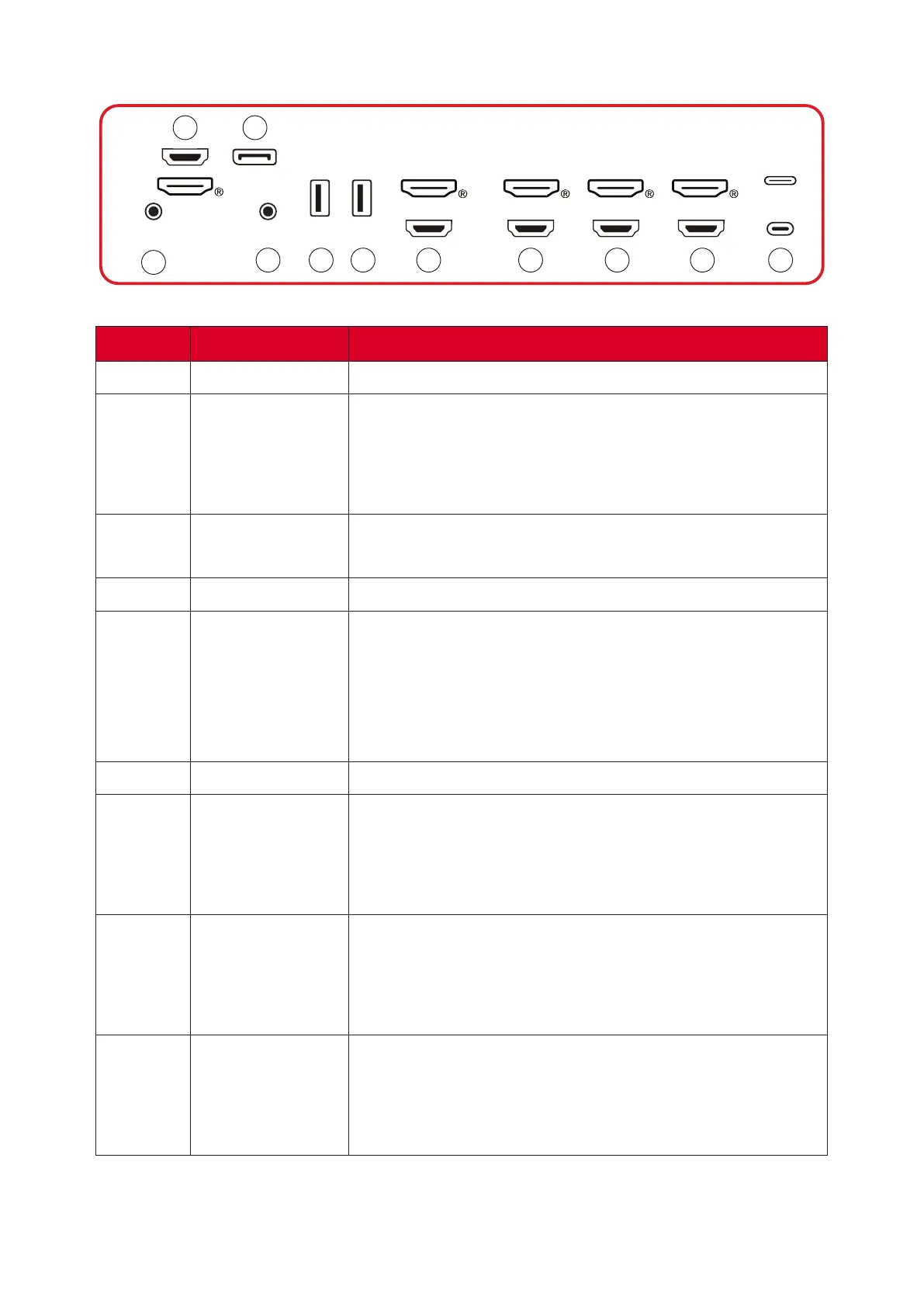
Side I/O
USBUSB
AUDIO OUTAUDIO IN
DP
HDMI 1
HDMI OUT
HDMI 2 HDMI 3 HDMI 4
1
2 3
4 5 5 6 7 8 9 10
Number Item Descripon
1 AUDIO IN External device audio input.
2 HDMI 1
• HDMI input.
• Connect to a computer with HDMI output, set-
top box, or other video device.
• Supports 4K display; HDMI v. 2.1; CEC; ARC.
3 DP
• DisplayPort input.
• Supports 5K @ 60 Hz; DP 1.4; HDCP 2.3.
4 AUDIO OUT Audio output to an external speaker or headset.
5 USB
• USB Type A input.
• USB 3.0 standard.
• Connect USB devices such as hard disks,
keyboard, mouse, etc.
• Supports: 5V/0.9A.
6 HDMI OUT
7 HDMI 2
• HDMI input
• Connect to a computer with HDMI output, set-
top box, or other video device
• Supports 4K display; HDMI v. 2.0; CEC.
8 HDMI 3
• HDMI input
• Connect to a computer with HDMI output, set-
top box, or other video device
• Supports 4K display; HDMI v. 2.0; CEC.
9 HDMI 4
• HDMI input
• Connect to a computer with HDMI output, set-
top box, or other video device
• Supports 4K display; HDMI v. 2.0; CEC.



 To Next Page