59
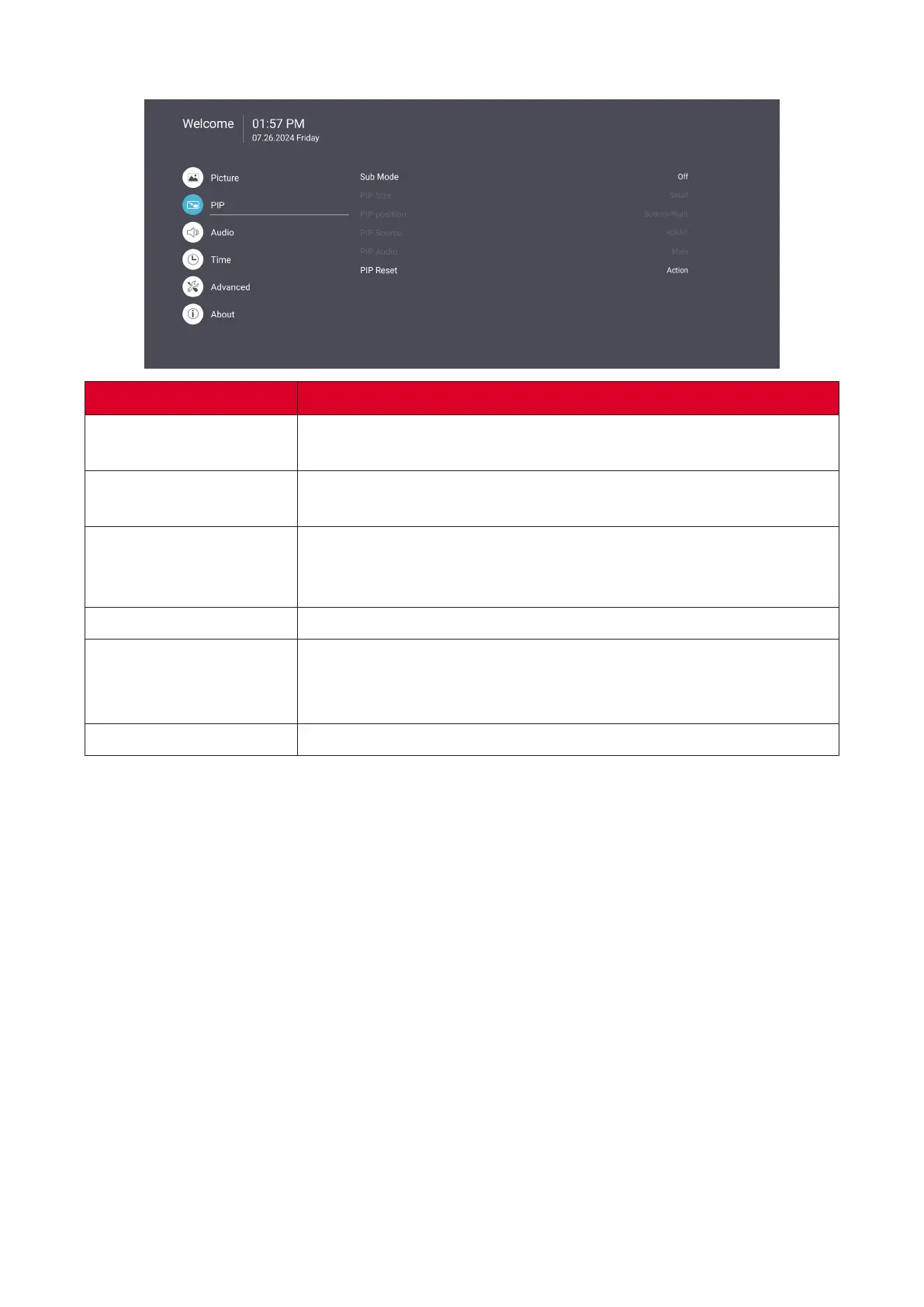
PIP
Item Descripon
Sub Mode
Select the PIP (Picture-in-Picture) mode. Choose from: O, PIP,
PBP.
PIP Size
Select the size of the sub picture in the PIP (Picture-in-Picture)
mode. Choose from: Small, Medium, Large.
PIP Posion
Select the posion of the sub picture in the PIP (Picture-in-
Picture) mode. Choose from: Boom-Right, Boom-Le, Top-
Right, Top-Le.
PIP Source
Select the input signal for the sub-picture.
PIP Audio
Select the audio source for the Sub Mode.
• Main - Select audio from the main picture
• Sub - Select audio from the sub-picture.
PIP Reset
Reset all sengs in the PIP menu to factory preset values.



 To Next Page