34
Manual Image Adjust Menu
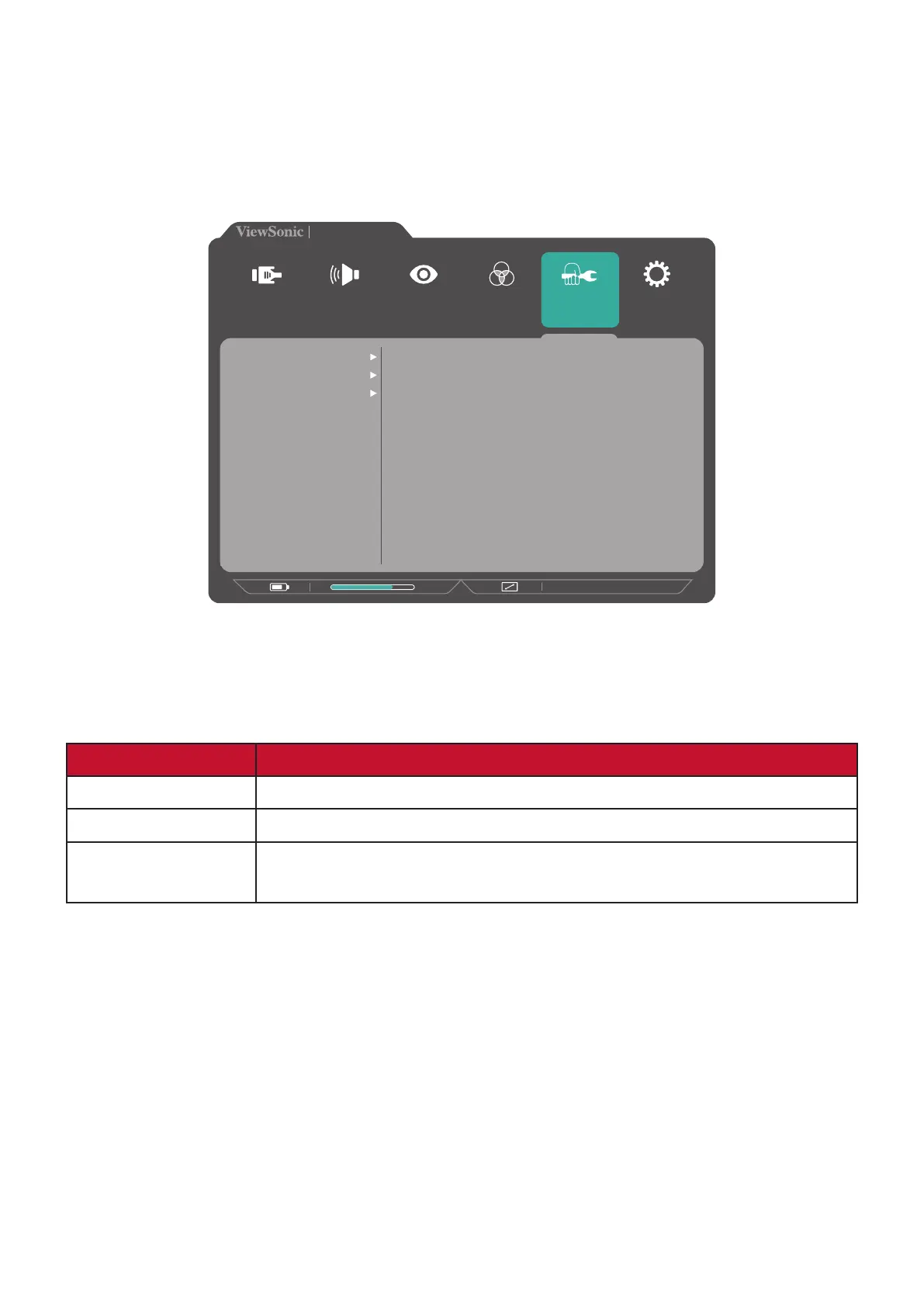
1. Press the 2/3/4/5 key to display the Quick Menu. Then press the 4 key to display
the OSD Menu.
2. Press the 1(Game Mode) or 2 key to select Manual Image Adjust. Then press the
3 key to enter the Manual Image Adjust menu.
VX3217-2KC-mhd
2560 x 1440 @ 75Hz
75%
Setup Menu
Color Adjust ViewMode
Manual Image
Adjust
Input
Select
Audio Adjust
Sharpness
Aspect Ratio
Overscan
3. Press the 1(Game Mode) or 2 key to select the menu option. Then press the 3
key to enter its sub-menu.
4. Press the 1(Game Mode) or 2 key to adjust/select the setting. Then press the 3
key to confirm (if applicable).
Menu Option Description
Sharpness Adjust the picture quality.
Aspect Ratio Select the aspect ratio of the monitor.
Overscan Automatically enlarge the original picture horizontally and
vertically to an equal aspect ratio that fills the screen.



 To Next Page