EasyManua.ls Logo

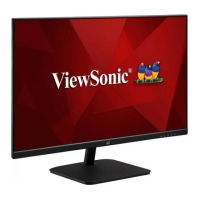
ViewSonic VS18231 - User Manual

ViewSonic VS18231
46 pages
Print Icon
To Next Page IconTo Next Page
Loading...
IMPORTANT: Please read this User Guide to obtain important information on installing and using your product in
a safe manner, as well as registering your product for future service. Warranty information contained in this User
Guide will describe your limited coverage from ViewSonic® Corporation, which is also found on our web site at
http://www.viewsonic.com in English, or in specific languages using the Regional selection box in the upper right
corner of our website.
VA2732-H
VA2732-MH
Display
User Guide
Model No. VS18231
P/N: VA2732-H | VA2732-MH

Questions and Answers

  • D
    David HendersonSep 23, 2025
    Why USB devices connected to ViewSonic VS18231 do not work?
    • R
      rlongSep 23, 2025
      If USB devices connected to your ViewSonic Monitor do not work, ensure the USB cable is properly connected. Try changing to another USB port, if available. Note that some USB devices require a higher electric current and should be connected directly to the computer.
  • C
    Charles BishopSep 23, 2025
    What to do if external device is connected to ViewSonic Monitor, but no image appears?
    • L
      Lisa DouglasSep 23, 2025
      If the external device is connected to your ViewSonic Monitor, but no image appears on the screen, make sure the power is on. Also, adjust the brightness and contrast via the OSD Menu and check that the connecting cable is properly and securely connected.
  • J
    Jennifer SalazarSep 23, 2025
    Why are USB devices connected to my ViewSonic VS18231 Monitor not working?
    • E
      Emily Little PhDSep 23, 2025
      If USB devices connected to your ViewSonic monitor aren't working, first, ensure the USB cable is properly connected. If applicable, try another USB port. Some devices need more power, so connect them directly to the computer.
  • T
    Todd FloresAug 31, 2025
    Why is my ViewSonic Monitor screen blurred?
    • R
      reginasmithSep 1, 2025
      Adjust the resolution to the correct Aspect Ratio. If the issue persists, reset the monitor to factory settings.
  • J
    Jessica OrtizAug 25, 2025
    What to do if ViewSonic Monitor has power but no image?
    • J
      Jean ThomasAug 25, 2025
      Check that the video cable connecting your monitor to the computer is properly and securely connected. Also, adjust the brightness and contrast settings. Lastly, make sure the correct input source is selected.
  • D
    Dustin ParkAug 25, 2025
    What causes the screen image to cut in and out on ViewSonic VS18231?
    • D
      danielletannerAug 26, 2025
      Make sure the correct input source is selected. Check for bent or broken pins in the video cable connector. Ensure the video cable connecting the monitor to the computer is properly and securely connected.
  • T
    Thomas BrooksAug 26, 2025
    How to adjust screen brightness on ViewSonic VS18231 Monitor?
    • S
      Scott WrightAug 26, 2025
      Adjust the brightness and contrast settings via the OSD Menu. Alternatively, you can reset the monitor to its factory settings.
  • T
    tknoxAug 27, 2025
    Why is there no image on my ViewSonic Monitor when an external device is connected?
    • A
      Andrew LyonsAug 27, 2025
      Make sure the Power is On. Adjust brightness and contrast via the OSD Menu. Check the connecting cable and make sure it is properly and securely connected. Loose or broken pins in the cable connector could cause an improper connection.
  • T
    Terri GardnerAug 27, 2025
    How to fix a ViewSonic Monitor that has no power?
    • W
      williammillerAug 27, 2025
      If you're experiencing no power on your ViewSonic monitor, ensure you've turned it on using the power button. Next, check that the power cord is properly and securely connected to both the monitor and the power outlet. To verify the outlet is working, plug another electrical device into it.
  • Z
    zcordovaAug 27, 2025
    How to adjust screen image that is too light or dark on ViewSonic Monitor?
    • V
      Victoria ClarkAug 28, 2025
      If the screen image on your ViewSonic monitor is too light or dark, adjust the brightness and contrast settings via the OSD Menu. If that doesn't resolve the issue, try resetting the monitor to its factory settings.

ViewSonic VS18231 Specifications

General IconGeneral
BrandViewSonic
ModelVS18231
CategoryMonitor
LanguageEnglish

Related product manuals