EasyManua.ls Logo

ViewSonic VS18497 - User Manual

ViewSonic VS18497
118 pages
Print Icon
To Next Page IconTo Next Page
Loading...
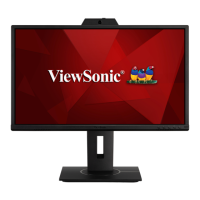
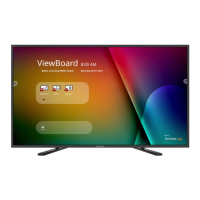
IFP52 Series
Commercial Touch Display
User Guide
Model No. VS18373 | VS18374 | VS18375 | VS18497 | VS18135
P/N: IFP6552-1A/IFP6552-1B | IFP7552-1A/IFP7552-1B/IFP7552-1BH | IFP8652-1A/IFP8652-1B/IFP8652-1BH
IMPORTANT: Please read this User Guide to obtain important information on installing and using your product in
a safe manner, as well as registering your product for future service. Warranty information contained in this User
Guide will describe your limited coverage from ViewSonic® Corporation, which is also found on our web site at
http://www.viewsonic.com in English, or in specific languages using the Regional selection box of our website.


Table of Contents

Questions and Answers

  • A
    Abigail AdamsAug 17, 2025
    How to troubleshoot no sound on ViewSonic Touchscreen?
    • C
      Christopher SmithAug 17, 2025
      If you are getting no sound from your ViewSonic Touchscreen, first, press the Mute/Unmute button. If that doesn't work, adjust the volume. Lastly, check the audio cable to make sure it is properly connected.
  • R
    Robert DiazAug 19, 2025
    Why is the touch function not working on my ViewSonic Touchscreen?
    • D
      dwayne18Aug 20, 2025
      If the touch function on your ViewSonic Touchscreen isn't working, check that the drivers are installed correctly. If not, reinstall them. Also, check the setup and alignment. Finally, verify that the touch pen is working properly.
  • C
    Chloe ReyesAug 22, 2025
    What to do if my ViewSonic Touchscreen has no picture or sound?
    • K
      Kimberly BoyerAug 22, 2025
      If your ViewSonic Touchscreen displays no picture or sound, verify the power status, inspect the signal cable, and ensure the internal PC is correctly installed.
  • K
    Kimberly CollinsAug 25, 2025
    How to fix a ViewSonic Touchscreen remote control that is not working?
    • K
      Kayla BrightAug 26, 2025
      If the remote control for your ViewSonic Touchscreen isn't working, make sure nothing is blocking the display's remote control receiver. Also, check that the batteries are correctly installed and aren't in need of replacement.
  • J
    jgreeneAug 27, 2025
    How to improve poor picture quality on ViewSonic Touchscreen?
    • M
      Mr. Brian Anderson DVMAug 27, 2025
      If your ViewSonic Touchscreen has poor picture quality, try adjusting the chroma, brightness, and contrast settings in the menu. Also, check the signal cable to ensure it is properly connected.
  • C
    Charles FieldsAug 30, 2025
    What to do if ViewSonic Touchscreen picture is unclear?
    • A
      Alexander JonesAug 30, 2025
      If the picture on your ViewSonic Touchscreen is unclear or cuts in and out, check the signal cable. Also, check whether other electronics are causing interference.
  • M
    Malik WallsSep 2, 2025
    How to fix one speaker not working on ViewSonic Touchscreen?
    • K
      Kenneth AdamsSep 2, 2025
      If you're only getting sound from one speaker on your ViewSonic Touchscreen, adjust the sound balance in the menu. Also, check the sound control panel settings on your computer and the audio cable.
  • E
    Ellen OsbornSep 5, 2025
    Why does my ViewSonic Touchscreen turn off unexpectedly?
    • J
      Jennifer AdamsSep 5, 2025
      If your ViewSonic Touchscreen unit turns off unexpectedly, check whether Sleep mode is enabled. Also, check if there is a power outage in your area. You may also turn on the display to see if the problem lies with the signal and control system.
  • L
    lauren84Sep 7, 2025
    What to do if my ViewSonic Touchscreen says 'No PC signal'?
    • T
      tiffany90Sep 7, 2025
      If your ViewSonic Touchscreen shows 'No PC signal', check the display settings and the display resolution. You can also try adjusting the Hs & Vs (synchronization) settings using the OSD menu.
  • K
    Kenneth SimonSep 12, 2025
    How to remove background streaking on ViewSonic Touchscreen?
    • M
      Micheal FoxSep 12, 2025
      If you see background streaking on your ViewSonic Touchscreen, try using the auto adjust feature. If that doesn't work, adjust the clock and phase settings.

ViewSonic VS18497 Specifications

General IconGeneral
Screen Size27 inches
Panel TypeIPS
Brightness250 cd/m²
Contrast Ratio1000:1
Response Time5 ms
Aspect Ratio16:9
Refresh Rate60 Hz
ConnectivityHDMI
Viewing Angle178° horizontal, 178° vertical

Related product manuals