EasyManua.ls Logo

ViewSonic VX1655-4K-OLED - User Manual

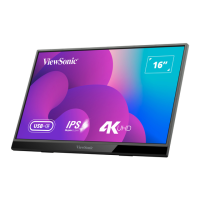
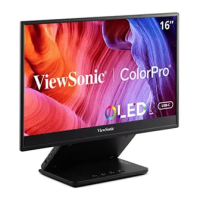
ViewSonic VX1655-4K-OLED
46 pages
Print Icon
To Next Page IconTo Next Page
Loading...
VX1655-4K-OLED
Display
User Guide
Model No. VS19591
P/N: VX1655-4K-OLED
IMPORTANT: Please read this User Guide to obtain important information on installing and using your product in
a safe manner, as well as registering your product for future service. Warranty information contained in this User
Guide will describe your limited coverage from ViewSonic® Corporation, which is also found on our web site at
http://www.viewsonic.com in English, or in specific languages using the Regional selection box of our website.

Questions and Answers

  • R
    Ronald Sandoval Jr.Sep 9, 2025
    What to do if control panel keys do not work on ViewSonic VX1655-4K-OLED?
    • W
      William AnthonySep 9, 2025
      If the control panel keys on your ViewSonic monitor do not work, try pressing only one key at a time. If the problem continues, restart the computer.
  • S
    Sarah GregorySep 12, 2025
    Why some menus aren’t selectable in the OSD on ViewSonic Monitor?
    • N
      Nicole GoldenSep 12, 2025
      If some menus aren’t selectable in the OSD of your ViewSonic monitor, try adjusting the ViewMode or the input source. If the issue persists, reset the monitor to factory settings.
  • E
    Eddie RussellSep 14, 2025
    How to fix no audio output on ViewSonic VX1655-4K-OLED Monitor?
    • T
      Tyler PenaSep 14, 2025
      If you are experiencing no audio output from your ViewSonic monitor, and are using ear-/headphones, ensure the mini stereo jack is properly connected. Also, make sure the volume is not muted and is not set to 0. Finally, check the Audio Input setting.
  • C
    Charlotte Richard MDSep 16, 2025
    Why USB devices connected to ViewSonic VX1655-4K-OLED Monitor do not work?
    • M
      mannaprilSep 16, 2025
      If USB devices connected to your ViewSonic monitor do not work, ensure the USB cable is connected properly. If applicable, try changing to another USB port. Note that some USB devices require a higher electric current, so try connecting the device directly to the computer.

Summary

Safety Precautions

Initial Setup

Making Connections

Connecting to Power

Explains different configurations for powering the monitor.

Connecting External Devices

Power Delivery

Power Supply Detection

Explains how the monitor detects power sources and adjusts brightness.

Power Delivery - Further Information

Turning the Device On;Off

Configuring the Settings

Appendix

Specifications

Detailed technical specifications of the monitor's hardware and capabilities.

Troubleshooting

Limited Warranty

Mexico Limited Warranty

ViewSonic VX1655-4K-OLED Specifications

General IconGeneral
Display diagonal16 \
Display brightness400 cd/m²
Display technologyOLED
Native aspect ratio16:9
Contrast ratio (dynamic)80000000:1
Display number of colors1.07 billion colors
Viewing angle, horizontal170 °
Digital vertical frequency40 - 75 Hz
Digital horizontal frequency15 - 160 kHz
Tuner typeNo
USB portYes
USB port typeUSB Type-C
Headphone outputs1
USB ports quantity2
Headphone connectivity3.5 mm
RMS rated power0.8 W
Power source typeAC
Power consumption (standby)0.5 W
Power consumption (typical)25 W
Product typePortable monitor
Product colorBlack
Tilt angle range15 - 43 °
Package depth77 mm
Package width412 mm
Package height391 mm
Package weight1700 g
Cables includedAC, USB Type-C to USB Type-C, HDMI to Mini-HDMI
Weight and Dimensions IconWeight and Dimensions
Depth16 mm
Width352 mm
Height223 mm
Weight680 g

Related product manuals