

 To Next PageTo Next Page
 Need help?
Do you have a question about the ViewSonic VX2416 and is the answer not in the manual?
Lists all items included in the monitor package, such as cables and the quick start guide.
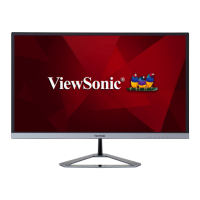
Illustrates the front and rear panels of the monitor, highlighting key features and design.
Identifies and describes the input/output ports available on the monitor for connectivity.
Provides step-by-step instructions for attaching the monitor stand to the display unit.
Guides users on how to connect the monitor to a power source safely and correctly.
Explains how to tilt the monitor forwards or backwards for optimal viewing.
Details how to navigate and adjust various settings using the monitor's control panel and OSD menu.
Detailed technical specifications of the LCD display, input signals, and compatibility.
General safety guidelines for handling and maintaining the monitor.
Instructions on how to safely clean the monitor's screen surface.
Instructions on how to safely clean the monitor's exterior case.
Recommendations for taking breaks during prolonged monitor usage to reduce eye strain.
Provides exercises to help minimize eye and neck strain from monitor use.
Details regulatory requirements and statements, including FCC and CE compliance.
Statement regarding compliance with FCC rules for digital devices and potential interference.
Indicates compliance with European EMC and Low Voltage Directives.
Declares compliance with RoHS2 Directive regarding hazardous substances in electronic equipment.
States compliance with India's E-waste rule and restrictions on hazardous substances.
Provides information on environmentally responsible disposal of the product at the end of its lifecycle.
Outlines copyright ownership and usage restrictions for the document content.
Lists contact information and websites for technical support and product service by region.


 General