EasyManua.ls Logo

ViewSonic VX2418-PC-mhd - User Manual

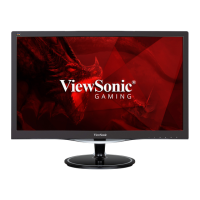
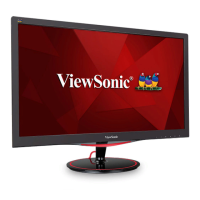
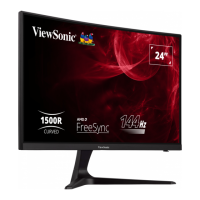
ViewSonic VX2418-PC-mhd
46 pages
Print Icon
To Next Page IconTo Next Page
Loading...
VX2418-PC-mhd
VX2418C
Display
User Guide
Model No. VS19012
P/N: VX2418-PC-MHD | VX2418C
IMPORTANT: Please read this User Guide to obtain important information on installing and using your product in
a safe manner, as well as registering your product for future service. Warranty information contained in this User
Guide will describe your limited coverage from ViewSonic® Corporation, which is also found on our web site at
http://www.viewsonic.com in English, or in specific languages using the Regional selection box in the upper right
corner of our website.

Questions and Answers

  • E
    Eric CruzAug 20, 2025
    What to do if power is on, but no image appears on ViewSonic VX2418-PC-mhd?
    • P
      parkerwelchAug 20, 2025
      If there's no image on your ViewSonic Monitor even though the power is on, first, ensure the video cable connecting the monitor to the computer is properly and securely connected. Then, try adjusting the brightness and contrast settings. Finally, make sure the correct input source is selected.
  • T
    thomaslorettaAug 22, 2025
    What to do if external device is connected, but no image appears on ViewSonic monitor?
    • S
      Samantha SellersAug 22, 2025
      If the external device is connected, but no image appears on the screen of your ViewSonic monitor, first, make sure the power is on. Then, adjust brightness and contrast via the OSD Menu. Finally, check the connecting cable and make sure it is properly and securely connected.
  • J
    Jean PopeAug 25, 2025
    How to fix no power on ViewSonic VX2418-PC-mhd Monitor?
    • R
      Robert WatkinsAug 25, 2025
      If your ViewSonic Monitor has no power, ensure you have turned it on by pressing the Power button. Also, make sure the power cord is properly and securely connected to both the monitor and the power outlet. To verify the outlet is supplying power, plug another electrical device into it.
  • S
    Shawn LambAug 27, 2025
    Why are the colors wrong or abnormal on my ViewSonic VX2418-PC-mhd?
    • M
      Miss Jennifer HurstAug 27, 2025
      If the colors on your ViewSonic Monitor appear wrong or abnormal and you notice any colors like red, green, or blue are missing, check the video cable to ensure it is properly and securely connected. You can also connect the monitor to another computer. If you have an older graphics card, contact ViewSonic for a non-DDC adapter.
  • S
    scott24Aug 28, 2025
    How to fix screen image that is too light or dark on ViewSonic Monitor?
    • J
      Julia BradyAug 28, 2025
      If the screen image on your ViewSonic Monitor is too light or dark, adjust brightness and contrast settings via the OSD Menu. Alternatively, reset the monitor to factory settings.
  • T
    Tanya MatthewsAug 30, 2025
    How to fix blurred screen image on ViewSonic VX2418-PC-mhd?
    • A
      anita78Aug 30, 2025
      If your ViewSonic Monitor screen image is blurred, try adjusting the resolution to the correct Aspect Ratio. If that doesn't work, reset the monitor to factory settings.
  • K
    Kari CoxSep 1, 2025
    Why does my ViewSonic Monitor screen image cut in and out?
    • P
      phillipsmartinSep 1, 2025
      If your ViewSonic Monitor screen image cuts in and out, ensure the correct input source is selected. Check the video cable connector for bent or broken pins. Also, make sure the video cable connecting the monitor to the computer is properly and securely connected.
  • E
    Elizabeth GuzmanSep 3, 2025
    What to do if the OSD Menu does not appear on the ViewSonic VX2418-PC-mhd Monitor?
    • D
      Daniel RussellSep 3, 2025
      If the OSD Menu does not appear on the screen or the OSD controls are inaccessible on your ViewSonic monitor, check whether the OSD Menu is locked. If not, turn off the monitor, unplug the power cord, plug it back in, and then turn on the monitor. Alternatively, reset the monitor to factory settings.
  • J
    jamesnovakSep 5, 2025
    How to center the screen correctly on ViewSonic Monitor?
    • A
      atkinscathySep 5, 2025
      If the screen isn’t centered correctly on your ViewSonic Monitor, adjust the horizontal and vertical controls via the OSD Menu. Check the Aspect Ratio. You can also reset the monitor to factory settings.
  • D
    dharveySep 7, 2025
    Why does the screen appear yellow on my ViewSonic Monitor?
    • L
      Laura TurnerSep 7, 2025
      If the screen on your ViewSonic Monitor appears yellow, make sure the “Blue Light Filter” is turned off.

ViewSonic VX2418-PC-mhd Specifications

General IconGeneral
Screen Size24 inches
Response Time1ms (MPRT)
Panel TypeVA
Brightness250 cd/m²
Aspect Ratio16:9
CurvatureFlat
Viewing Angle178° (H) / 178° (V)
Color Gamut72% NTSC
VESA Mount100 x 100 mm
Resolution1920 x 1080 (FHD)
Refresh Rate144 Hz
Contrast Ratio3000:1
PortsHDMI, DisplayPort

Related product manuals