EasyManua.ls Logo

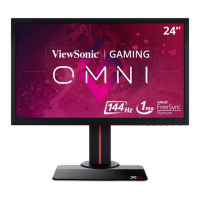
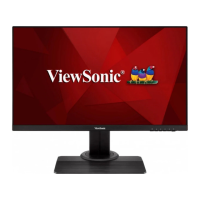
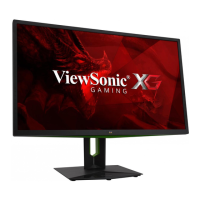
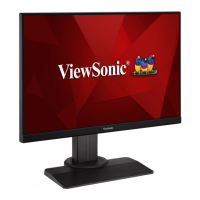
ViewSonic XG2405 - User Manual

ViewSonic XG2405
46 pages
Print Icon
To Next Page IconTo Next Page
Loading...
XG2405
Display
User Guide
Model No. VS17984
P/N: XG2405
IMPORTANT: Please read this User Guide to obtain important information on installing and using your product in
a safe manner, as well as registering your product for future service. Warranty information contained in this User
Guide will describe your limited coverage from ViewSonic® Corporation, which is also found on our web site at
http://www.viewsonic.com in English, or in specific languages using the Regional selection box in the upper right
corner of our website. “Antes de operar su equipo lea cu idadosamente las instrucciones en este manual”

Questions and Answers

  • T
    Timothy DodsonSep 12, 2025
    Why are USB devices not working on my ViewSonic XG2405 Monitor?
    • D
      Daniel StevensSep 12, 2025
      If USB devices connected to your ViewSonic monitor aren't working, ensure the USB cable is properly connected. Try using a different USB port if available. Some USB devices might need more power, so connect them directly to the computer.
  • L
    Lisa SimsSep 13, 2025
    How to fix ViewSonic XG2405 Monitor OSD menu not appearing?
    • C
      Chad FlemingSep 13, 2025
      If the OSD Menu isn't appearing on your ViewSonic monitor, check if the OSD Menu is locked. If it is, press and hold the 3 and 5 keys for 10 seconds. Also, try turning off the monitor, unplugging the power cord, plugging it back in, and then turning on the monitor. Resetting the monitor to factory settings may also resolve the issue.
  • K
    Katelyn SellersSep 15, 2025
    Why are some OSD menus not selectable on my ViewSonic XG2405 Monitor?
    • D
      Daniel JonesSep 15, 2025
      If some menus aren’t selectable in the OSD on your ViewSonic monitor, adjust the ViewMode or the input source. If that doesn't work, reset the monitor to factory settings.

Summary

Safety Precautions

I;O Ports

Initial Setup

Installing the Stand

Step-by-step instructions for attaching the monitor stand to the display.

Wall Mounting

Guidance on how to mount the monitor on a wall using appropriate kits and procedures.

Making Connections

Connecting to Power

Steps to safely connect the monitor to an electrical power source.

Connecting External Devices

Instructions for connecting video sources like HDMI and DisplayPort to the monitor.

Using the Monitor

Using the Control Panel Keys

Explains how to use the monitor's physical buttons for menu navigation and settings.

Configuring the Settings

Instructions on navigating the On-Screen Display (OSD) menu to adjust various monitor settings.

Troubleshooting

Maintenance

Regulatory and Service Information

Limited Warranty

Details on the warranty coverage, duration, exclusions, and how to obtain service.

Mexico Limited Warranty

Specific warranty terms and conditions applicable to products sold in Mexico.

ViewSonic XG2405 Specifications

General IconGeneral
Pixel pitch0.275 x 0.275 mm
Screen shapeFlat
Display diagonal23.8 \
Display technologyLED
Native aspect ratio16:9
Vertical scan range47 - 144 Hz
Horizontal scan range30 - 180 kHz
Supported video modes1080p
NTSC coverage (typical)72 %
sRGB coverage (typical)104 %
Contrast ratio (dynamic)80000000:1
Contrast ratio (typical)1000:1
Display number of colors16.78 million colors
Display brightness (typical)250 cd/m²
Supported graphics resolutions1920 x 1080 (HD 1080)
Pivot angle0 - 90 °
Tilt angle range-5 - 20 °
Cable lock slot typeKensington
Panel mounting interface100 x 100 mm
AC input voltage100 - 240 V
AC input frequency50 - 60 Hz
Power consumption (standby)0.5 W
Power consumption (typical)24 W
RMS rated power2 W
Number of speakers2
Operating temperature (T-T)0 - 40 °C
Operating relative humidity (H-H)20 - 90 %
CertificationCE, CE EMC, CB, ErP, REACH, WEEE, EAC, UkrSEPRO, BSMI, RCM, GEMS, VCCI, PSE, KC, e-Standby, BIS, CCC, China RoHS, CEL
Product colorBlack
Market positioningGaming
Package typeBox
Package depth182 mm
Package width699 mm
Package height402 mm
Package weight8400 g
Quantity per pack1 pc(s)
HDMI version1.4
VGA (D-Sub) ports quantity0
Sustainability certificatesRoHS
Weight and Dimensions IconWeight and Dimensions
Depth (with stand)239 mm
Height (with stand)521 mm
Weight (with stand)6700 g
Depth (without stand)43 mm
Width (without stand)540 mm
Height (without stand)325 mm
Weight (without stand)3400 g

Related product manuals